Type text, add images, blackout confidential details, add comments, highlights and more.
02. Sign it in a few clicks
Draw your signature, type it, upload its image, or use your mobile device as a signature pad.
03. Share your form with others
Send it via email, link, or fax. You can also download it, export it or print it out.
How to use or fill out - tax alaska with our platform
Ease of Setup
DocHub User Ratings on G2
Ease of Use
DocHub User Ratings on G2
Click ‘Get Form’ to open it in the editor.
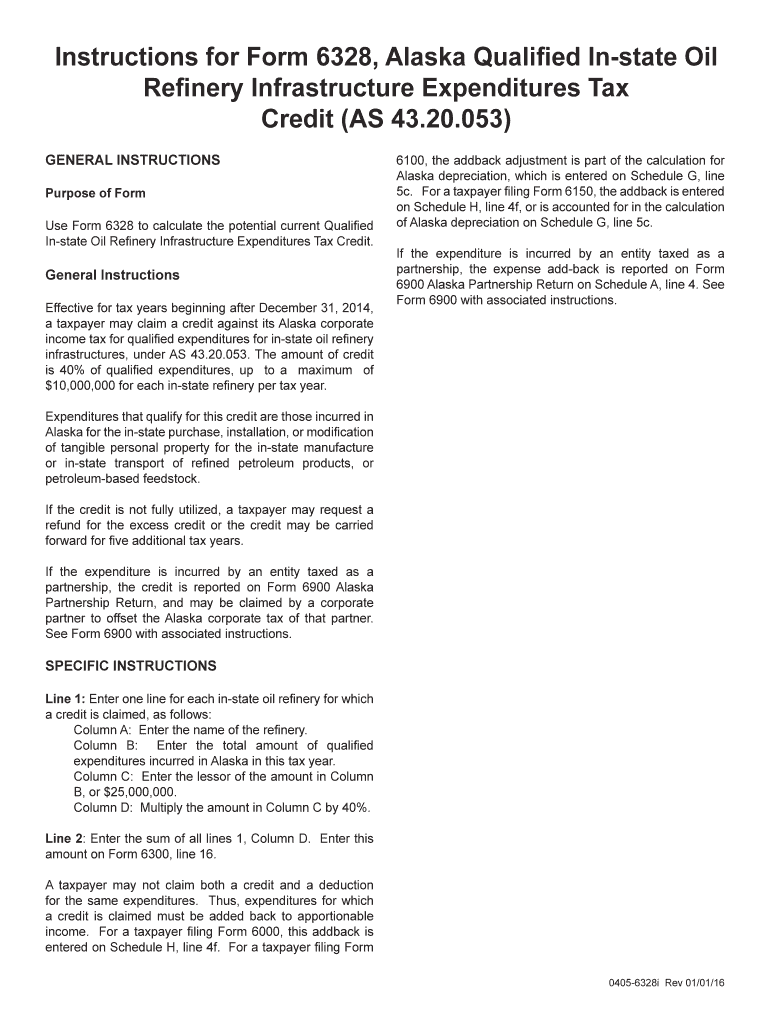
Begin with Line 1. For each in-state oil refinery, enter the name in Column A. This identifies the refinery for which you are claiming a credit.
In Column B, input the total amount of qualified expenditures incurred in Alaska during this tax year. Ensure accuracy as this will affect your credit calculation.
For Column C, enter the lesser of the amount from Column B or $25,000,000. This cap is crucial for determining your eligible credit.
Multiply the amount in Column C by 40% and record this result in Column D. This is your calculated credit for that refinery.
Finally, sum all amounts from Column D on Line 2 and transfer this total to Form 6300, line 16. Remember that you cannot claim both a credit and a deduction for the same expenditures.
Start using our platform today to easily complete your - tax alaska form online for free!
This section is applicable for applications for an automatic extension of time to file an individual income tax return filed after July 1, 2008. [T.D. 9407, 73Read more
Alaska has no state or local income tax withholding. AK State Unemployment Insurance. In general, workers are covered by the unemployment law of the state inRead more
Cookie consent notice
This site uses cookies to enhance site navigation and personalize your experience.
By using this site you agree to our use of cookies as described in our Privacy Notice.
You can modify your selections by visiting our Cookie and Advertising Notice.