Form C88 A - GOV.GG 2026

Get Form
c88 a Preview on Page 1

Here's how it works

01. Edit your c88 a online
Type text, add images, blackout confidential details, add comments, highlights and more.
02. Sign it in a few clicks
Draw your signature, type it, upload its image, or use your mobile device as a signature pad.
03. Share your form with others
Send c88a form via email, link, or fax. You can also download it, export it or print it out.

How to use or fill out Form C88 A - GOV.GG with our platform

Form edit decoration
9.5
Ease of Setup
DocHub User Ratings on G2
9.0
Ease of Use
DocHub User Ratings on G2
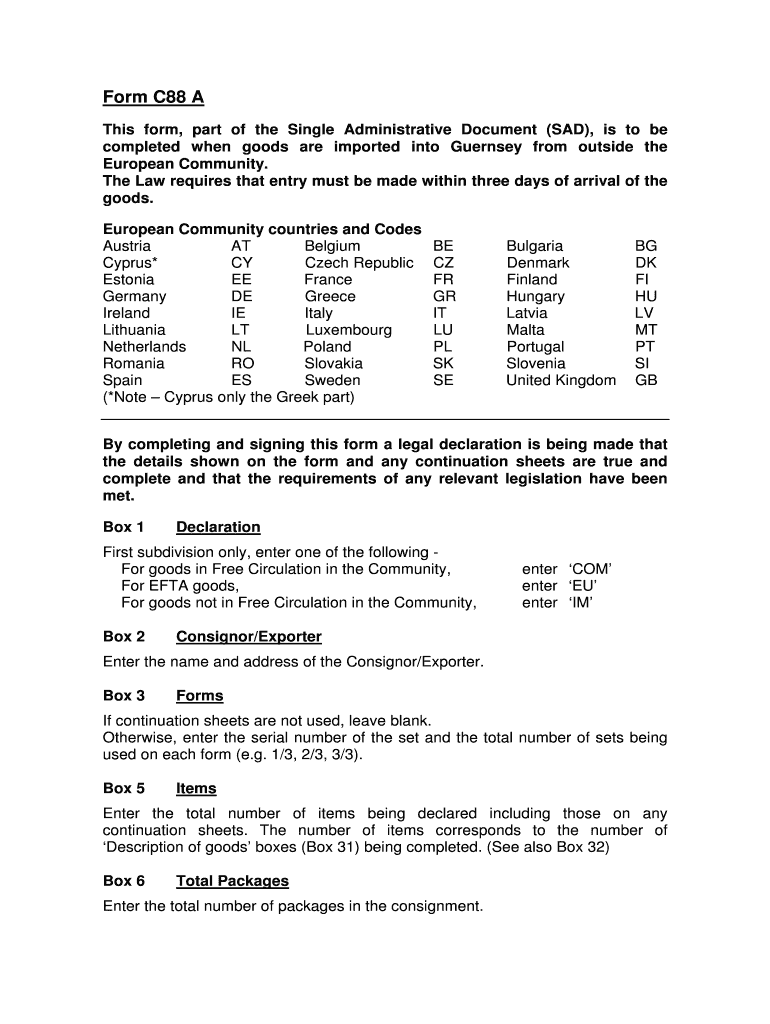
  1. Click ‘Get Form’ to open Form C88 A in the editor.
  2. Begin with Box 1, where you must select the appropriate declaration type: 'For goods in Free Circulation in the Community', 'For EFTA goods', or 'For goods not in Free Circulation in the Community'.
  3. In Box 2, enter the relevant code: ‘COM’ for Community goods, ‘EU’ for EFTA goods, or ‘IM’ for non-Community goods.
  4. Proceed to Box 3 and enter the serial number of any continuation sheets used. If none are used, leave this blank.
  5. In Box 5, indicate the total number of items being declared. This should match the number of 'Description of goods' boxes you will complete.
  6. Fill out Box 8 with the full name and address of the consignee.
  7. Continue through each box systematically, ensuring all required fields such as country codes, item descriptions, and weights are accurately filled out.
  8. Finally, complete Box 54 by entering ‘Guernsey’, today’s date, and your signature to finalize your declaration.

Start using our platform today to fill out Form C88 A effortlessly and for free!

be ready to get more

Complete this form in 5 minutes or less

Get form

Got questions?

We have answers to the most popular questions from our customers. If you can't find an answer to your question, please contact us.
Contact us
Its 100% free and easy to complete. The USPS Online customs form website requires a phone number before you can proceed with the creation of an online customs form. However, the site also allows you to enter 0000000000, using the standard American telephone number digits to create an online customs form.
The C88 (status) form can be obtained through the HM Revenue and Customs (HMRC) website or through authorized software that can be used to track the status of the transaction electronically.
The Single Administrative Document (SAD), also known as Form C88 in the UK, is the main customs form used in international trade to or from the European Union Customs Union.
You can print just a customs form and save time at the Post Office with Customs Form Online, or use Click-N-Ship service to pay for postage and print an international shipping label and customs form.
HMRC Form C88, also known as the SAD (Single Administrative Document) Import Declaration, should be completed by anyone who imports goods from non-EU countries into the UK. This includes individuals, businesses, and organizations that import goods for personal use, resale, or any other commercial purpose.

Security and compliance

At DocHub, your data security is our priority. We follow HIPAA, SOC2, GDPR, and other standards, so you can work on your documents with confidence.

Learn more
ccpa2
pci-dss
gdpr-compliance
hipaa
soc-compliance
be ready to get more

Complete this form in 5 minutes or less

Get form

People also ask

The C88 form is a form used in the UK for customs declaration purposes. The C88 form is used to declare the contents of a shipment, including information about the commodity, the origin and destination of the shipment, the value of the goods, and the applicable customs duties and taxes.

c88 a form