Canada wes academic 2025

Get Form
wes login Preview on Page 1

Here's how it works

01. Edit your wes login online
Type text, add images, blackout confidential details, add comments, highlights and more.

02. Sign it in a few clicks
Draw your signature, type it, upload its image, or use your mobile device as a signature pad.

03. Share your form with others
Send wes form filling via email, link, or fax. You can also download it, export it or print it out.

How to use or fill out canada wes academic with our platform

Form edit decoration
9.5
Ease of Setup
DocHub User Ratings on G2
9.0
Ease of Use
DocHub User Ratings on G2
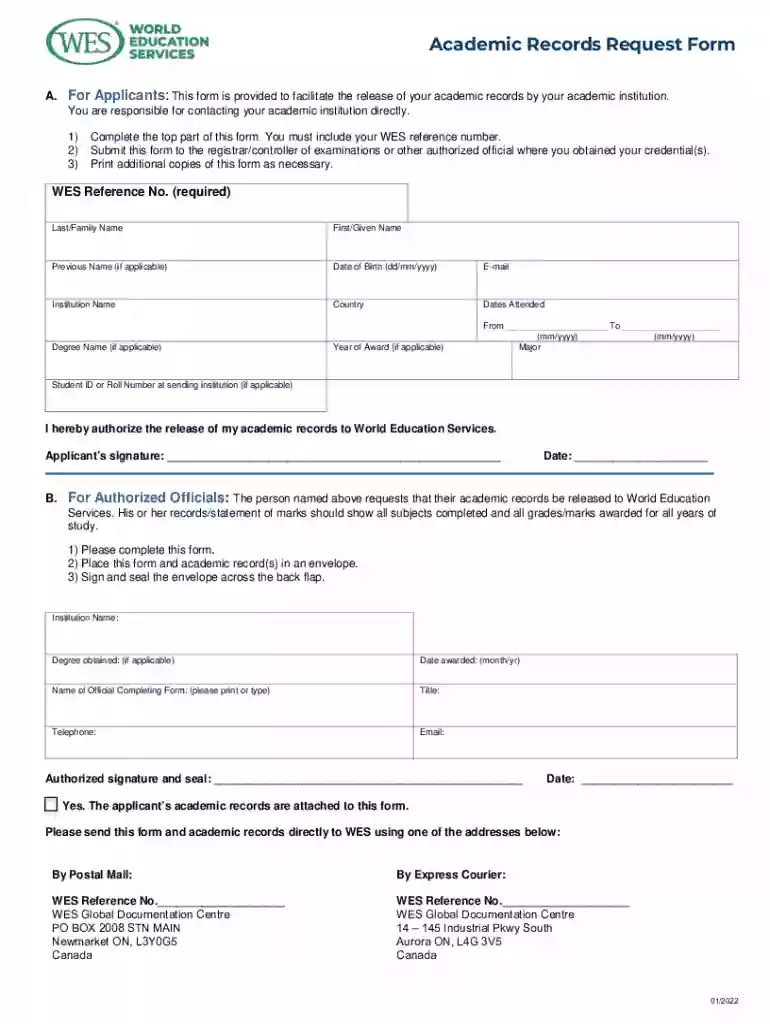
  1. Click ‘Get Form’ to open the Academic Records Request Form in the editor.
  2. Begin by completing the top section of the form. Ensure you include your WES reference number, last name, first name, and any previous names if applicable.
  3. Fill in your date of birth, email address, institution name, country, and dates attended. Specify the year of award if applicable.
  4. Indicate your major and degree name if relevant. If you have a student ID or roll number at the sending institution, include that as well.
  5. Authorize the release of your academic records by signing and dating the form at the bottom.
  6. For authorized officials, complete their section with institution details and ensure they sign and seal the envelope containing your records.

Start using our platform today to streamline your document editing and submission process for free!

See more canada wes academic versions

We've got more versions of the canada wes academic form. Select the right canada wes academic version from the list and start editing it straight away!
Versions Form popularity Fillable & printable
2022 4.7 Satisfied (37 Votes)
2020 4.8 Satisfied (57 Votes)
2015 4.3 Satisfied (97 Votes)
2014 4.4 Satisfied (182 Votes)
2013 4.3 Satisfied (36 Votes)
be ready to get more

Complete this form in 5 minutes or less

Get form

Got questions?

We have answers to the most popular questions from our customers. If you can't find an answer to your question, please contact us.
Contact us
The WES Course-by-Course evaluation converts educational credentials from any country in the world into their U.S. equivalents. It describes each certificate, diploma, degree, or course that you have earned and states its academic equivalency in the United States.
Online Platform Log in to your account associated with the online platform. Select WES as the recipient of your electronic documents. If you cannot choose WES as your recipient, you can share your documents, directly from the platform, with the email addresses listed on our Required Documents page.
World Education Services (WES) is designated by Immigration, Refugees and Citizenship Canada (IRCC) to provide Educational Credential Assessments (ECAs). An ECA is used to evaluate degrees and diplomas earned outside of Canada. View a sample ECA.
Applicants can request an evaluation from a member organization of one of the two national associations of credential evaluation services: National Association of Credential Evaluation Services (NACES) is an association of 19 credential evaluation services with admission standards and an enforced code of good practice.
World Education Service WES is a non-profit institution that helps international immigrants, students achieve their immigration goals for job, Permanent residency or higher education in the United States and Canada.
be ready to get more

Complete this form in 5 minutes or less

Get form

People also ask

The WES Academic Records Request Form makes it quicker and easier to request your academic documents from the institution where you were educated. It officially authorizes the release of an applicants academic records, so that you can use it in person or remotely.

weslogin