




Here's how it works



How to use or fill out 8.3 Notes .docx with our platform

- Click ‘Get Form’ to open the 8.3 Notes .docx in the editor.
- Begin by entering your name and the date at the top of the document. This personalizes your notes and keeps track of when they were created.
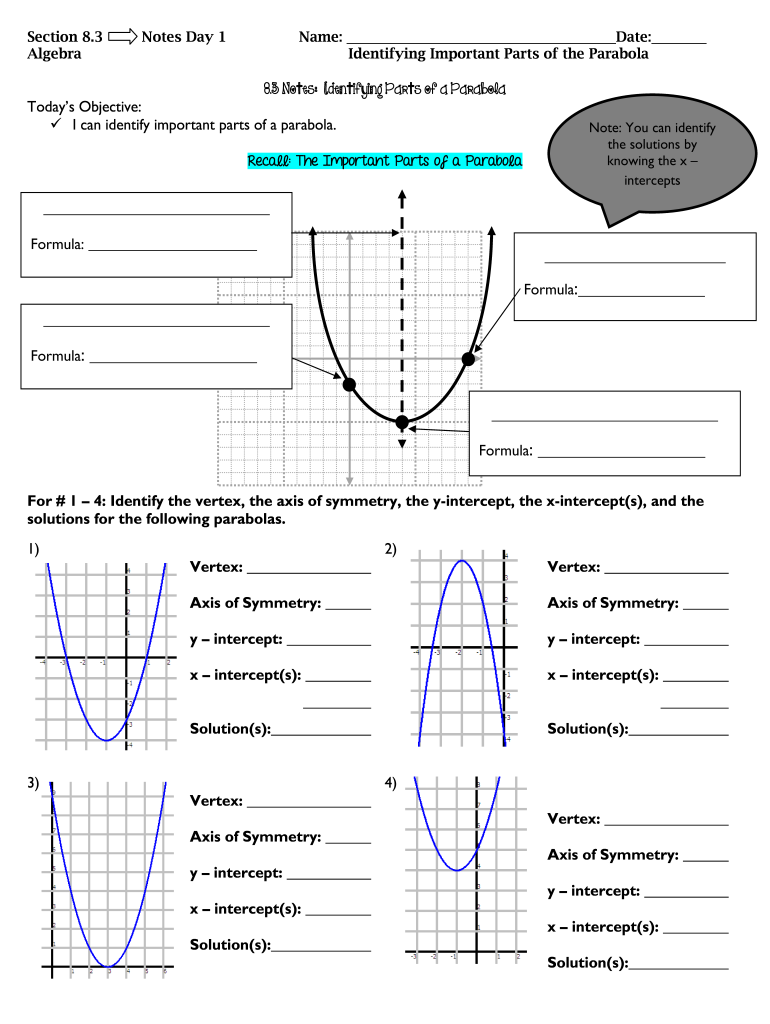
- In the section titled 'Identifying Important Parts of the Parabola', review today's objective. You can type directly into this area to affirm your understanding of identifying parts of a parabola.
- For questions 1 through 4, identify and fill in the vertex, axis of symmetry, y-intercept, x-intercept(s), and solutions for each parabola presented. Use our platform's text fields to neatly input your answers.
- For question 5, match each graph with its corresponding number of real solutions by typing your answers in the provided spaces.
- Questions 6 and 7 require you to analyze graphs related to baseball and diving trajectories. Input your estimates for maximum heights and times directly into the designated areas.
Start using our platform today for free to streamline your document editing experience!
It's free
See more 8.3 Notes .docx versions
| Versions | Form popularity | Fillable & printable |
|---|---|---|
| 2015 | 4.1 Satisfied (38 Votes) |
Got questions?
Is it safe to sign my 8.3 Notes .docx electronically?
You should use only trusted software solutions with strong data protection compliance to sign your documents electronically. DocHub is just the type of software you need! It stores data on Amazon Web Servers and complies with all necessary security requirements and eSignature laws, so it’s a trusted way to electronically sign your 8.3 Notes .docx or other documents using this tool.
How do you edit 8.3 Notes .docx online?
With DocHub, there are several convenient ways to edit your 8.3 Notes .docx online. You can drag and drop the form and edit it directly at the DocHub website or use our browser extension to fill out your form right away. Additionally, you can edit your PDF on your smartphone, as DocHub works with all the accessible mobile platforms.
Security and compliance
At DocHub, your data security is our priority. We follow HIPAA, SOC2, GDPR, and other standards, so you can work on your documents with confidence.
Learn more




