Fiction: Literal and Nonliteral Language Q1:7 2026

Get Form
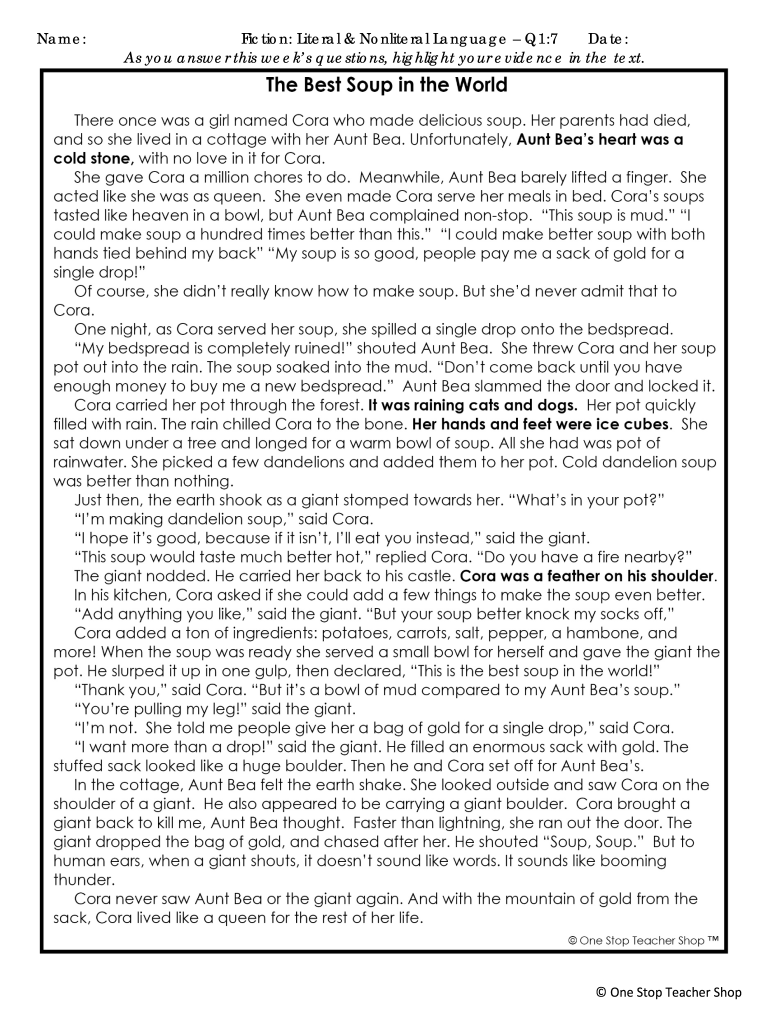
fiction literal nonliteral language Preview on Page 1

Here's how it works

01. Edit your fiction literal nonliteral language online
Type text, add images, blackout confidential details, add comments, highlights and more.
02. Sign it in a few clicks
Draw your signature, type it, upload its image, or use your mobile device as a signature pad.
03. Share your form with others
Send it via email, link, or fax. You can also download it, export it or print it out.

How to use or fill out Fiction: Literal and Nonliteral Language Q1:7 with our platform

Form edit decoration
9.5
Ease of Setup
DocHub User Ratings on G2
9.0
Ease of Use
DocHub User Ratings on G2
  1. Click ‘Get Form’ to open the Fiction: Literal and Nonliteral Language Q1:7 document in the editor.
  2. Begin by entering your name and the date at the top of the form. This personalizes your submission.
  3. In the prediction section, write a brief statement about what you think the story will be about based on its title.
  4. For each question regarding literal and nonliteral language, read carefully and provide your interpretation in the designated spaces.
  5. Use a timer to track how long it takes you to read the text. Record your time in minutes and seconds as prompted.
  6. Answer questions about characters, settings, and events by filling in the blanks with your responses.
  7. Review your answers for accuracy before saving or sharing your completed form.

Start using our platform today to effortlessly complete your forms for free!

be ready to get more

Complete this form in 5 minutes or less

Get form

Got questions?

We have answers to the most popular questions from our customers. If you can't find an answer to your question, please contact us.
Contact us

Sure, and it’s really easy! DocHub is a web-based PDF editor with advanced document management functions that allow you quickly edit your forms, fill out empty fields and insert new ones for others to fill out, and create eSignatures in several ways. Upload your Fiction: Literal and Nonliteral Language Q1:7, give information as required, and decide how you want to eSign your document - by typing your name, drawing your signature, uploading its image, or using a QR code.

If you store your documents in Google Drive, there is no need to download your Fiction: Literal and Nonliteral Language Q1:7 on the computer and upload it back to our editor. A much simpler way is to install a browser extension developed by DocHub to simplify this flow. The extension allows editing PDFs right in your browser. Alternatively, you may integrate your DocHub and Gmail accounts for more efficient editing.

Provide a reading passage that contains examples of nonliteral language. Have students identify the nonliteral examples and determine their literal meanings. When students see nonliteral phrases used in context, our goal is for them to understand how the can use nonliteral language in their own speaking and writing.
Non-literal language refers to communication that requires understanding beyond the literal meaning of words, including indirect requests, novel metaphors, and irony, which necessitate consideration of extralinguistic cues and the interlocutors beliefs and desires.
For example, say you are really angry at your friend. He might tell you to chill. The dictionary meaning of chill is to become cold. Your friend is not telling you to put yourself into your freezer. He is telling you to relax. He is using chill as nonliteral language.

Security and compliance

At DocHub, your data security is our priority. We follow HIPAA, SOC2, GDPR, and other standards, so you can work on your documents with confidence.

Learn more
ccpa2
pci-dss
gdpr-compliance
hipaa
soc-compliance

People also ask

Nonliteral. In language, literal meaning refers to words or phrases that convey their exact, dictionary definition, while nonliteral meaning involves expressions that convey a different or figurative interpretation, such as idioms or metaphors.

Related links