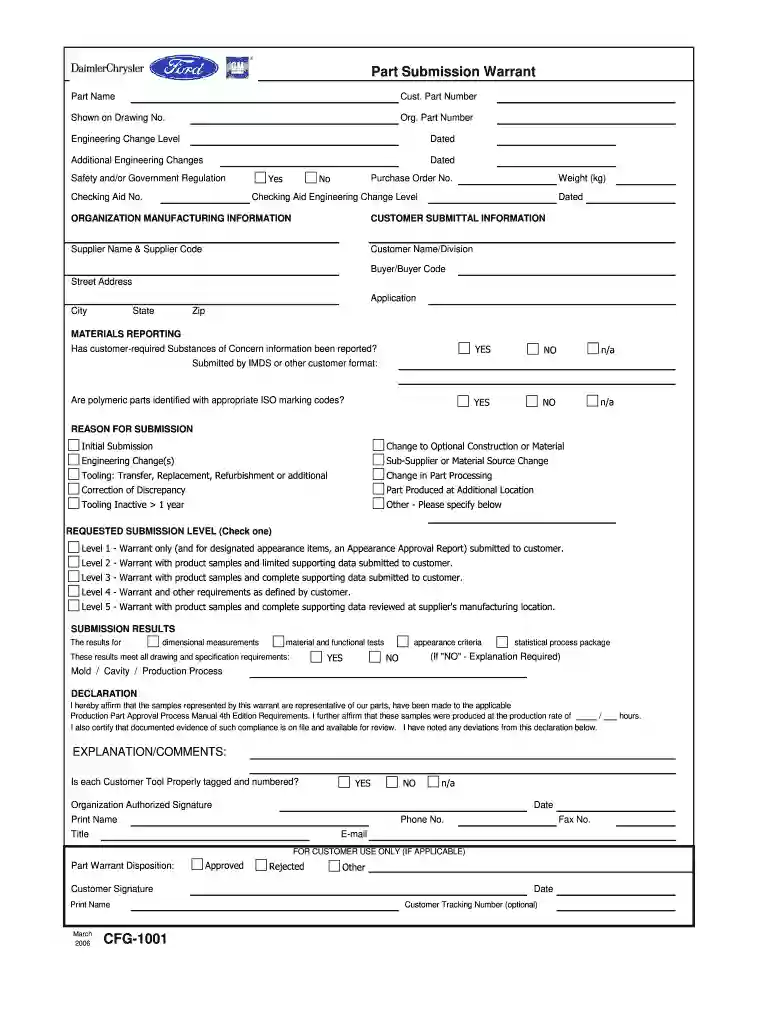
Cfg 1001-2026

Get Form
part submission warrant form Preview on Page 1

Here's how it works

01. Edit your part submission warrant form online
Type text, add images, blackout confidential details, add comments, highlights and more.

02. Sign it in a few clicks
Draw your signature, type it, upload its image, or use your mobile device as a signature pad.

03. Share your form with others
Send cfg 1001 via email, link, or fax. You can also download it, export it or print it out.

How to use or fill out cfg 1001 with our platform

Form edit decoration
9.5
Ease of Setup
DocHub User Ratings on G2
9.0
Ease of Use
DocHub User Ratings on G2
  1. Click ‘Get Form’ to open cfg 1001 in the editor.
  2. Begin by filling in the 'Part Submission Warrant' section. Enter the 'Part Name', 'Cust. Part Number', and 'Org. Part Number' as indicated.
  3. Complete the 'Engineering Change Level' and date fields, ensuring all changes are documented accurately.
  4. In the 'Customer Submittal Information' section, provide details such as 'Supplier Name', 'Customer Name/Division', and address information.
  5. For the 'Materials Reporting' section, indicate whether customer-required substances have been reported by selecting YES or NO.
  6. Select the appropriate reason for submission from the options provided, ensuring clarity on your intent.
  7. Choose a requested submission level that best fits your needs, checking one of the five levels outlined.
  8. Fill out the declaration section, affirming compliance with production standards and providing necessary signatures.

Start using our platform today to streamline your form completion process for free!

See more cfg 1001 versions

We've got more versions of the cfg 1001 form. Select the right cfg 1001 version from the list and start editing it straight away!
Versions Form popularity Fillable & printable
2006 4.8 Satisfied (160 Votes)
1999 4.2 Satisfied (45 Votes)
be ready to get more

Complete this form in 5 minutes or less

Get form

Got questions?

We have answers to the most popular questions from our customers. If you can't find an answer to your question, please contact us.
Contact us
A personal support worker (PSW) is a health care professional who helps patients with their daily activities and can administer their medication. A home support worker (HSW) is a professional who works in a patients home, helping with their daily care and home activities but cant administer their medication.
So, what exactly is a Part Submission Warrant (PSW), and why should you care? PSW is a critical component of the Production Part Approval Process (PPAP), a standard used in the automotive and other manufacturing industries to ensure the quality and consistency of supplied details.
A Part Submission Warrant document or form is used to confirm that the supply of components meets the customers requirements. The document is a fundamental part of a managed quality process called the Production Part Approval Process (PPAP). It contains a summary of the entire PPAP documentation.
The Part Submission Warrant (PSW) form is a summary of the entire PPAP submission. A PSW is required for each of part number unless otherwise stated by the customer. The PSW includes: The reason for submission (design change, annual re-validation, etc.) The level of documents submitted to the customer.

Security and compliance

At DocHub, your data security is our priority. We follow HIPAA, SOC2, GDPR, and other standards, so you can work on your documents with confidence.

Learn more
ccpa2
pci-dss
gdpr-compliance
hipaa
soc-compliance
be ready to get more

Complete this form in 5 minutes or less

Get form