Dshs disclosure form 2026

Get Form
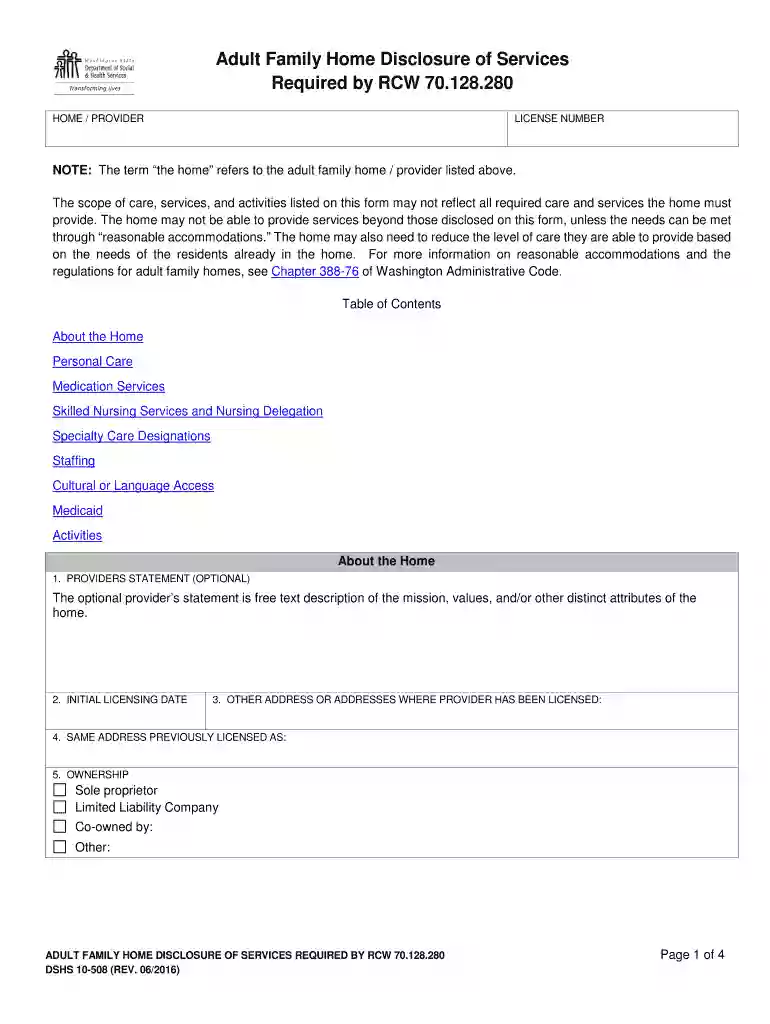
adult family home disclosure of charges Preview on Page 1

Here's how it works

01. Edit your adult family home disclosure of charges online
Type text, add images, blackout confidential details, add comments, highlights and more.

02. Sign it in a few clicks
Draw your signature, type it, upload its image, or use your mobile device as a signature pad.

03. Share your form with others
Send disclosure of charges via email, link, or fax. You can also download it, export it or print it out.

How to use or fill out dshs disclosure form with our platform

Form edit decoration
9.5
Ease of Setup
DocHub User Ratings on G2
9.0
Ease of Use
DocHub User Ratings on G2
  1. Click ‘Get Form’ to open the dshs disclosure form in the editor.
  2. Begin by filling out the 'About the Home' section. Provide your license number and any optional statements about your home’s mission and values.
  3. In the 'Personal Care' section, detail the assistance provided for tasks such as eating, toileting, and bathing. Be specific about how you can support residents in these areas.
  4. Next, complete the 'Medication Services' section by outlining the type of medication assistance available at your home.
  5. For 'Skilled Nursing Services', indicate if you provide nursing care directly or through a contracted nurse. Specify any skilled services offered.
  6. Fill out the 'Staffing' section to describe who lives in the home and their roles, including normal staffing levels.
  7. Address cultural or language access needs by noting any accommodations made for diverse backgrounds.
  8. Clarify your Medicaid policy in that section, detailing conditions under which you accept Medicaid payments.
  9. Finally, list activities available for residents in the 'Activities' section before reviewing all entries for accuracy.

Start using our platform today to easily fill out and submit your dshs disclosure form online for free!

See more dshs disclosure form versions

We've got more versions of the dshs disclosure form form. Select the right dshs disclosure form version from the list and start editing it straight away!
Versions Form popularity Fillable & printable
2015 4.8 Satisfied (263 Votes)
2014 4.3 Satisfied (41 Votes)
be ready to get more

Complete this form in 5 minutes or less

Get form

Got questions?

We have answers to the most popular questions from our customers. If you can't find an answer to your question, please contact us.
Contact us
Look for a second email with subject line: [SECURE] Email Documents to MyDocs@DSHS.WA.GOV Then follow the steps in that message to attach and send your documents. In the future, you can respond to this email to send documents electronically, so you may want to store it in your email inbox.
Services are available at your local Community Services Office and by phone through the Customer Service Contact Center at 877-501-2233: TTY/TDD users dial 1-800-833-6384 for Washington Relay Service.
You may email Jennifer.McDonald@dshs.wa.gov or call (360) 725-1718.
Uploading Documents for SNAP: Quick Steps Log in to your states SNAP web portal. Find the document upload page. Select which document youre uploading in the dropdown menu. Upload the document to the portal.
You may complete an online application by using the WashingtonConnection.org website, applying by phone at 877-501-2233 or going to your local Community Services Office. On WashingtonConnection.org you can: Start a new application. Report a change, such as address, income or family situation.

Security and compliance

At DocHub, your data security is our priority. We follow HIPAA, SOC2, GDPR, and other standards, so you can work on your documents with confidence.

Learn more
ccpa2
pci-dss
gdpr-compliance
hipaa
soc-compliance

People also ask

Mailing DSHS Community Services Division, P.O. Box 11699, Tacoma, WA 98411-6699. Faxing to 888-338-7410.

dshs 10 508