Type text, add images, blackout confidential details, add comments, highlights and more.
02. Sign it in a few clicks
Draw your signature, type it, upload its image, or use your mobile device as a signature pad.
03. Share your form with others
Send live scan dmv via email, link, or fax. You can also download it, export it or print it out.
How to use or fill out dmv live scan form with DocHub
Ease of Setup
DocHub User Ratings on G2
Ease of Use
DocHub User Ratings on G2
Click ‘Get Form’ to open the DMV Live Scan form in our editor.
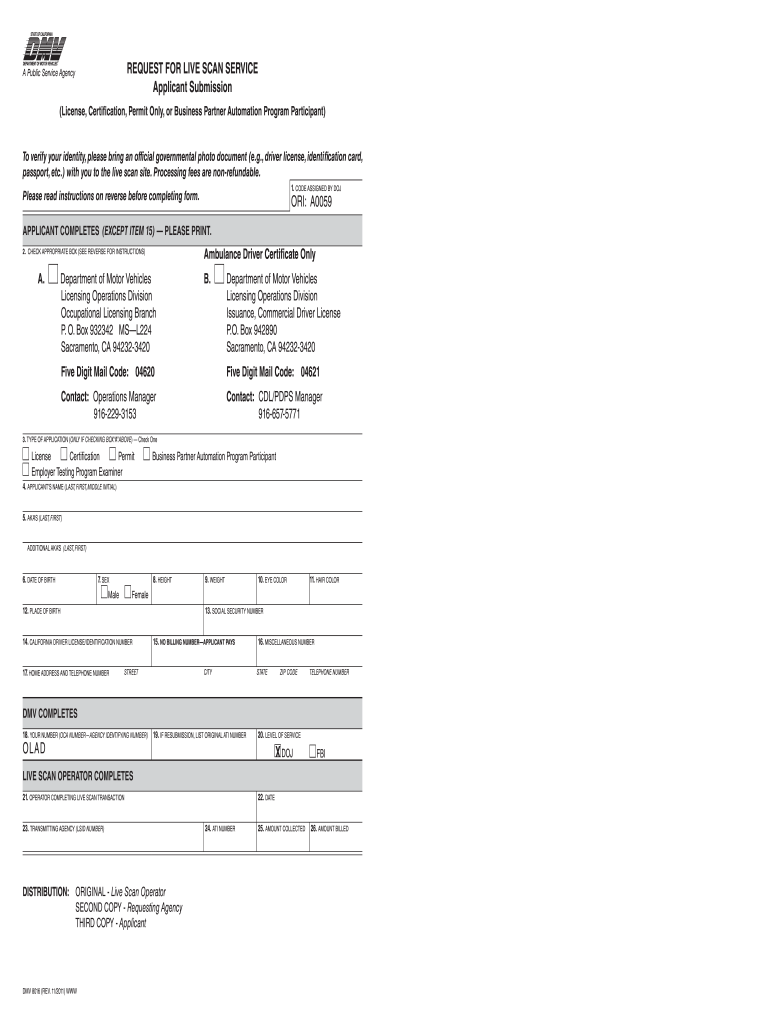
Begin by entering the 'Code Assigned by DOJ' which is pre-printed on the form. This ensures your application is correctly identified.
Next, check the appropriate box under 'Agency Address Set Contributing Agency'. Choose box 'A' for most licenses or 'B' if applying for an Ambulance Driver Certificate.
In the 'Type of Application' section, select one option that corresponds to your application type, such as License or Certification.
Fill in your personal details including your full name, date of birth, sex, height, weight, eye color, hair color, and place of birth.
Provide your Social Security Number and California Driver License/Identification number in their respective fields.
Complete your home address and telephone number accurately to ensure proper communication.
If applicable, enter any additional identifying numbers and ensure all information is correct before submitting.
Start using our platform today to fill out your DMV Live Scan form easily and for free!
California Fingerprinting You can walk in with your Request for Live Scan Service form or enroll online for faster processing. If youre outside of California, we also offer an option to submit fingerprints on an FD-258 fingerprint card to the California DOJ.
How to get live scan CA?
First, get the Request for Live Scan Service form (BCIA 8016) from your employer or agency, or download it from the California DOJ website. Then, schedule an appointment with a certified Live Scan providerwalk-ins are accepted at some locations, but its best to book ahead.
Can I do a California live scan from out of state?
You do not need to be a California resident to complete a Live Scan in California; however, you must complete a Live Scan at a vendor located within California. The BRN will NOT be able to receive results for fingerprints taken at Live Scan locations that are outside of California.
ca dmv live scan form
Dmv live scan form pdfCalifornia dmv live scan formDMV 8016 formDMV Live Scan locationsDOJ Live Scan FormDMV 8016 form PDFDMV live scan near meDMV 8016 Live Scan form
Security and compliance
At DocHub, your data security is our priority. We follow HIPAA, SOC2, GDPR, and other standards, so you can work on your documents with confidence.
The Live Scan Operator will complete section 8. If the Live Scan Operator is IBT - L1, they will return the completed form to you. Retain this form for your.Read more
Cookie consent notice
This site uses cookies to enhance site navigation and personalize your experience.
By using this site you agree to our use of cookies as described in our Privacy Notice.
You can modify your selections by visiting our Cookie and Advertising Notice.