




Here's how it works

01. Edit your wi fa 4111v fillable online
Type text, add images, blackout confidential details, add comments, highlights and more.

02. Sign it in a few clicks
Draw your signature, type it, upload its image, or use your mobile device as a signature pad.

03. Share your form with others
Send fa 4111 via email, link, or fax. You can also download it, export it or print it out.
How to use or fill out fa 4111v with our platform

- Click ‘Get Form’ to open the fa 4111v in the editor.
- Begin by entering the name of the county where you are filing this case at the top of the form.
- Fill in the names and addresses for both Joint Petitioners, starting with the wife. Include first, middle, and last names, as well as complete address details.
- Indicate whether you are filing for divorce or legal separation by checking the appropriate box on the right side of the form.
- Provide dates of birth for both parties and answer questions regarding residency and military status by checking 'yes' or 'no' as applicable.
- Complete sections about previous marriages if applicable, ensuring to provide all required details accurately.
- If there are children involved, indicate their names and dates of birth or confirm that no children were born during the marriage.
- Finally, both parties must sign and date at the bottom of the form. Remember that signatures do not need notarization.
Start filling out your fa 4111v today for free using our platform!
Fill out fa 4111v online
It's free
It's free
See more fa 4111v versions
We've got more versions of the fa 4111v form. Select the right fa 4111v version from the list and start editing it straight away!
| Versions | Form popularity | Fillable & printable |
|---|---|---|
| 2009 | 4.9 Satisfied (283 Votes) |
Security and compliance
At DocHub, your data security is our priority. We follow HIPAA, SOC2, GDPR, and other standards, so you can work on your documents with confidence.
Learn more


Related forms

Va non formulary request form
The document is a Non-VA Care Non-Formulary Request Form from the VA Heartland Network (VISN 15) Pharmacy Benefits Manag ...

United states export regulations end user use statement - Integrated

Plastic Card Notice of Loss Form - CUNA Mutual Group
The document is a Plastic Card Notice of Loss Form for credit unions, detailing the process for reporting losses related ...

Form of SAFE (Simple Agreement for Future Equity)
The document is a Simple Agreement for Future Equity (SAFE) between ABC Corp. and an investor, outlining the terms under ...
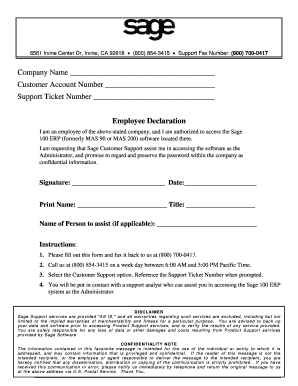
Employee declaration form
The document is a request form for Sage Customer Support to assist an employee in accessing the Sage 100 ERP software. I ...