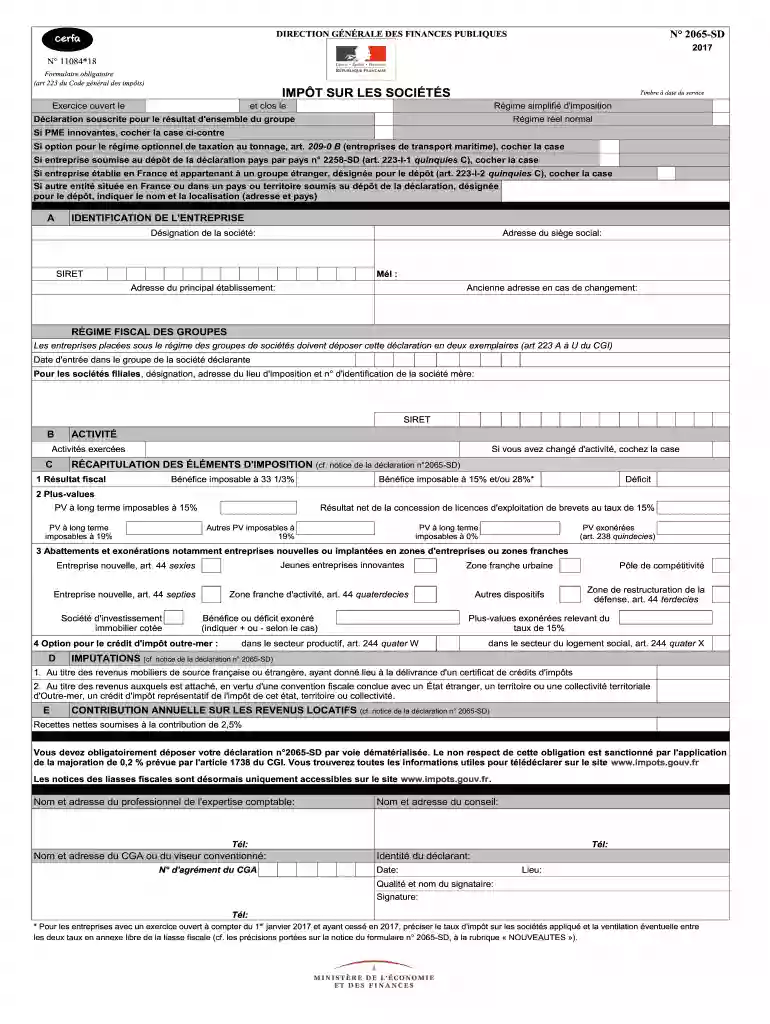
Liasse fiscale 2020 remplissable excel-2026

Get Form
liasse fiscale 2033 remplissable excel Preview on Page 1

Here's how it works

01. Edit your liasse fiscale 2033 remplissable excel online
Type text, add images, blackout confidential details, add comments, highlights and more.

02. Sign it in a few clicks
Draw your signature, type it, upload its image, or use your mobile device as a signature pad.

03. Share your form with others
Send liasse fiscale 2022 remplissable excel via email, link, or fax. You can also download it, export it or print it out.

How to use or fill out liasse fiscale 2020 remplissable excel with our platform

Form edit decoration
9.5
Ease of Setup
DocHub User Ratings on G2
9.0
Ease of Use
DocHub User Ratings on G2
  1. Click ‘Get Form’ to open the liasse fiscale 2020 remplissable excel in the editor.
  2. Begin by filling out the 'IDENTIFICATION DE L'ENTREPRISE' section. Enter your company name, address, SIRET number, and email. Ensure all details are accurate for proper identification.
  3. Proceed to the 'RÉGIME FISCAL DES GROUPES' section if applicable. Indicate your entry date into the group and provide details of any parent companies.
  4. In the 'RÉCAPITULATION DES ÉLÉMENTS D'IMPOSITION', carefully input your fiscal results, including taxable profits and deficits. Make sure to differentiate between different tax rates as required.
  5. Complete the 'CONTRIBUTION ANNUELLE SUR LES REVENUS LOCATIFS' section by reporting net rental income subject to contribution.
  6. Finally, review all entries for accuracy before saving or exporting your completed form directly from our platform.

Start using our platform today for free to streamline your document editing and ensure a smooth filing process!

See more liasse fiscale 2020 remplissable excel versions

We've got more versions of the liasse fiscale 2020 remplissable excel form. Select the right liasse fiscale 2020 remplissable excel version from the list and start editing it straight away!
Versions Form popularity Fillable & printable
2021 4.8 Satisfied (98 Votes)
2017 4.3 Satisfied (67 Votes)
be ready to get more

Complete this form in 5 minutes or less

Get form

Got questions?

We have answers to the most popular questions from our customers. If you can't find an answer to your question, please contact us.
Contact us

eSignatures are a great replacement for traditional signing, as they save time, effort, and money people spend on printing, scanning, and paper delivery. You can eSign your liasse fiscale remplissable excel using a trustworthy and robust online document management tool like DocHub. It complies with main eSignature regulations (ESIGN and UETA), so all documents approved there are legally binding and have the same validity as physically signed ones.

You need only a web connection and a web browser to complete your liasse fiscale 2033 excel by using an iOS phone. Open the DocHub website and authenticate. Then, add your document or select it from the list in your dashboard. Then use our editing instruments to complete your form and save all your adjustments. You may also send it to a dedicated recipient straight away.

Par exemple, vous pouvez obtenir la liasse fiscale IS en tapant dans le module de recherche « liasse » (toutes les liasses seront affichées) ou « liasse IS » (toutes les liasses fiscales BIC/IS seront affichées) ou « 15949 » (la liasse fiscale BIC/IS millésime 2019 sera affichée).
La liasse est composée d'une déclaration de résultat ainsi que de tableaux fiscaux annexes. Ces différents documents peuvent être imprimés via le site officiel des impôts (impôt.gouv.fr).
Le remplissage de la liasse fiscale est en principe automatique dans un logiciel métier. Il existe toutefois certaines informations qu'il faudra collecter en amont pour gagner du temps. La liasse fiscale ou déclaration de résultat est un ensemble de documents fiscaux envoyés chaque année à l'administration fiscale.

Security and compliance

At DocHub, your data security is our priority. We follow HIPAA, SOC2, GDPR, and other standards, so you can work on your documents with confidence.

Learn more
ccpa2
pci-dss
gdpr-compliance
hipaa
soc-compliance
be ready to get more

Complete this form in 5 minutes or less

Get form

People also ask

Vous pouvez vous procurer les formulaires qui composent la liasse fiscale auprès du Service des Impôts des Entreprises (SIE) dont relève votre activité ou en vous rendant sur le site impot.gouv.fr.
La liasse fiscale concerne toutes les entreprises soumises à un régime du réel d'imposition (impôt sur le revenu ou impôt sur les sociétés).
Toutes ces déclarations sont à retrouver au format PDF sur le site des impôts. La déclaration 2035 n'est pas à confondre avec la déclaration de revenus 2042 qui permet de déclarer les revenus de l'ensemble des personnes d'un foyer fiscal en vue du calcul de l'impôt sur le revenu.
L'ensemble des imprimés composant la liasse fiscale ainsi que leur notice peuvent être téléchargés sur le site internet impôts.gouv.fr.
Pour le dépôt de la liasse fiscale 2021, la date limite était fixée au 19 mai au plus tard pour les entreprises qui clôturaient leurs comptes au. 31 décembre 2020.