Type text, add images, blackout confidential details, add comments, highlights and more.
02. Sign it in a few clicks
Draw your signature, type it, upload its image, or use your mobile device as a signature pad.
03. Share your form with others
Send ns makeup pay claim via email, link, or fax. You can also download it, export it or print it out.
How to use or fill out make up pay claim form with our platform
Ease of Setup
DocHub User Ratings on G2
Ease of Use
DocHub User Ratings on G2
Click ‘Get Form’ to open the make up pay claim form in the editor.
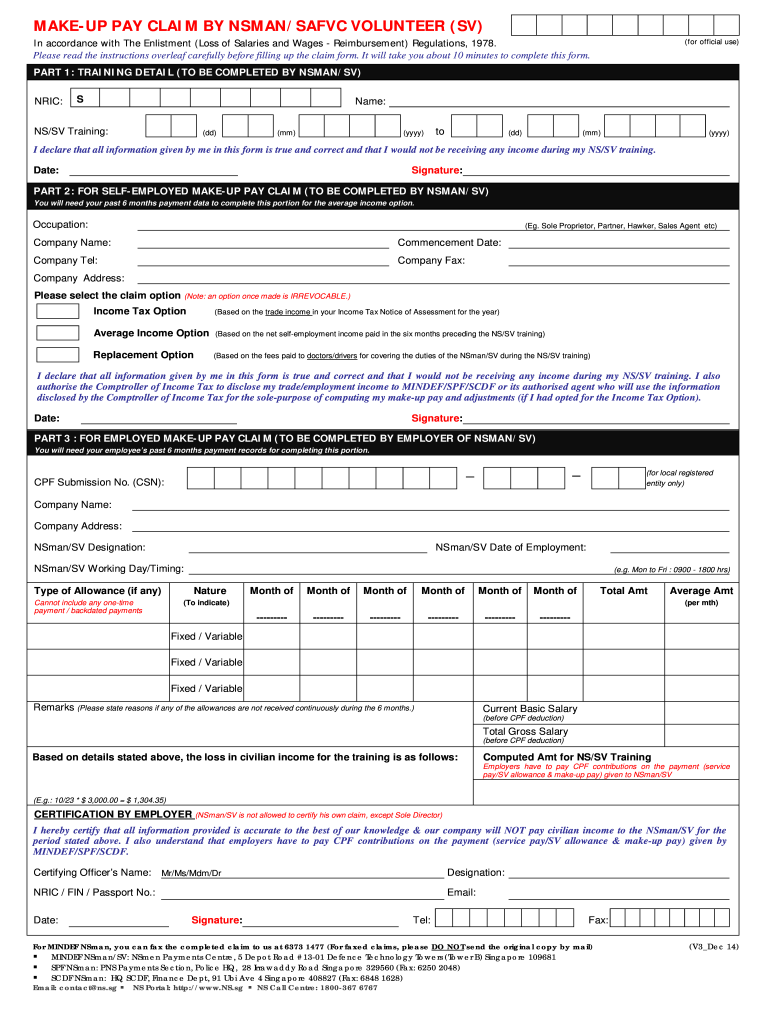
Begin with Part 1: Training Detail. Fill in your NRIC, name, and training dates. Ensure all information is accurate before signing and dating the declaration.
Proceed to Part 2 for self-employed claims. Enter your occupation, company details, and select your claim option (Income Tax, Average Income, or Replacement). Remember that once selected, this option cannot be changed.
In Part 3, employers must complete their section using the employee’s payment records from the past six months. Include necessary details like CPF Submission No., designation, and salary components.
Review all sections for accuracy. Use our platform's features to save your progress and ensure you have all required supporting documents ready for submission.
Start filling out your make up pay claim form online for free today!
We've got more versions of the make up pay claim form form. Select the right make up pay claim form version from the list and start editing it straight away!
Make up pay claim form onlineMake up pay claim form pdfNsmen make up pay claim formNS make-Up Pay claim form PDFMake-up pay claim by employerNS make-up pay claim employerNSmen make-up pay self-employedOnens make up pay
Security and compliance
At DocHub, your data security is our priority. We follow HIPAA, SOC2, GDPR, and other standards, so you can work on your documents with confidence.
Labor Commissioners Office - How to File a Wage Claim
You can file your claim by email, mail or in person, download a claim form, complete and print it, attach applicable documents and mail to the LaborRead more
The 3+ worker card Directing your Team is more useful, can only be drawn when both set-up cards are dismissed, and is not available in brief experiments.Read more
Cookie consent notice
This site uses cookies to enhance site navigation and personalize your experience.
By using this site you agree to our use of cookies as described in our Privacy Notice.
You can modify your selections by visiting our Cookie and Advertising Notice.