




Here's how it works

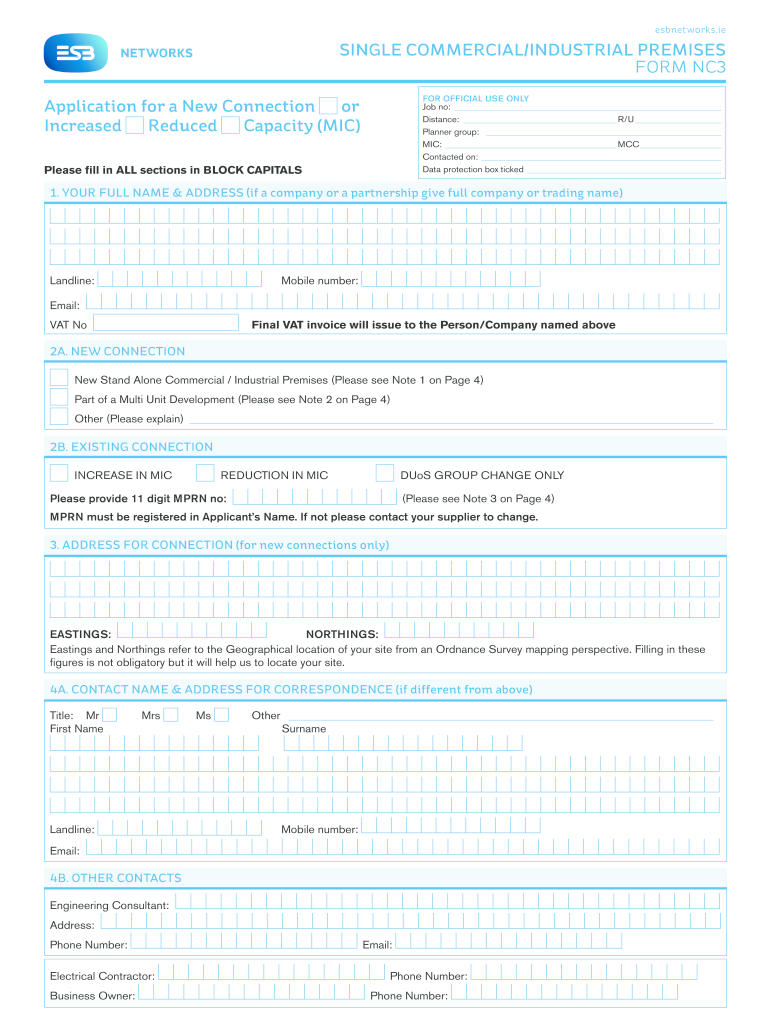
01. Edit your nc 3 fillable form online
Type text, add images, blackout confidential details, add comments, highlights and more.

02. Sign it in a few clicks
Draw your signature, type it, upload its image, or use your mobile device as a signature pad.

03. Share your form with others
Send nc3 sign in via email, link, or fax. You can also download it, export it or print it out.
How to use or fill out nc3 form esb with our platform

- Click ‘Get Form’ to open the nc3 form esb in the editor.
- Begin by filling in your full name and address in BLOCK CAPITALS. Include your landline, mobile number, email, and VAT number if applicable.
- In Section 2A, indicate whether you are applying for a new connection or an increase/reduction in capacity. Provide details as necessary.
- For new connections, complete Section 3 with the address for connection and optional Eastings and Northings for geographical location.
- Fill out Section 4A with contact information for correspondence. If different from above, provide the title, first name, surname, landline, mobile number, and email.
- Attach any required maps in Section 5 and ensure all load details are accurately filled out in Sections 7 and 8 regarding maximum import capacity.
- Complete the signature section at the end of the form to finalize your application.
Start using our platform today to fill out your nc3 form esb easily and efficiently!
Fill out nc3 form esb online
It's free
It's free
See more nc3 form esb versions
We've got more versions of the nc3 form esb form. Select the right nc3 form esb version from the list and start editing it straight away!
Got questions?
We have answers to the most popular questions from our customers. If you can't find an answer to your question, please contact us.
Contact us
What is NC3 in military?
The nuclear command, control, and communications (NC3) system refers to the means through which Presidential authority is exercised and operational command and control of nuclear operations is conducted.
What is an ESB NC6 form?
To be eligible for payments, ESB Networks first need to be notified of your microgeneration so they can start recording your export to the grid. This is done by completing an NC6 form. This would have been completed with your technician at the time of installation.
What does ESB stand for in energy?
The Electricity Supply Board (ESB; Irish: Bord Solthair an Leictreachais) is a state owned (95%; the rest are owned by employees) electricity company based in Ireland with operations worldwide.
What is the difference between NC6 and NC7?
If your microgeneration system is less than 6kW for single phase electricity or less than 11 kW for three phase, you should use the NC6 form. If your microgeneration system is greater than 6kW for single phase electricity (or 11 kW for three-phase) but not more than 50kW, you should use the NC7 form.
Who submits the NC6 form?
The ESB requires you to submit an NC6 Form to register your solar panels and have them connected to the utilities grid. Without this, you wont be able to connect to the electrical grid, which will make a solar PV system more expensive to set up.
Security and compliance
At DocHub, your data security is our priority. We follow HIPAA, SOC2, GDPR, and other standards, so you can work on your documents with confidence.
Learn more


Related forms

Lesson 1 european exploration and expansion answer key
The document is a guided reading activity focused on the Age of Exploration, specifically European exploration and expan ...
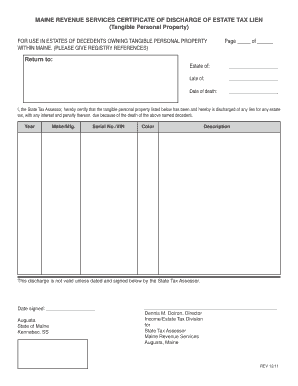
Maine certificate of discharge of estate tax lien
The document is a Certificate of Discharge of Estate Tax Lien issued by Maine Revenue Services, certifying that the tang ...

HARP-10763 Medical Waiver FORM
The HAL A90 Medical Waiver Request Form allows individuals to request a refund or waiver of fees due to hospitalization. ...
People also ask
What is the role of ESB?
We are putting in place the infrastructure and services to enable our customers and society to live more sustainably. We are balancing this with our fundamental role to maintain reliable and affordable electricity for our customers, communities, and the economy.


