Type text, add images, blackout confidential details, add comments, highlights and more.
02. Sign it in a few clicks
Draw your signature, type it, upload its image, or use your mobile device as a signature pad.
03. Share your form with others
Send sample reseller agreement via email, link, or fax. You can also download it, export it or print it out.
How to use or fill out reseller agreement with our platform
Ease of Setup
DocHub User Ratings on G2
Ease of Use
DocHub User Ratings on G2
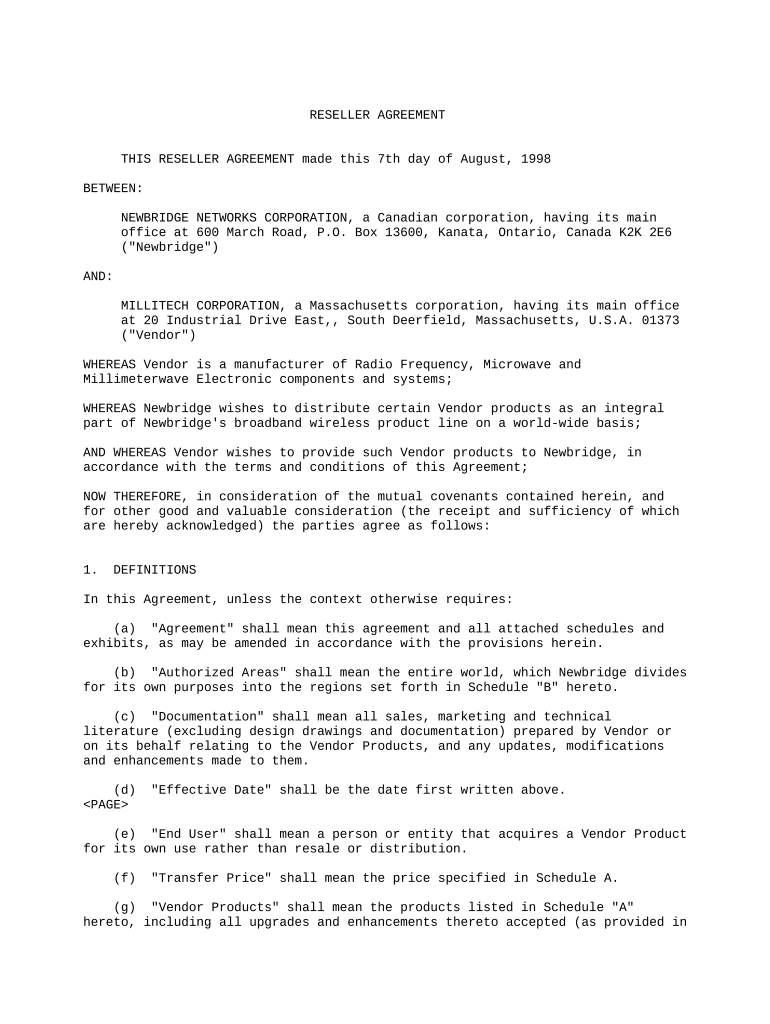
Click ‘Get Form’ to open the reseller agreement in the editor.
Begin by reviewing the 'Definitions' section. Fill in any required fields, ensuring you understand terms like 'Authorized Areas' and 'Vendor Products'.
Proceed to the 'Appointment' section. Here, confirm your role as an authorized reseller and specify any subsidiaries or affiliates involved.
In the 'Obligations' sections for both Newbridge and Vendor, ensure all responsibilities are clearly outlined. Use text boxes to add details about marketing efforts and technical support commitments.
Review the 'Price Terms' section carefully. Input any necessary pricing information and ensure compliance with specified conditions regarding price changes.
Finally, navigate to the signature area. Use our platform’s signing feature to securely sign the document electronically, ensuring all parties have completed their signatures.
Start using our platform today for free to streamline your reseller agreement process!
Distributor acknowledges and agrees that Supplier has retained for itself and/or granted to others the rights to distribute and sell the Products in marketsRead more
CLIENT should review and agree to the Managed Resellers terms and conditions, privacy policy, and any other relevant documentation or policies. 6.Read more
Cookie consent notice
This site uses cookies to enhance site navigation and personalize your experience.
By using this site you agree to our use of cookies as described in our Privacy Notice.
You can modify your selections by visiting our Cookie and Advertising Notice.