Type text, add images, blackout confidential details, add comments, highlights and more.
02. Sign it in a few clicks
Draw your signature, type it, upload its image, or use your mobile device as a signature pad.
03. Share your form with others
Send dealership agreement via email, link, or fax. You can also download it, export it or print it out.
How to use or fill out dealer agreement with our platform
Ease of Setup
DocHub User Ratings on G2
Ease of Use
DocHub User Ratings on G2
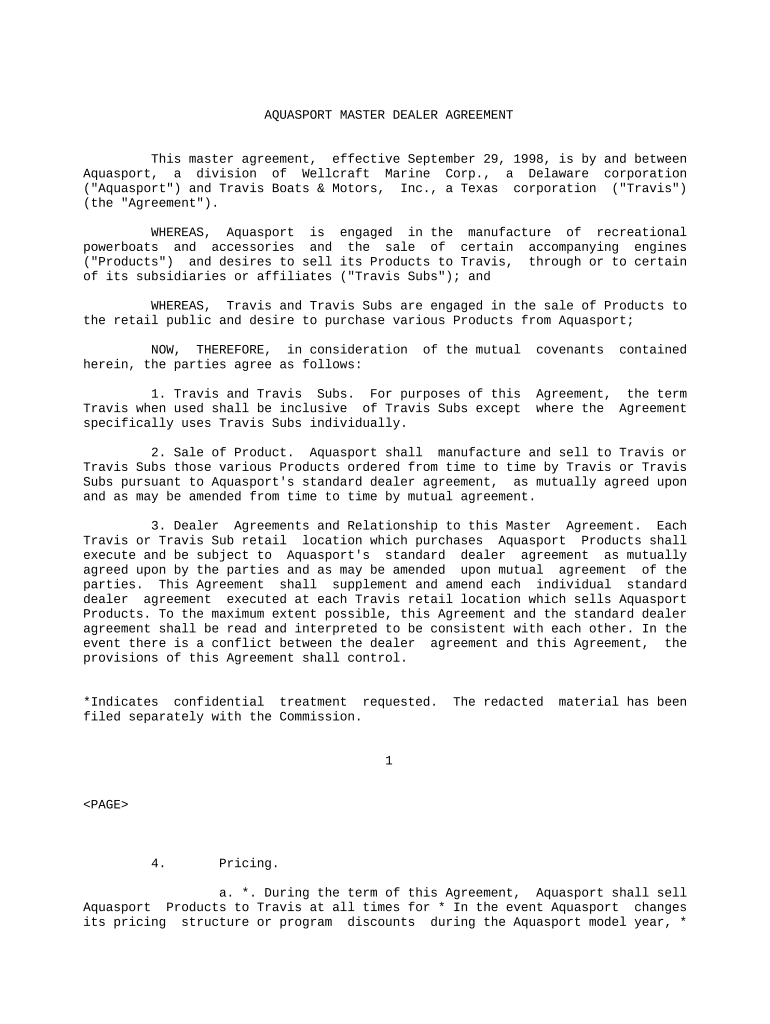
Click ‘Get Form’ to open the dealer agreement in the editor.
Begin by reviewing the introductory section, which outlines the parties involved and the purpose of the agreement. Ensure that all details are accurate.
Fill out Section 2 regarding the sale of products. Specify which products you intend to order and ensure compliance with Aquasport's standard dealer agreement.
In Section 6, provide your annual model year forecast. This includes detailing expected product orders by month, ensuring it aligns with your business needs.
Complete Section 10 by noting the term of the agreement. Make sure to check for any specific dates mentioned in your version of the document.
Review Sections on pricing and shipping (Sections 4 and 5) to confirm understanding of costs and delivery expectations before finalizing your entries.
Once all sections are filled out, utilize our platform’s signing feature to electronically sign the document, ensuring a smooth completion process.
Start using our platform today for free to streamline your dealer agreement process!
Contracts. Mutuality. Cancellation of Automobile Dealers
-In 1937 the Ford Motor Company cancelled without cause the dealer agreement or franchise of the plaintiff, a Wisconsin Ford dealer. The franchise, lastRead more
Cookie consent notice
This site uses cookies to enhance site navigation and personalize your experience.
By using this site you agree to our use of cookies as described in our Privacy Notice.
You can modify your selections by visiting our Cookie and Advertising Notice.