




01. Edit your army 1380 example online
Type text, add images, blackout confidential details, add comments, highlights and more.

Type text, add images, blackout confidential details, add comments, highlights and more.

Draw your signature, type it, upload its image, or use your mobile device as a signature pad.

Send 1380 army example via email, link, or fax. You can also download it, export it or print it out.

Start using our platform today to effortlessly complete your forms online for free!
We've got more versions of the army 1380 example form. Select the right army 1380 example version from the list and start editing it straight away!
At DocHub, your data security is our priority. We follow HIPAA, SOC2, GDPR, and other standards, so you can work on your documents with confidence.
May 10, 2002 An evaluation of the environmental fate and behavior of munitions materiel tetryl and polar metabolites of TNT in soil and plant systems:Read more
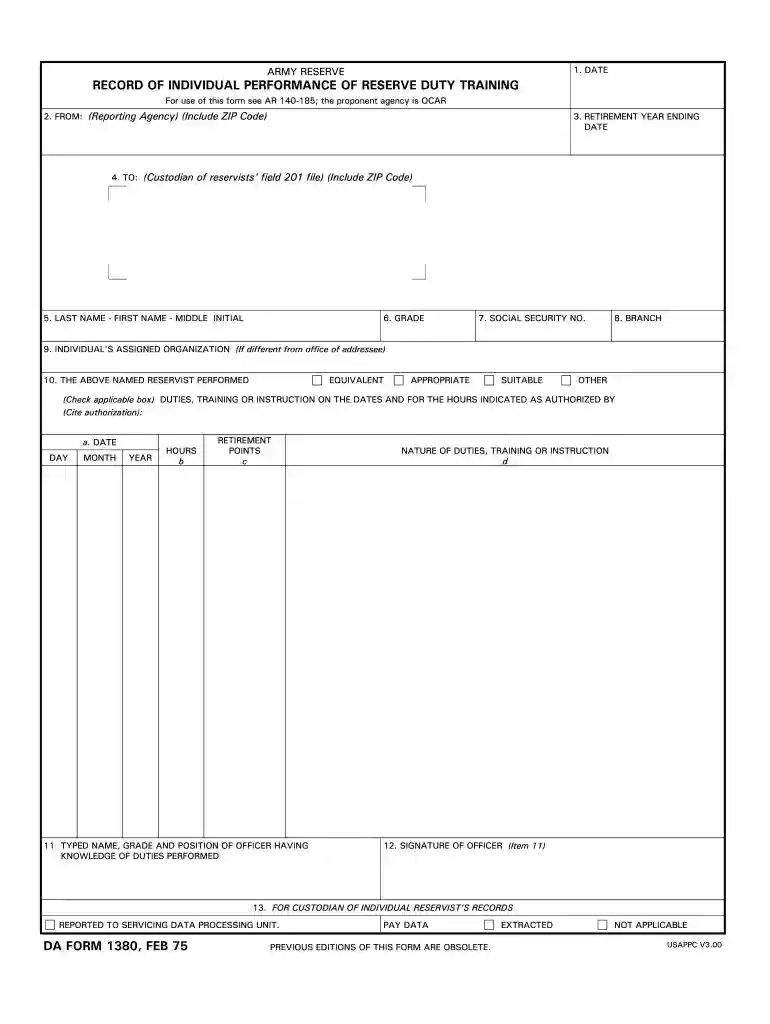
ARMY RESERVE Prepare DA Form 1380 by the last day of each month, to cover the following: a. Nonunit Reserve training, other than Army Extension Courses.Read more
Included are oar~on.copies of DA Form 1379,. DA Form 1380, and related documents. Data entered on these documents which is vital to determining the award.Read more


