Type text, add images, blackout confidential details, add comments, highlights and more.
02. Sign it in a few clicks
Draw your signature, type it, upload its image, or use your mobile device as a signature pad.
03. Share your form with others
Send it via email, link, or fax. You can also download it, export it or print it out.
How to use or fill out Wyoming Waiver with Our Platform
Ease of Setup
DocHub User Ratings on G2
Ease of Use
DocHub User Ratings on G2
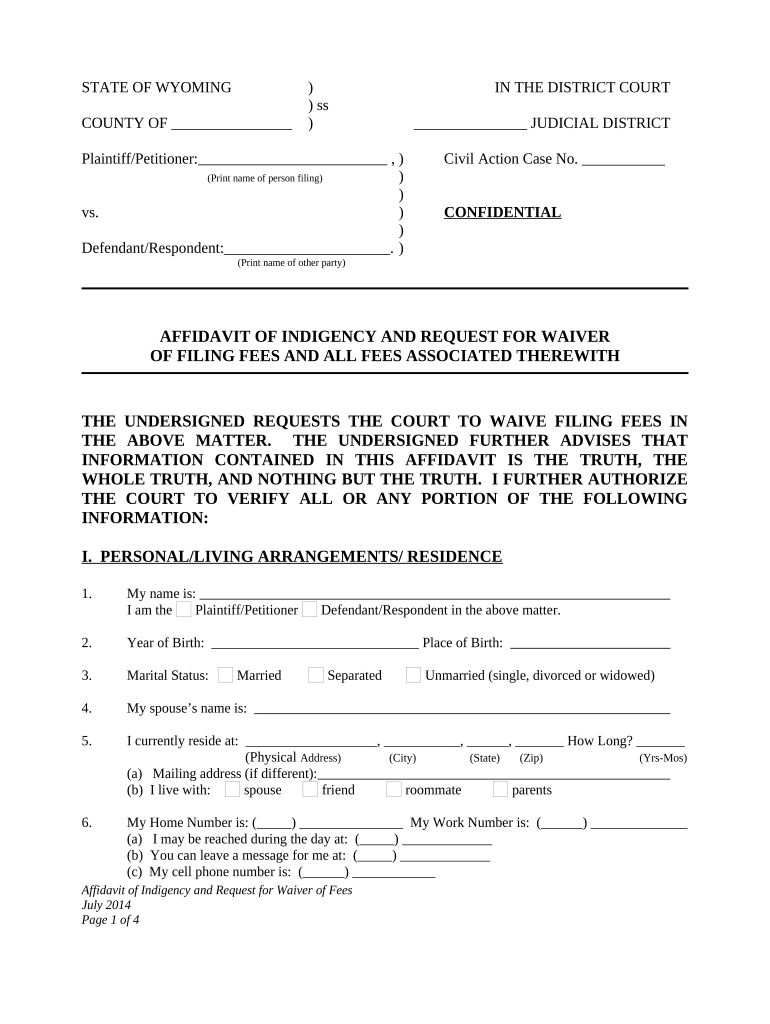
Click ‘Get Form’ to open the Wyoming Waiver in the editor.
Begin by entering your personal information in Section I. Fill in your name, year of birth, marital status, and current residence details including physical and mailing addresses.
In Section II, provide your occupation and income sources. Indicate your employment status, monthly gross and net income, and any other sources of income such as Social Security or child support.
Proceed to Section III to list your assets. Include cash on hand, bank account details, vehicles owned, and any expected tax refunds.
In Section IV, detail your debts and obligations. List credit cards, monthly payments for utilities, and any remaining debts.
Finally, review the document for accuracy before signing at the end of the form. Ensure all information is truthful as per Wyoming law.
Start filling out your Wyoming Waiver today for free using our platform!
The free online training is for members of an individuals support network interested in learning how to support the sexual health, safety, self-determination,Read more
Cookie consent notice
This site uses cookies to enhance site navigation and personalize your experience.
By using this site you agree to our use of cookies as described in our Privacy Notice.
You can modify your selections by visiting our Cookie and Advertising Notice.