




Here's how it works

01. Edit your how to sobpene a person in small claims court online
Type text, add images, blackout confidential details, add comments, highlights and more.

02. Sign it in a few clicks
Draw your signature, type it, upload its image, or use your mobile device as a signature pad.

03. Share your form with others
Send small claims court dc via email, link, or fax. You can also download it, export it or print it out.
How to Use or Fill Out Small Claims Court with Our Platform

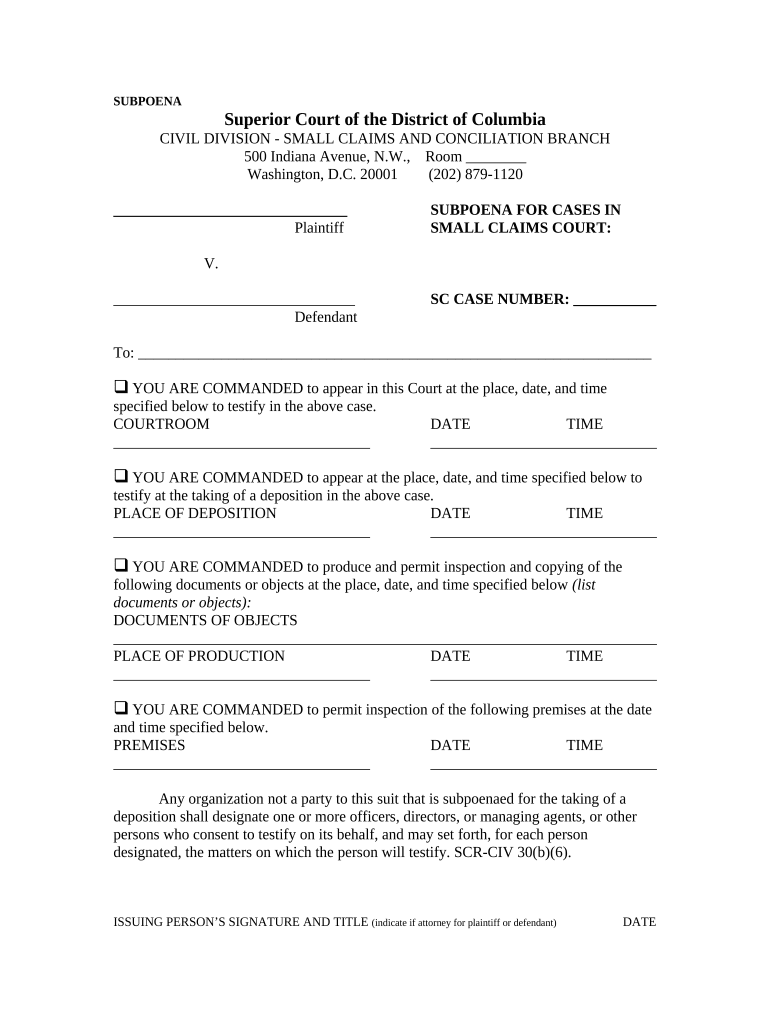
- Click ‘Get Form’ to open the small claims court subpoena in the editor.
- Begin by filling in the plaintiff's name and the defendant's name in the designated fields. Ensure accuracy as this information is crucial for your case.
- Enter the SC Case Number, which is essential for identifying your specific case within the court system.
- Specify whether you are commanding appearance for testimony or deposition by checking the appropriate box and filling in the corresponding details such as courtroom, date, and time.
- If documents need to be produced, list them clearly under 'Documents or Objects' and provide details for their production including place, date, and time.
- Complete the issuing person's signature and title section. This should reflect whether they are an attorney for either party.
- Finally, fill out the proof of service section to confirm that all parties have been notified appropriately.
Start using our platform today to streamline your small claims court document preparation for free!
Fill out small claims court online
It's free
It's free
Security and compliance
At DocHub, your data security is our priority. We follow HIPAA, SOC2, GDPR, and other standards, so you can work on your documents with confidence.
Learn more


