Maryland case information court 2026

Get Form
maryland case search Preview on Page 1

Here's how it works

01. Edit your maryland case search online
Type text, add images, blackout confidential details, add comments, highlights and more.
02. Sign it in a few clicks
Draw your signature, type it, upload its image, or use your mobile device as a signature pad.
03. Share your form with others
Send md case search via email, link, or fax. You can also download it, export it or print it out.

How to use or fill out Maryland Case Information Court with our platform

Form edit decoration
9.5
Ease of Setup
DocHub User Ratings on G2
9.0
Ease of Use
DocHub User Ratings on G2
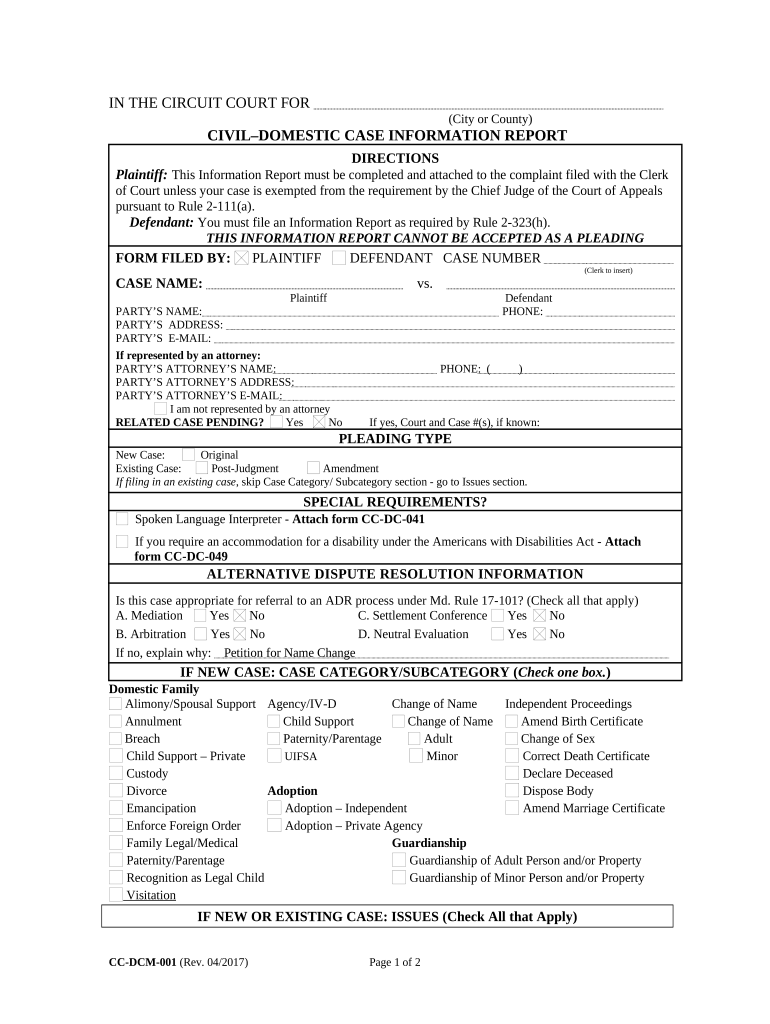
  1. Click ‘Get Form’ to open the Maryland Case Information Report in the editor.
  2. Begin by filling in the Plaintiff and Defendant sections. Enter the names, addresses, and email addresses as required. If represented by an attorney, include their details as well.
  3. Indicate whether there is a related case pending by selecting 'Yes' or 'No'. If applicable, provide the court and case number.
  4. Select the pleading type: New Case or Existing Case. If it’s an existing case, skip to the Issues section.
  5. For new cases, check the appropriate box under Case Category/Subcategory and Issues sections based on your situation.
  6. Estimate the length of hearing by providing time estimates for merits hearings and other hearings.
  7. Complete any additional matters regarding contested issues and requests for mediation or expert evaluations as necessary.

Start using our platform today to easily complete your Maryland Case Information Report online for free!

be ready to get more

Complete this form in 5 minutes or less

Get form

Got questions?

We have answers to the most popular questions from our customers. If you can't find an answer to your question, please contact us.
Contact us

With DocHub, it’s pretty simple. The platform offers users an add-on called DocHub for Gmail, which you can find in the Google Workspace Marketplace free of charge. Install it and give it access to your Google account. Open your email with your free maryland judiciary case search attached and click on the add-on button in the right-side panel. Log in to your DocHub account, and import the form to our editor, where you can complete it and sign.

If you use Chrome, there are two straightforward ways to edit your mdcasesearch con online. First, visit the DocHub site, add your document, and edit it utilizing our toolbar. You can also set up our Chrome extension and edit any document by dragging and dropping it in your web browser tab.

Court records can be searched on the Maryland Judiciary Web site. Search Court Records. MDLandRec.Net (A joint e-government service of the Maryland Judiciary and the Maryland State Archives) PLATS.NET (Maryland Archives Plat Imaging Application - access can be granted with the username: plato and the password: plato#)
Case Search displays records of cases heard in Maryland state courts. This includes the District Court of Maryland, the circuit courts, the Appellate Court of Maryland, and the Supreme Court of Maryland. The United States District Court is a federal court. Case Search does not include federal cases.
With limited exceptions, federal civil and criminal court proceedings are open to the public and may be observed by anyone. The daily and weekly court schedules are published on the Courts website for the benefit of the public and bar.

Security and compliance

At DocHub, your data security is our priority. We follow HIPAA, SOC2, GDPR, and other standards, so you can work on your documents with confidence.

Learn more
ccpa2
pci-dss
gdpr-compliance
hipaa
soc-compliance

People also ask

The records maintained by the Office of the Clerk of Court are available to the public for review. However, access to some records may be restricted. For more information, see Court Records. Court records can be searched on the Maryland Judiciary Web site.

case search maryland