




Here's how it works

01. Edit your fl ucc statement services online
Type text, add images, blackout confidential details, add comments, highlights and more.

02. Sign it in a few clicks
Draw your signature, type it, upload its image, or use your mobile device as a signature pad.

03. Share your form with others
Send ucc1 florida via email, link, or fax. You can also download it, export it or print it out.
How to use or fill out fl ucc form with our platform

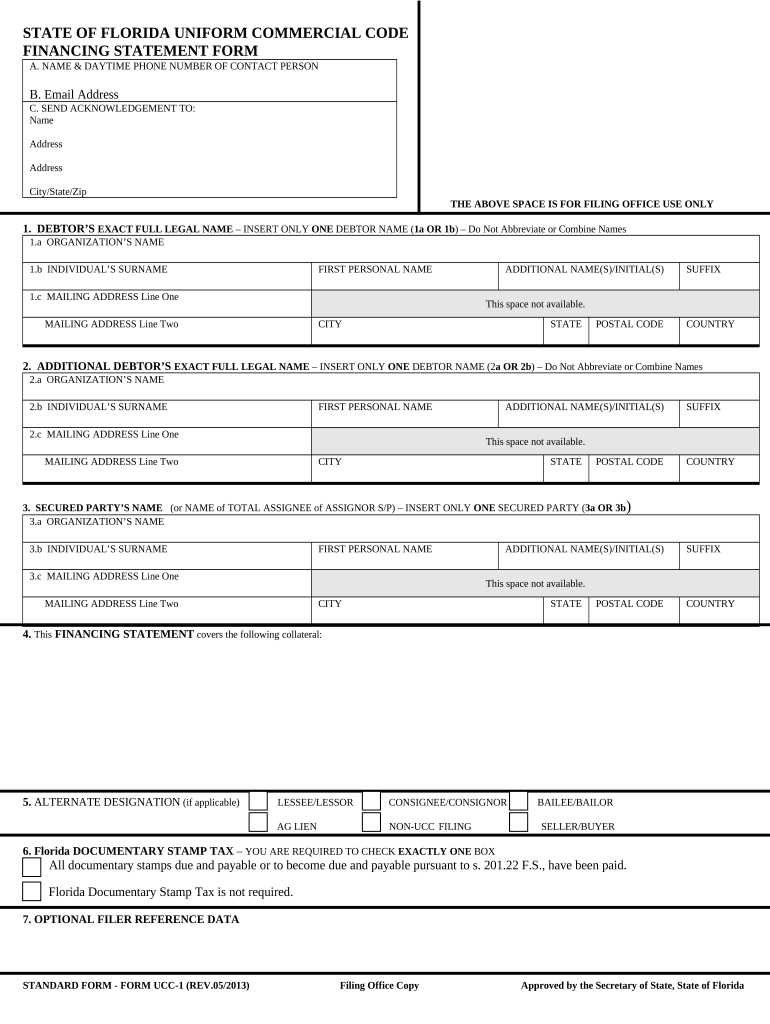
- Click ‘Get Form’ to open the fl ucc form in the editor.
- Begin by entering the contact person's name and daytime phone number in section A. Ensure all information is accurate for effective communication.
- In section B, provide a valid email address for acknowledgments. This will ensure you receive important updates regarding your filing.
- Section C requires you to fill in the name and address where acknowledgments should be sent. Double-check this information for accuracy.
- For section 1, input the debtor's exact full legal name. Choose either 1a for organizations or 1b for individuals, and complete all required fields including mailing address.
- Repeat step 5 for any additional debtors in section 2, ensuring that each entry is complete and legible.
- In section 3, enter the secured party’s name following the same format as previous sections. This is crucial for identifying who holds the security interest.
- Detail the collateral covered in section 4, providing clear descriptions to avoid confusion during processing.
- Complete sections 5 and 6 by selecting any applicable designations and checking the appropriate box regarding documentary stamp tax requirements.
- Finally, review all entries for accuracy before submitting your form through our platform. Make sure everything is filled out correctly to prevent delays.
Start using our platform today to easily fill out your fl ucc form online for free!
Fill out fl ucc form online
It's free
It's free
See more fl ucc form versions
We've got more versions of the fl ucc form form. Select the right fl ucc form version from the list and start editing it straight away!
| Versions | Form popularity | Fillable & printable |
|---|---|---|
| 2001 | 4.8 Satisfied (53 Votes) |
Security and compliance
At DocHub, your data security is our priority. We follow HIPAA, SOC2, GDPR, and other standards, so you can work on your documents with confidence.
Learn more




