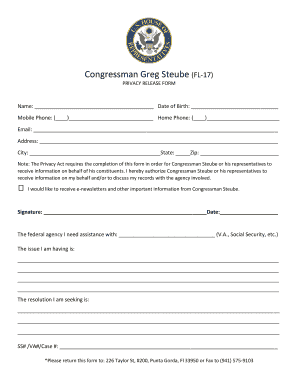
Wyoming cover sheet 2026

Get Form
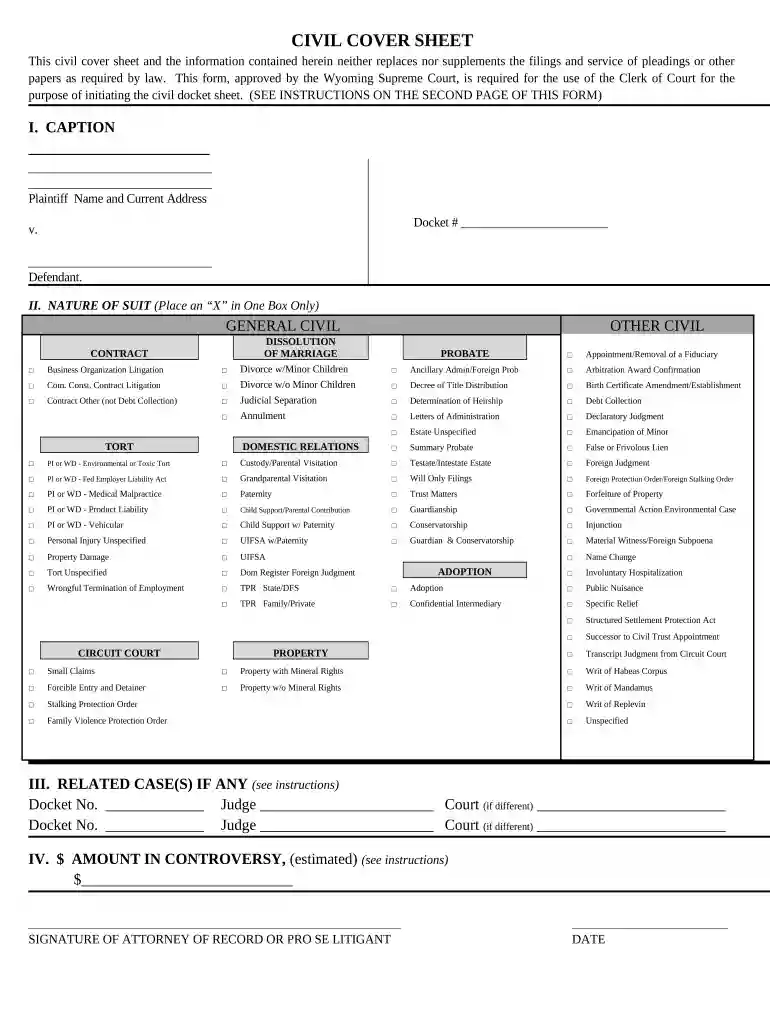
wyoming civil cover sheet Preview on Page 1

Here's how it works

01. Edit your wyoming civil cover sheet online
Type text, add images, blackout confidential details, add comments, highlights and more.

02. Sign it in a few clicks
Draw your signature, type it, upload its image, or use your mobile device as a signature pad.

03. Share your form with others
Send it via email, link, or fax. You can also download it, export it or print it out.

How to use or fill out Wyoming Cover Sheet with DocHub

Form edit decoration
9.5
Ease of Setup
DocHub User Ratings on G2
9.0
Ease of Use
DocHub User Ratings on G2
  1. Click ‘Get Form’ to open the Wyoming cover sheet in our editor.
  2. In the 'Caption' section, enter the names of the plaintiff and defendant along with the plaintiff's current address. Ensure accuracy as this information is crucial for court records.
  3. For 'Nature of Suit', select one box that best describes your case by placing an ‘X’. Remember, only one box should be checked to avoid confusion.
  4. If applicable, fill in any related cases in Section III by providing docket numbers and corresponding judge names.
  5. In Section IV, indicate the estimated amount in controversy. This should reflect the dollar amount being demanded or other specific demands.
  6. Finally, sign and date the form at the bottom. This step confirms your submission and adherence to legal requirements.

Start using our platform today to streamline your document editing and form completion for free!

be ready to get more

Complete this form in 5 minutes or less

Get form

Got questions?

We have answers to the most popular questions from our customers. If you can't find an answer to your question, please contact us.
Contact us

Approving documents on a mobile device is quick, easy, and doesn’t require software installation when you have an account with DocHub. Sign in from any browser, fill in your blank fields with your information, and click on Sign → Create your signature. You can draw your eSignature the same way you usually do on paper, add its image to your wyoming cover sheet, or type in your name and stylize its look. Whatever option you select, your form will be valid.

With DocHub, you have several convenient ways to edit your wyoming cover sheet online. You can drag and drop the form and edit it straight at the DocHub site or use our browser extension to fill out your form right away. Additionally, you can edit your PDF on your phone, as DocHub is compatible with all the available mobile platforms.

There are three ways to look at court records: Go to the courthouse and ask to look at paper records. Go to the courthouse and look at electronic court records. If your court offers it, look at electronic records over the internet.
In order to start an action, you must file the Small Claims Affidavit and Summons at the Circuit Court. The Defendant must be located in the county where you are filing your suit. You can get a copy of the Affidavit and Summons forms at the Circuit Court office.
Step 1: File the Notice of Appeal. Step 2: Pay the filing fee. Step 3: Determine if/when additional information must be provided to the appeals court as part of opening your case. Step 4: Order the trial transcripts.

Security and compliance

At DocHub, your data security is our priority. We follow HIPAA, SOC2, GDPR, and other standards, so you can work on your documents with confidence.

Learn more

People also ask

An appeal is started by filing a Notice of Appeal with the District Court. A copy of the Notice of Appeal must also be sent to the other party to the lawsuit and to the Clerk of the Wyoming Supreme Court.
Make service by either certified mail or by the first class mail as directed by plaintiff; or. Forward a copy of the summons and complaint to the Secretary of State, as statutory attorney-in-fact, for service as specified by any applicable statute.
Filing the Complaint Filing for divorce requires: a Civil Cover Sheet, the Complaint, and a Summons. Once you file the Complaint and send a copy to the other side, then you need to wait 20 days, or 30 days if the other side is out of state. If the other side does not respond, you can apply for an Entry of Default.
The district judges preside over felony criminal and civil cases as well as juvenile and probate matters. They also hear appeals from lower court decisions.
Civil court proceedings in England and Wales are, as a general rule, open to the public. In addition, the public can access certain court documents, and apply for further access to other court documents or documents referred to in court.

Related links