




Here's how it works

01. Edit your answer to summons template free online
Type text, add images, blackout confidential details, add comments, highlights and more.

02. Sign it in a few clicks
Draw your signature, type it, upload its image, or use your mobile device as a signature pad.

03. Share your form with others
Send free form to answer summons via email, link, or fax. You can also download it, export it or print it out.
How to use or fill out summons with our platform

- Click ‘Get Form’ to open the summons in the editor.
- Begin by filling in the 'Plaintiff(s)' and 'Defendant(s)' sections with the appropriate names. Ensure accuracy as this identifies the parties involved in the civil action.
- Enter the 'Civil Action No.' provided by the court. This number is crucial for tracking your case.
- In the section labeled 'To: (Defendant’s name and address)', input the full name and address of the defendant. This ensures they receive proper notification of the lawsuit.
- Review the instructions regarding response time, ensuring that you understand your obligations to respond within 21 days or 60 days if applicable.
- Complete the 'Proof of Service' section after serving the summons, detailing how and when it was served, along with any necessary signatures.
Start using our platform today to streamline your document editing and ensure a smooth process!
Fill out summons online
It's free
It's free
Security and compliance
At DocHub, your data security is our priority. We follow HIPAA, SOC2, GDPR, and other standards, so you can work on your documents with confidence.
Learn more


Related forms
New jersey complaint
The document provides instructions for completing the Civil Case Information Statement (CIS) required for civil cases in ...

Ocp assessment criteria
The document outlines the Community Pharmacy Assessment Criteria used by Community Operations Advisors to evaluate pharm ...

Nj show cause
The document is a legal order from the Superior Court of New Jersey regarding a plaintiff's request for temporary restra ...
Stipulation and order sample
The document FL-625 is a Stipulation and Order form used in California family law cases, specifically regarding child su ...

Fl 692
The document FL-692 is a court form used by the Superior Court of California to record minutes and orders related to chi ...
Florida Durable Financial Power of Attorney Form
The document is a Florida General Power of Attorney (non-durable) that allows the principal to designate an attorney-in- ...
Rrf 1 form
The document provides instructions for filing the Annual Registration Renewal Fee Report (Form RRF-1) with the Attorney ...
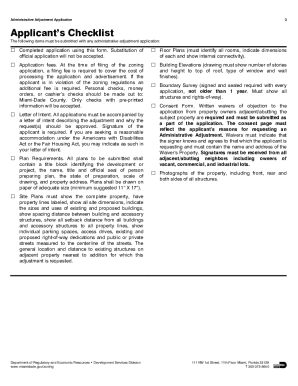
Adjustment miami
The document outlines the process for applying for an Administrative Adjustment with the Miami-Dade County Department of ...