




01. Edit your 45 day tag in sc online
Type text, add images, blackout confidential details, add comments, highlights and more.

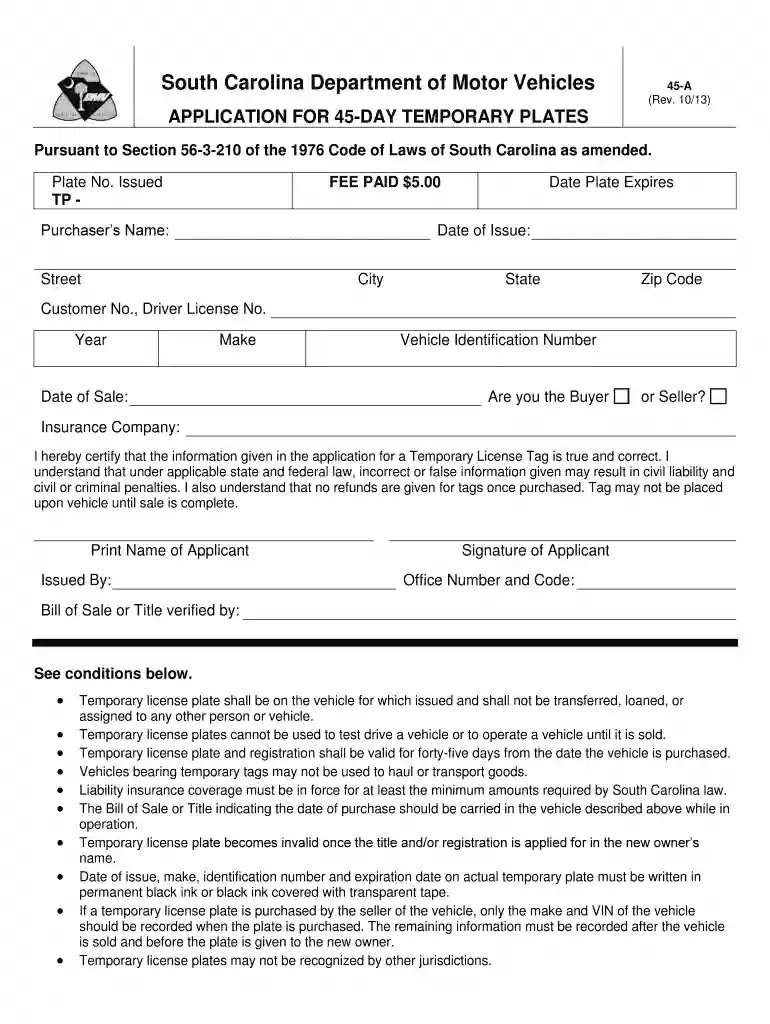
Type text, add images, blackout confidential details, add comments, highlights and more.

Draw your signature, type it, upload its image, or use your mobile device as a signature pad.

Send can you renew a 45 day tag in sc via email, link, or fax. You can also download it, export it or print it out.

Start using our platform today to easily fill out your application for a 45-day temporary plate!
We've got more versions of the 45 day tag in sc form. Select the right 45 day tag in sc version from the list and start editing it straight away!
At DocHub, your data security is our priority. We follow HIPAA, SOC2, GDPR, and other standards, so you can work on your documents with confidence.
This public document was published at a total cost of $369 ($3.69 per copy). 100 copies of this public document were published in this first printing.Read more
(L) All temporary license plates must be valid for no more than forty-five days and must be affixed at all times to the rear of the item in an unobscured andRead more
May 9, 2018 This publication cites many South Carolina code sections, regulations, attorney general opinions, and Department advisory opinions (RevenueRead more


