




Here's how it works

01. Edit your form online
Type text, add images, blackout confidential details, add comments, highlights and more.

02. Sign it in a few clicks
Draw your signature, type it, upload its image, or use your mobile device as a signature pad.

03. Share your form with others
Send it via email, link, or fax. You can also download it, export it or print it out.
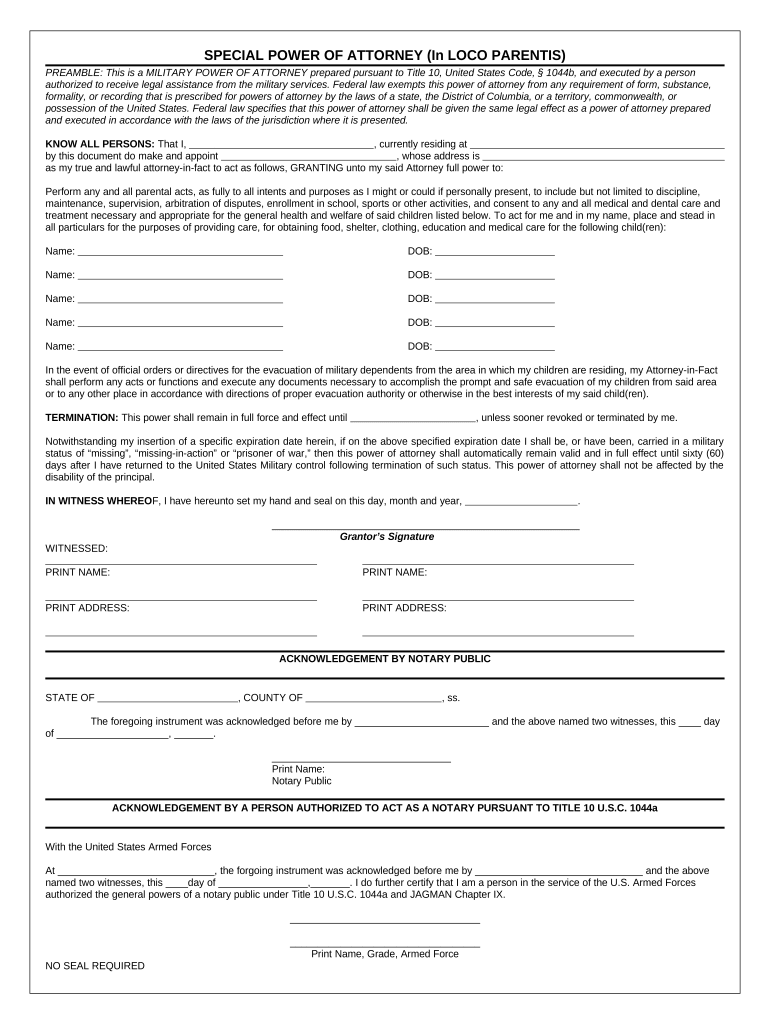
How to use or fill out loco parentis with our platform

- Click ‘Get Form’ to open the loco parentis document in the editor.
- Begin by filling in your name and address in the 'KNOW ALL PERSONS' section. This identifies you as the grantor of the power of attorney.
- Next, designate your attorney-in-fact by entering their name and address. This person will act on your behalf regarding parental responsibilities.
- In the section detailing parental acts, ensure you check all relevant boxes or write in any specific permissions you wish to grant, such as medical care or educational decisions.
- List each child’s name and date of birth clearly under the designated section to specify who this power of attorney applies to.
- Specify an expiration date for this power of attorney unless it is revoked sooner. If applicable, include conditions for automatic extension based on military status.
- Finally, sign and date the document at the bottom. Ensure that two witnesses also print their names and addresses before submitting for notarization if required.
Start using our platform today to easily complete your loco parentis form online for free!
Fill out loco parentis online
It's free
It's free
Security and compliance
At DocHub, your data security is our priority. We follow HIPAA, SOC2, GDPR, and other standards, so you can work on your documents with confidence.
Learn more




