




Here's how it works



How to use or fill out Missouri Case with Our Platform

- Click ‘Get Form’ to open the Missouri Case document in the editor.
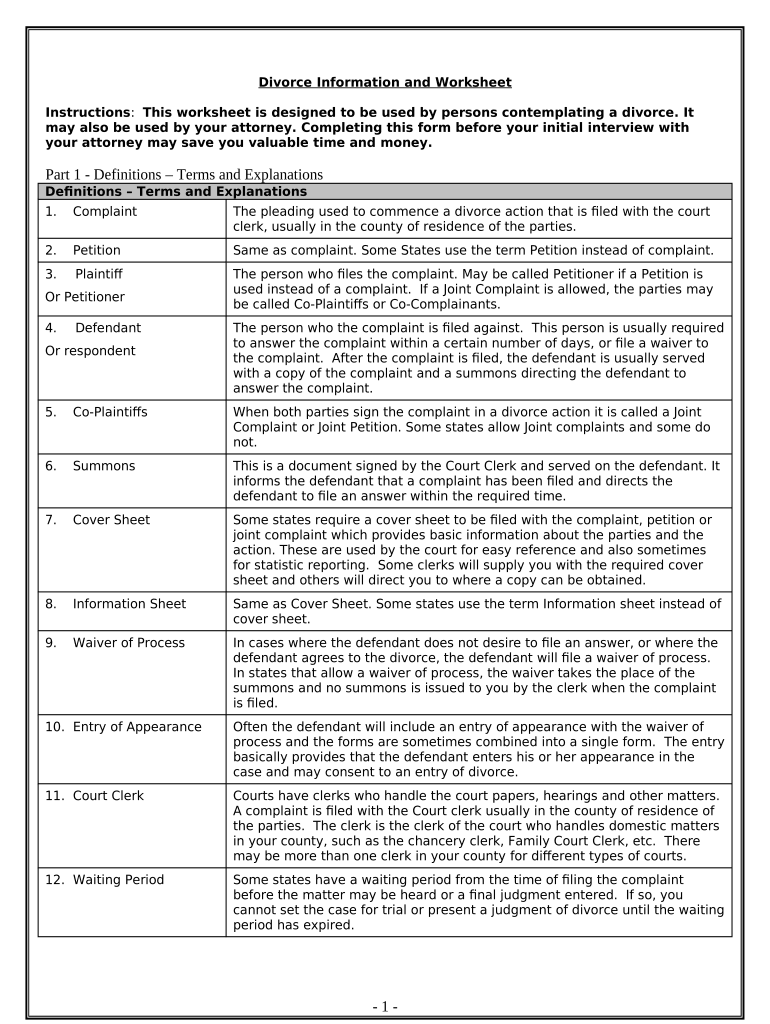
- Begin with Part 1, Definitions. Familiarize yourself with key terms such as 'Complaint' and 'Petition' to understand the context of your case.
- In Part 2, enter your personal information accurately. This includes your name, address, and date of birth. Ensure all details are correct for legal purposes.
- Proceed to Part 3 for your spouse's information. Fill in their details similarly to ensure consistency across the document.
- Continue through Parts 4 to 6, detailing marriage history and children’s information. Be thorough in providing accurate dates and circumstances.
- In Part 7, outline income sources for both parties. This will be crucial for financial discussions later in the process.
- Complete Parts 8 through 12 by listing monthly expenses and assets. Use our platform’s features to easily input data and make adjustments as needed.
- Finally, review all sections for accuracy before saving or sharing the completed form with your attorney or court.
Start using our platform today for free to streamline your Missouri case documentation!
It's free
Got questions?
Can I sign my missouri case net free in electronic format?
As outlined by eSignature laws, documents approved electronically have the same validity as traditionally approved ones. You can eSign almost any business and personal paperwork. Four types of paperwork still demand wet signatures only - wills and testamentary trusts, court orders and other court forms, state statutes governing divorce, adoption, or other family law, and notice of cancellation of utility services. If you adhere to the guidelines and utilize a reliable and compliant software solution, like DocHub, you can eSign your missouri case net free without printing it.
How do you edit mo case net name search on iOS?
You can easily edit and complete your mo case net name search on any iOS gadget. Open an internet browser of your liking, go to the DocHub website, authorize or create a new account, upload your file for editing, and make your required changes. Our service is mobile-friendly, so utilizing its features on your smartphone will be a no-brainer, even on the first try.
What does disposed mean on MO Casenet?
Is Casenet only for Missouri?
Are Missouri police reports public record?
Security and compliance
At DocHub, your data security is our priority. We follow HIPAA, SOC2, GDPR, and other standards, so you can work on your documents with confidence.
Learn more


