National registration form 2026

Get Form
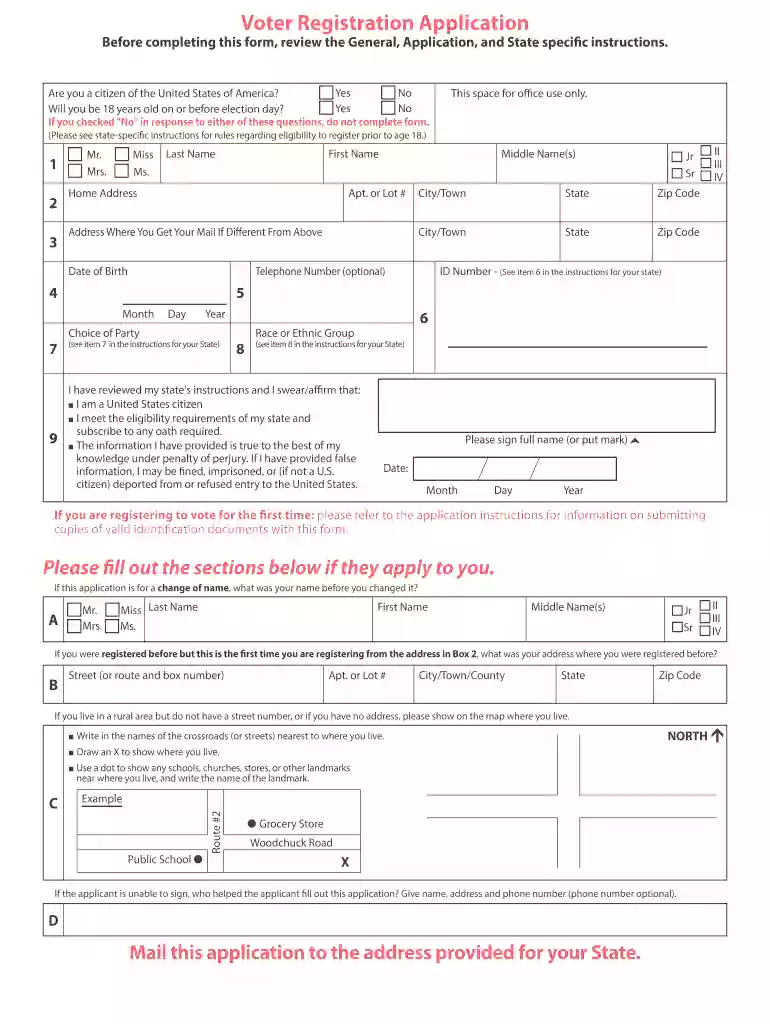
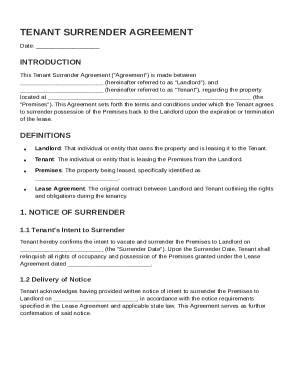
voter registration application form Preview on Page 1

Here's how it works

01. Edit your voter registration application form online
Type text, add images, blackout confidential details, add comments, highlights and more.

02. Sign it in a few clicks
Draw your signature, type it, upload its image, or use your mobile device as a signature pad.

03. Share your form with others
Send voter application form via email, link, or fax. You can also download it, export it or print it out.

How to use or fill out national registration form with DocHub

Form edit decoration
9.5
Ease of Setup
DocHub User Ratings on G2
9.0
Ease of Use
DocHub User Ratings on G2
  1. Click ‘Get Form’ to open the national registration form in our editor.
  2. Begin by answering the eligibility questions regarding U.S. citizenship and age. If you answer 'No' to either, do not proceed with the form.
  3. Fill in your personal details: Last Name, First Name, Middle Name(s), and Date of Birth. Ensure accuracy as this information is crucial for your registration.
  4. Provide your Home Address and any alternate mailing address if applicable. Include City/Town, State, and Zip Code.
  5. Enter your ID Number as specified in your state’s instructions. This may be a driver's license number or another form of identification.
  6. Select your Choice of Party and indicate your Race or Ethnic Group as required by state guidelines.
  7. Review the affirmation statement carefully before signing. Ensure all information is accurate to avoid penalties.
  8. If applicable, complete additional sections for name changes or previous addresses before submitting the application.

Start filling out your national registration form today for free using our platform!

See more national registration form versions

We've got more versions of the national registration form form. Select the right national registration form version from the list and start editing it straight away!
Versions Form popularity Fillable & printable
2020 4.8 Satisfied (80 Votes)
2017 4.3 Satisfied (49 Votes)
be ready to get more

Complete this form in 5 minutes or less

Get form

Got questions?

We have answers to the most popular questions from our customers. If you can't find an answer to your question, please contact us.
Contact us

Of course, it is possible with DocHub. This reliable and compliant online editor has a phone-based signing option. When you log in to your DocHub account and add your voter application print to our editor, complete all blank fields and use the Sign feature on the top barf. Click on Create your signature and choose Phone from the available choices. Here, you scan a QR code using your smartphone and draw your signature on your phone screen, as you usually do when signing physical papers. If you access DocHub right from your mobile device, you can electronically sign your template by drawing your eSignature, adding its picture, or simply with a typed name.

If you store your files in Google Drive, there is no need to download your national voter registration form on the computer and upload it back to our editor. A much simpler way is to set up a browser extension created by DocHub to simplify this flow. The extension allows editing PDFs in your web browser. Alternatively, you can integrate your DocHub and Gmail accounts for more efficient editing.

Voting in local government elections is not compulsory, but all electors are strongly encouraged to participate, and vote for their local government representatives.
In 2022, the U.S. has about 94,000 NRHP-listed properties, including historic districts; the total number of buildings covered is much larger.
It is a criminal offence to refuse to complete the registration form or to give false information, carrying a fine of up to 1,000.

Security and compliance

At DocHub, your data security is our priority. We follow HIPAA, SOC2, GDPR, and other standards, so you can work on your documents with confidence.
Learn more
ccpa2
pci-dss
gdpr-compliance
hipaa
soc-compliance

People also ask

The National Register of Historic Places is the official list of the Nations historic places worthy of preservation.
According to the California Environmental Quality Act (CEQA), all buildings constructed over 50 years ago and possess architectural or historical significance may be considered potential historic resources and proposed changes to these buildings may require some level of environmental review.
This act was signed into law on August 6, 1965, by President Lyndon Johnson. It outlawed the discriminatory voting practices adopted in many southern states after the Civil War, including literacy tests as a prerequisite to voting.
The fifty-year rule is one of the most commonly accepted principles within American historic preservation: properties that have achieved significance within the past fifty years are generally not considered eligible for listing in the National Register of Historic places.
Eligibility to vote in the United States is governed by the United States Constitution and by federal and state laws.

voter registration citizens