Afman 34 135 2026

Get Form
afman 34 135 Preview on Page 1

Here's how it works

01. Edit your afman 34 135 online
Type text, add images, blackout confidential details, add comments, highlights and more.

02. Sign it in a few clicks
Draw your signature, type it, upload its image, or use your mobile device as a signature pad.

03. Share your form with others
Send afman 34 240 via email, link, or fax. You can also download it, export it or print it out.

How to use or fill out afman 34 135 with our platform

Form edit decoration
9.5
Ease of Setup
DocHub User Ratings on G2
9.0
Ease of Use
DocHub User Ratings on G2
  1. Click ‘Get Form’ to open afman 34 135 in the editor.
  2. Begin by reviewing the Mission Statement section, which outlines the purpose of providing quality lodging facilities and services. Ensure you understand this as it sets the context for your entries.
  3. Proceed to fill out the Roles and Responsibilities section. Identify your role and responsibilities clearly, as this will guide how you interact with other sections of the form.
  4. In the Guest Eligibility chapter, carefully select the appropriate eligibility criteria that apply to your situation. This is crucial for ensuring compliance with Air Force policies.
  5. For the Reservation Process section, follow the outlined procedures for making reservations. Input necessary details such as dates and guest information accurately.
  6. Review all filled sections for accuracy before finalizing. Utilize our platform's features to save your progress and make any necessary edits easily.

Start using our platform today to streamline your document editing and ensure a smooth completion of afman 34 135!

See more afman 34 135 versions

We've got more versions of the afman 34 135 form. Select the right afman 34 135 version from the list and start editing it straight away!
Versions Form popularity Fillable & printable
2014 4.8 Satisfied (35 Votes)
be ready to get more

Complete this form in 5 minutes or less

Get form

Got questions?

We have answers to the most popular questions from our customers. If you can't find an answer to your question, please contact us.
Contact us

Sure, electronically drawing your signature is appropriate, but only if you utilize a tool that complies with industry laws and regulations. Try DocHub, which ensures eSignature validity under ESIGN and UETA requirements. All you need to eSign your 135 34 is an account with DocHub and an internet connection. When you open your file in our editor, click Sign and select the Draw option.

As a comprehensive document modifying platform, DocHub is available on smart phones. Open DocHub in your choice of mobile internet browser and employ our smart mobile-friendly toolset to complete your afi 32 6000.

A: A Statement of Non-Availability is issued by CHESS as validation that Army organizations have complied with. the AR 25-1 regulation to purchase all COTS IT through CHESS; however, no viable contract vehicle was available at the time of the requirement submission.
The 422 may be obtained from the member's servicing Military Treatment Facility (MTF). Record Review Rip (Go to vMPF, click \u201cSelf-Service Actions,\u201d then click \u201cPersonal Data,\u201d then click \u201cRecord Review/Update,\u201d then \u201cView/Print All Pages.\u201d
We welcome Active Duty, retirees, NAF or DoD civilian employees, and sponsored guests. In-room amenities include: Internet Access.

Security and compliance

At DocHub, your data security is our priority. We follow HIPAA, SOC2, GDPR, and other standards, so you can work on your documents with confidence.

Learn more
ccpa2
pci-dss
gdpr-compliance
hipaa
soc-compliance
be ready to get more

Complete this form in 5 minutes or less

Get form

People also ask

The entire 469/422 process can take seven to 10 days. There are a lot of people involved in this process. Most of it happens electronically. However, members should be sure to stay on top of the process.
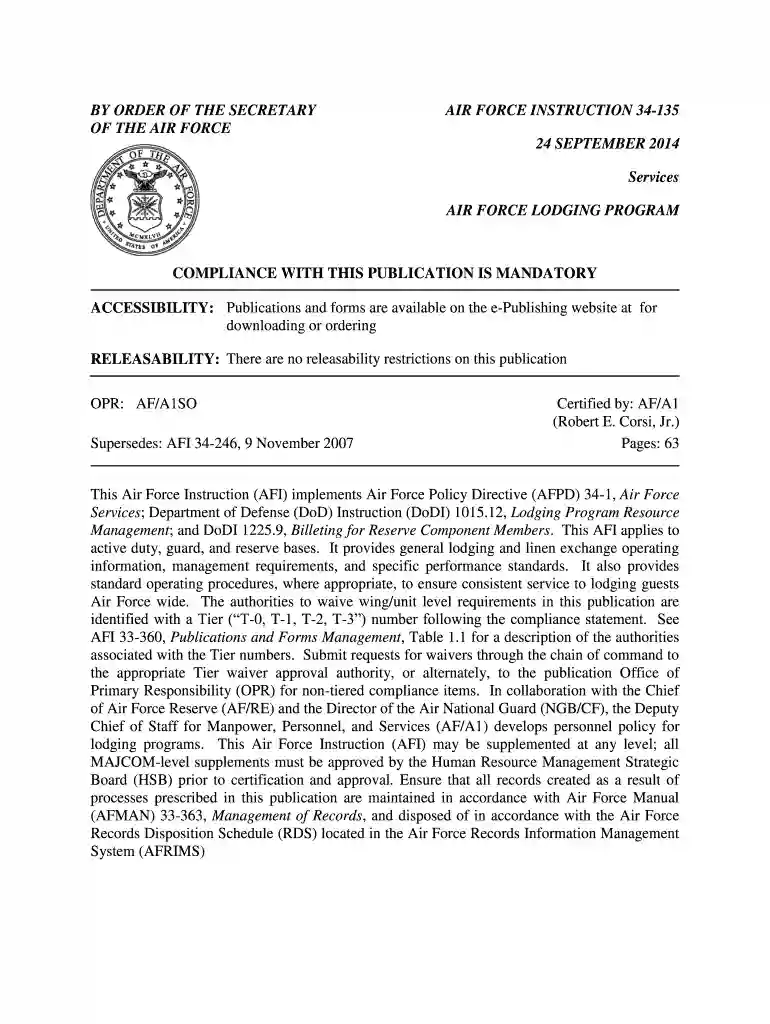
Table 1.1. Tier Waiver Authorities. Tier NumberMay be used in publications atOr,T-2Departmental , MAJCOM, and ANG levels onlyConformity is needed across the Air Force, but HAF is not needed to be consulted for deviations
An Air Force Instruction (AFI) is a documented instruction for members of the United States Air Force intended for use by active duty, guard, and reserve members and associated civilians. It is one of many forms of directives published by the Air Force Departmental Publishing Office (AFDPO).
In a room full of new Air Force fellows at the National Defense University, Wilson said the 1,300 official instructions are often outdated and inconsistent, breeding cynicism when Airmen feel they cannot possibly follow every written rule. "There are more AFIs than we need," she said.
Processing/Routing the AF Form 2096 It is the responsibility of the Unit Training Manager and the IMA's supervisor to ensure the member has met all upgrade requirements prior to submitting the AF2096.

afi 34 135