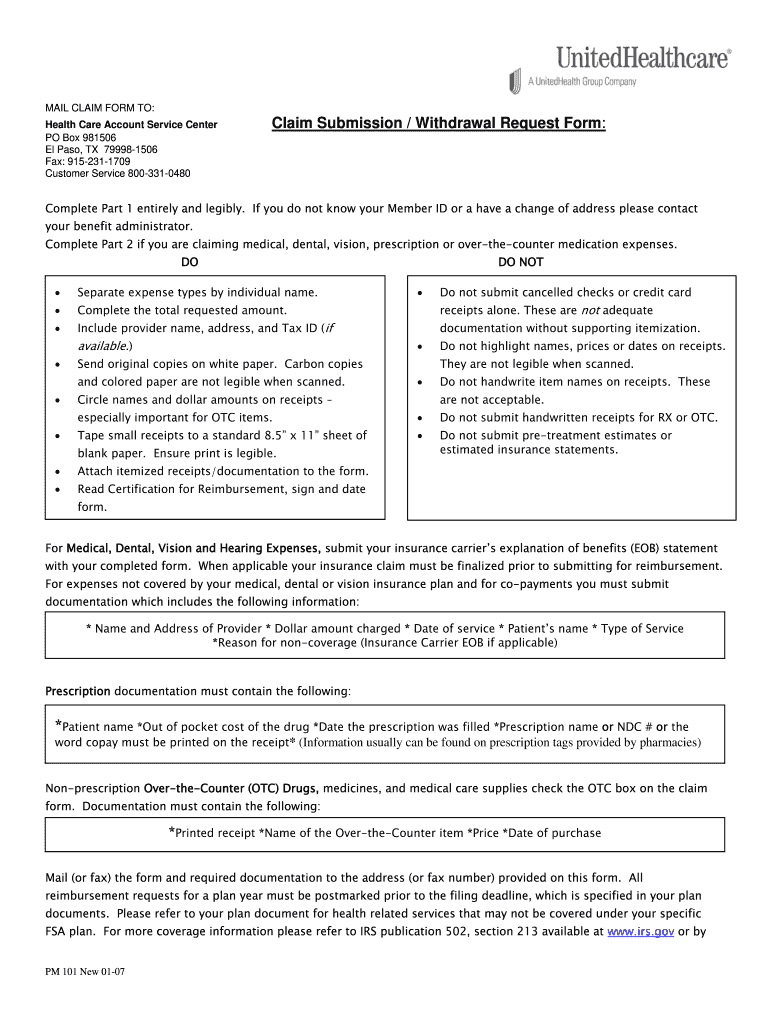
Unitedhealthcare claim withdrawal form 2026

Get Form
unitedhealthcare claim withdrawal form Preview on Page 1

Here's how it works

01. Edit your form online
Type text, add images, blackout confidential details, add comments, highlights and more.
02. Sign it in a few clicks
Draw your signature, type it, upload its image, or use your mobile device as a signature pad.
03. Share your form with others
Send it via email, link, or fax. You can also download it, export it or print it out.

How to use or fill out unitedhealthcare claim withdrawal form with our platform

Form edit decoration
9.5
Ease of Setup
DocHub User Ratings on G2
9.0
Ease of Use
DocHub User Ratings on G2
  1. Click ‘Get Form’ to open the unitedhealthcare claim withdrawal form in the editor.
  2. Begin with Part 1, filling in your Employee Information. Ensure that you provide your name, Member ID, date of birth, mailing address, daytime telephone number, and employer name clearly.
  3. Proceed to Part 2 for Health Care Expenses. Itemize each expense by entering the date of service, patient name/relationship, description of service, provider details, and type of service (check the appropriate box).
  4. Attach itemized receipts/documentation for each expense listed. Make sure all documentation is legible and follows the guidelines provided in the form.
  5. Complete the total requested amount at the end of Part 2 and read through the Certification for Reimbursement section before signing and dating the form.
  6. Finally, submit your completed form along with all required documentation via mail or fax to the specified address.

Start using our platform today to streamline your claim submission process for free!

See more unitedhealthcare claim withdrawal form versions

We've got more versions of the unitedhealthcare claim withdrawal form form. Select the right unitedhealthcare claim withdrawal form version from the list and start editing it straight away!
Versions Form popularity Fillable & printable
2007 4.8 Satisfied (240 Votes)
be ready to get more

Complete this form in 5 minutes or less

Get form

Got questions?

We have answers to the most popular questions from our customers. If you can't find an answer to your question, please contact us.
Contact us
Also, please be aware that you cannot withdraw funds from the UCard Debit Account.
Your personal identification number (PIN) for your card arrives separately in the mail. With your PIN you can use your card to withdraw funds at any ATM that displays the MasterCard brand name. * You can withdraw money at the ATM to reimburse yourself if you go to the doctor and pay for services out of your own pocket.
The UnitedHealthcare Global Care Card will be sent to a designated office for your company to distribute. When you receive your Care Card, activate it and set a PIN for security. 2. Swipe your card where you seek services to pay for eligible medical expenses.
If youre under 65 and use the dollars for qualified medical expenses, you can withdraw the money tax-free. If youre over 65, there are no stipulations on how you can use the money. You can continue to withdraw the money tax-free for medical expenses.
We typically decide on requests for prior authorization for medical services within 72 hours of receiving an urgent request or within 15 days for non-urgent requests.

Security and compliance

At DocHub, your data security is our priority. We follow HIPAA, SOC2, GDPR, and other standards, so you can work on your documents with confidence.

Learn more
ccpa2
pci-dss
gdpr-compliance
hipaa
soc-compliance