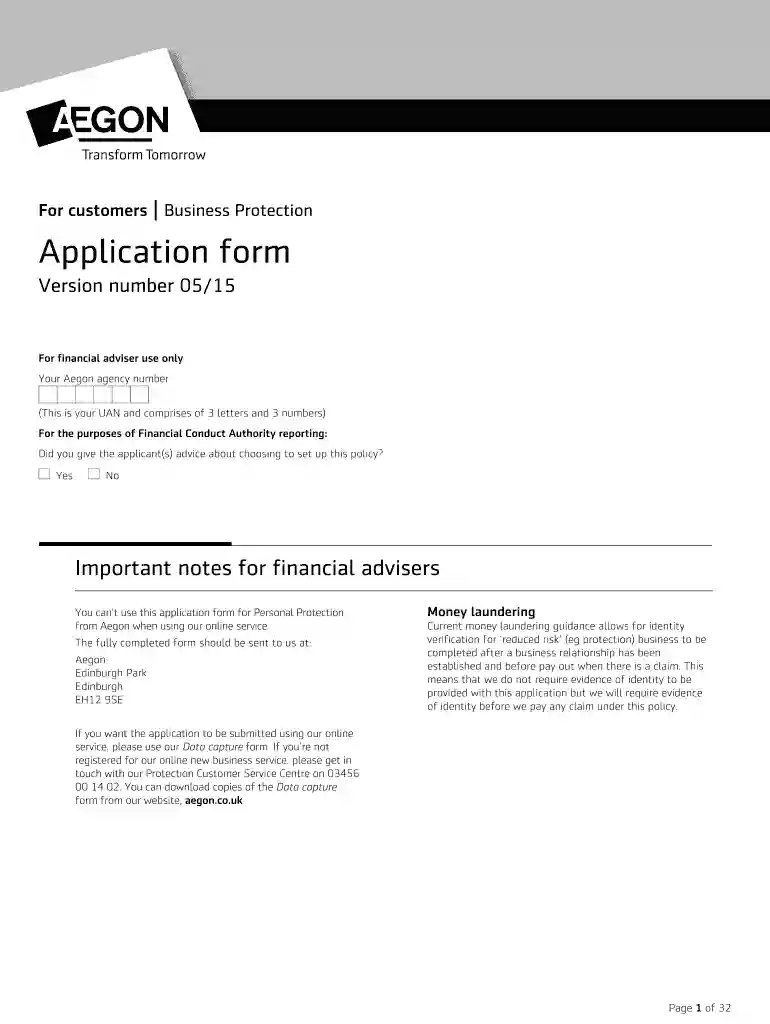
aegon bmi tables Preview on Page 1

Aegon business form 2026

Here's how it works

  • 01. Edit your aegon bmi tables online

    Type text, add images, blackout confidential details, add comments, highlights and more.

  • 02. Sign it in a few clicks

    Draw your signature, type it, upload its image, or use your mobile device as a signature pad.

  • 03. Share your form with others

    Send aegon online via email, link, or fax. You can also download it, export it or print it out.

How to use or fill out Aegon Business Form with DocHub

Form edit decoration
9.5
Ease of Setup
DocHub User Ratings on G2
9.0
Ease of Use
DocHub User Ratings on G2
  1. Click ‘Get Form’ to open the Aegon Business Protection application form in our platform.
  2. Begin by entering your Aegon agency number, which consists of three letters followed by three numbers. This is essential for identification.
  3. In the section regarding advice given, select 'Yes' or 'No' to indicate if you provided guidance to the applicant(s) about setting up this policy.
  4. Fill in personal details for each insured person, including names, marital status, and contact information. Ensure accuracy as this information is crucial for policy administration.
  5. Complete the reason for cover section by selecting applicable options such as 'Key person' or 'Relevant Life'. If applying for income protection, ensure to fill out the relevant sections.
  6. Review all health questions carefully. It’s important that both insured persons answer these questions honestly and completely to avoid issues with claims later.
  7. Finally, sign the declaration and consent section at the end of the form. This confirms that all information provided is accurate and complete.

Start filling out your Aegon Business Protection application form today using our platform for a seamless experience!

See more aegon bmi tables versions

We've got more versions of the aegon bmi tables form. Select the right aegon bmi tables version from the list and start editing it straight away!

VersionsForm popularityFillable & printable
20154.8 Satisfied (121 Votes)

be ready to get more

Complete this form in 5 minutes or less

Security and compliance

At DocHub, your data security is our priority. We follow HIPAA, SOC2, GDPR, and other standards, so you can work on your documents with confidence.

Related links

get your head into the cloud

They all work for him through an online plat- form called oDesk. At the other end of the size spectrum is life insurance giant Aegon, which has an on-demand.

Learn more
AEGON ASSET MANAGEMENT US - Investment Adviser

An ERA is required to file a report using Form ADV, but does not complete all items contained in Form ADV that a registered adviser must complete. OtherRead more

Learn more
Form 20-F

Mar 31, 2014 Form 20-F. REGISTRATION STATEMENT PURSUANT TO SECTION 12(b) OR 12(g) OF THE SECURITIES EXCHANGE ACT OF 1934.Read more

Learn more
If you believe that this page should be taken down, please follow our DMCA take down process here