




Here's how it works
How to use or fill out 7705 Metro Center Dr with our platform

- Click ‘Get Form’ to open the 7705 Metro Center Dr document in the editor.
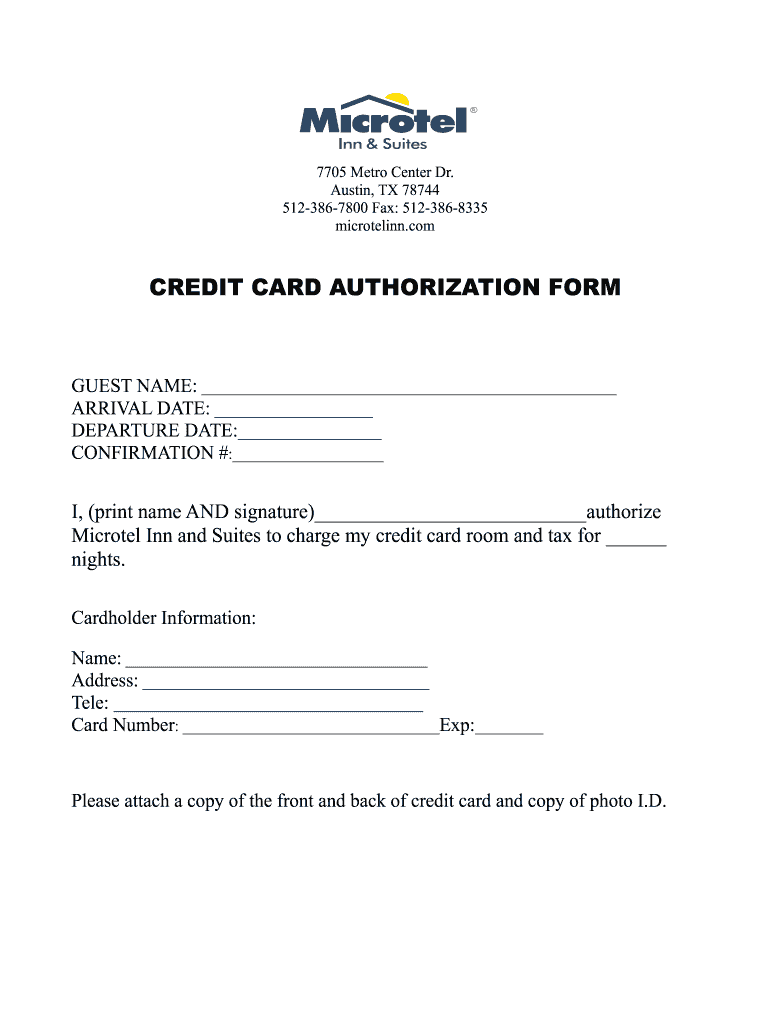
- Begin by entering your name in the 'GUEST NAME' field. Ensure that it is spelled correctly for reservation purposes.
- Fill in your 'ARRIVAL DATE' and 'DEPARTURE DATE' to specify your stay duration. Use the date format provided on the form.
- Enter your 'CONFIRMATION #' if you have one, as this helps in tracking your reservation.
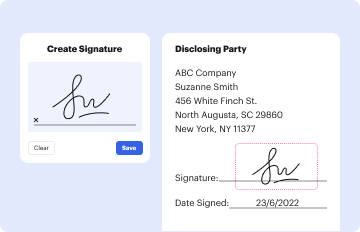
- In the authorization section, print your name and provide a signature to authorize charges for the specified number of nights.
- Complete the 'Cardholder Information' section by filling in your name, address, and telephone number accurately.
- Input your credit card number and expiration date carefully. Double-check for accuracy to avoid processing issues.
- Finally, attach a copy of both sides of your credit card along with a photo ID as required by the form.
Start using our platform today to easily complete and manage your forms online for free!
It's free
See more 7705 Metro Center Dr versions
| Versions | Form popularity | Fillable & printable |
|---|---|---|
| 2014 | 4.8 Satisfied (56 Votes) |
Got questions?
Is it safe to sign my 7705 Metro Center Dr electronically?
You need to use only reliable software solutions with strong security compliance to sign your paperwork electronically. DocHub is just the type of software you need! It stores data on Amazon Web Servers and complies with all required security standards and eSignature regulations, so it’s a trustworthy way to eSign your 7705 Metro Center Dr or other documents with this tool.
Can I print my 7705 Metro Center Dr and finish it on my own?
If you choose analog ways of completing your 7705 Metro Center Dr, it is simple to download your file for printing. Search DocHub’s Forms & Templates catalog to locate the exact document template you require and open it for editing or download it on your gadget in the format of your liking. It is easy to complete your form electronically and put your handwritten signature on it right after printing or eSign your document with DocHub.
Security and compliance
At DocHub, your data security is our priority. We follow HIPAA, SOC2, GDPR, and other standards, so you can work on your documents with confidence.
Learn more




