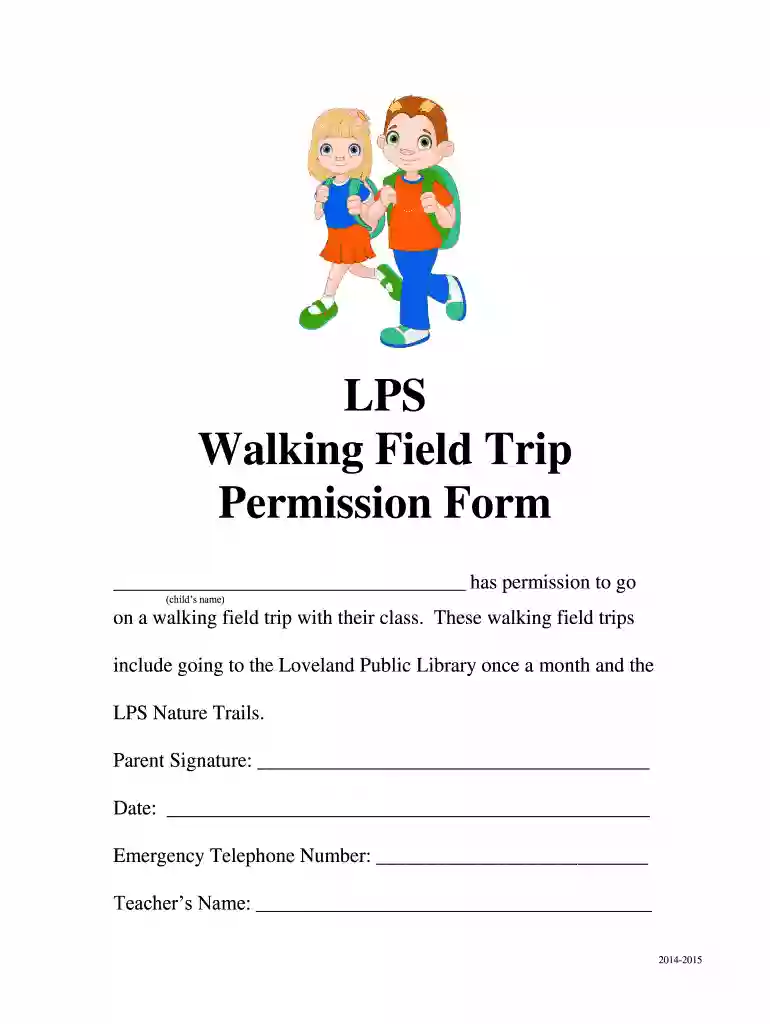
walking field trip permission slip Preview on Page 1

LPS Walking Field Trip Permission Form - Loveland City Schools - lovelandschools 2026

Here's how it works

  • 01. Edit your walking field trip permission slip online

    Type text, add images, blackout confidential details, add comments, highlights and more.

  • 02. Sign it in a few clicks

    Draw your signature, type it, upload its image, or use your mobile device as a signature pad.

  • 03. Share your form with others

    Send walking field trip permission slip template via email, link, or fax. You can also download it, export it or print it out.

How to use or fill out LPS Walking Field Trip Permission Form - Loveland City Schools - lovelandschools with our platform

Form edit decoration
9.5
Ease of Setup
DocHub User Ratings on G2
9.0
Ease of Use
DocHub User Ratings on G2
  1. Click ‘Get Form’ to open it in the editor.
  2. Begin by entering your child's name in the designated field where it states 'has permission to go (child’s name)'. This ensures that the form is personalized for your child.
  3. Next, review the details of the walking field trips mentioned, such as visits to the Loveland Public Library and LPS Nature Trails. Make sure you are comfortable with these locations.
  4. Provide your signature in the 'Parent Signature' section. This confirms your consent for your child to participate in these activities.
  5. Fill in the date next to your signature to indicate when you are signing this permission form.
  6. Enter an emergency telephone number where you can be reached during the trip. This is crucial for safety purposes.
  7. Lastly, include your child's teacher's name in the appropriate field to ensure proper communication regarding the trip.

Start using our platform today for free and streamline your document editing experience!

See more walking field trip permission slip versions

We've got more versions of the walking field trip permission slip form. Select the right walking field trip permission slip version from the list and start editing it straight away!

VersionsForm popularityFillable & printable
20144 Satisfied (23 Votes)

be ready to get more

Complete this form in 5 minutes or less

Got questions?

We have answers to the most popular questions from our customers. If you can't find an answer to your question, please contact us.

You should use only trusted software solutions with strong data protection compliance to sign your paperwork electronically. DocHub is just the type of editor you need! It stores data on Amazon Web Servers and complies with all required security criteria and eSignature regulations, so it’s a trusted way to eSign your walking permission slip or other forms using this tool.

You can easily edit and complete your walking permission slip template on any iOS device. Open an internet browser of your choice, visit the DocHub website, authorize or create a new account, add your file for editing, and make your desired alterations. Our service is mobile-friendly, so using its features on your smartphone will be a no-brainer, even on the first try.

Here is an example of this line: I, (parent or guardians name), give permission for my child, (childs name), to attend the field trip to (location of field trip) with (organization or adults name who is leading the trip). 4. Include space for medical details. 5. Add an emergency contact option.
A consent form or permission slip template usually includes: The student name. What activity the child will be participating in. The start time, end time, and date of the activity. An emergency contact number. Release of legal liability, if applicable. Space for a parent signature.
Schools will often ask you to sign permission forms for school trips. Permission slips are not liability waivers but they do seek the consent from parents for the students to participate in the trip or activity. Permission forms will often provide a description of the trip and activity and the risks associated with it.

Security and compliance

At DocHub, your data security is our priority. We follow HIPAA, SOC2, GDPR, and other standards, so you can work on your documents with confidence.

People also ask

Field trip permission slips allow you to formally request permission from parents/guardians to take students on trips. It also helps you collect all information needed about each student to make the trip as convenient as possible.
Heres what a basic field trip permission slip should include: School/Organization Name. Student Name. Parent/Guardian Contact Info. Emergency Contacts. Trip Details (date, time, location, transportation) Medical Information (allergies, medications) Consent for transportation and medical treatment. Liability waiver.
Whether you call it a field trip permission slip, waiver or form, it is essential that you get permission from parents or guardians before you take your class on a field trip. Generally, I combine my field trip letter with the permission slip so that students only need to keep track of a single piece of paper.

Related links

f(y1v - Kentucky Public Service Commission

Jan 1, 2025 Three cases came from students at. Loveland Elementary School, while one was from a student at Loveland Middle. Loveland schools reports 4Read more

Learn more
If you believe that this page should be taken down, please follow our DMCA take down process here