




Here's how it works



How to use or fill out hamilton road permit with our platform

- Click ‘Get Form’ to open the hamilton road permit in the editor.
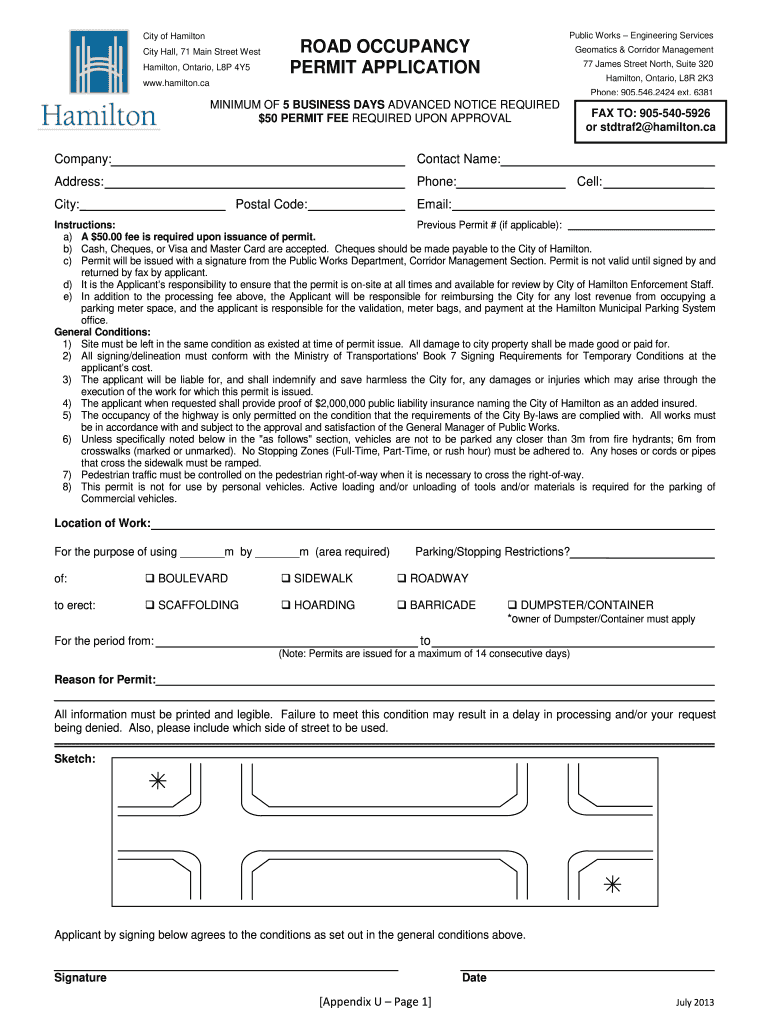
- Begin by filling in your company name, contact name, address, phone number, city, and postal code. Ensure all information is accurate and legible.
- Indicate your cell number and email for further communication. This will help streamline any follow-up regarding your application.
- If applicable, provide the previous permit number. Remember that a $50 fee is required upon issuance of the permit.
- Specify the location of work by entering the dimensions required (in meters) and select any parking/stopping restrictions that apply.
- Choose the type of structure you plan to erect (e.g., scaffolding, hoarding) and indicate the duration for which you need the permit.
- Complete the reason for the permit section clearly. Include a sketch if necessary to illustrate your request.
- Finally, sign and date the application to agree to all conditions outlined in the general conditions section before submitting it through our platform.
Start using our platform today to fill out your hamilton road permit easily and for free!
It's free
See more hamilton road permit versions
| Versions | Form popularity | Fillable & printable |
|---|---|---|
| 2013 | 4.8 Satisfied (101 Votes) |
Got questions?
Can I type my electronic signature on my hamilton road occupancy?
Yes, a typed name is recognized as a legitimate electronic signature when you add it to your document utilizing a compliant solution like DocHub. Simply upload your hamilton road occupancy to our editor, click Sign in the top tool pane → Create your signature → Type your name in the appropriate tab, and select how it will look on your document.
How do you create an e-signature for the peasant quest download on iOS?
Apart from an extensive toolset for editing PDFs on mobile devices, DocHub enables you to sign your peasant quest download along the way. Open our editor in your browser, make modifications using DocHub’s toolset, and finish your editing by eSigning the finished form.
What is the maximum deck size without a permit?
What is the biggest structure I can build without planning permission?
What is the biggest building I can build without a permit?
Security and compliance
At DocHub, your data security is our priority. We follow HIPAA, SOC2, GDPR, and other standards, so you can work on your documents with confidence.
Learn more




