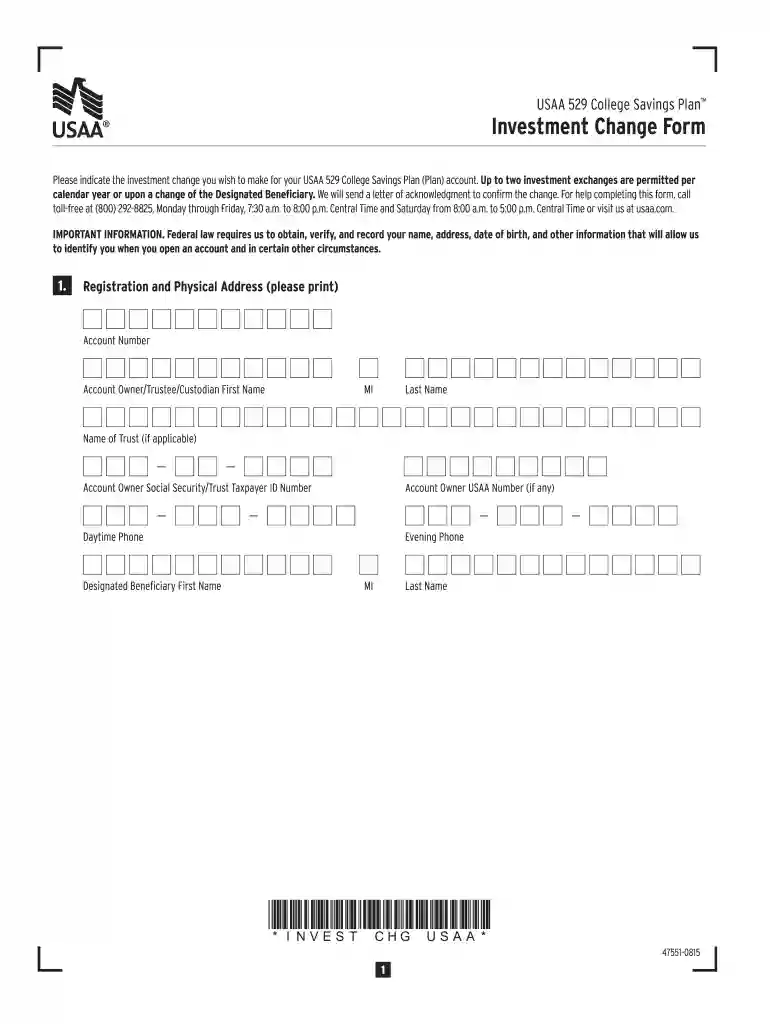
Investment Change Form - contentusaacom 2026

Get Form
Investment Change Form - contentusaacom Preview on Page 1

Here's how it works

01. Edit your form online
Type text, add images, blackout confidential details, add comments, highlights and more.

02. Sign it in a few clicks
Draw your signature, type it, upload its image, or use your mobile device as a signature pad.

03. Share your form with others
Send it via email, link, or fax. You can also download it, export it or print it out.

How to use or fill out Investment Change Form - contentusaacom with our platform

Form edit decoration
9.5
Ease of Setup
DocHub User Ratings on G2
9.0
Ease of Use
DocHub User Ratings on G2
  1. Click ‘Get Form’ to open the Investment Change Form in the editor.
  2. Begin by filling out the Registration and Physical Address section. Enter your Account Number, Account Owner's name, Social Security/Trust Taxpayer ID Number, and contact information.
  3. In the Exchange Instructions section, specify the dollar amount or percentage you wish to exchange from your current investment options. Ensure that each allocation is at least 5%.
  4. Next, move to Future Allocation Instructions. Choose how you want future contributions allocated among the available portfolio options, ensuring that total allocations equal 100%.
  5. Finally, sign and date the form in the Signature section to certify that all provided information is accurate and complete.

Start using our platform today for free to easily manage your Investment Change Form!

See more Investment Change Form - contentusaacom versions

We've got more versions of the Investment Change Form - contentusaacom form. Select the right Investment Change Form - contentusaacom version from the list and start editing it straight away!
Versions Form popularity Fillable & printable
2021 4.4 Satisfied (30 Votes)
2015 4 Satisfied (32 Votes)
be ready to get more

Complete this form in 5 minutes or less

Get form

Got questions?

We have answers to the most popular questions from our customers. If you can't find an answer to your question, please contact us.
Contact us

Sign in to your DocHub account and add your Investment Change Form - contentusaacom to our editor using one of its upload methods - from your device, cloud storage, protected URL, or your DocHub folders if you have already processed your document before. Open our editor, click the Sign key in the top toolbar, and decide on your signing method. You can upload an image of your handwritten signature, draw it, type in your name, or utilize a QR code as an alternative.

You need only a web connection and a web browser to fill out your Investment Change Form - contentusaacom by using an iOS phone. Open the DocHub website and authenticate. Then, add your file or select it from the list in your dashboard. Then use our editing instruments to fill out your form and save all your adjustments. You may also send it to a specified recipient right away.

How do I change my investments Log into your accountsOpens in a new window at tiaa.org. Select the MY ACCOUNT menu. Then select Manage investments. Follow the step-by-step instructions to make your changes.
Yes, you can rebalance your portfolio without selling. Add new money into the portfolio and buy the asset class that is underrepresented. If you need to withdraw funds from your account, sell a portion of the overrepresented asset. You can also reinvest cash dividend payments into an under-allocated asset class.
Your financial timeline and risk tolerance are closely related. In general, the sooner you need your money, the less risk you may be willing to take on, and the more conservative you may want to be with your investments. The longer your time horizon, the more risk you may be willing to take on.

Security and compliance

At DocHub, your data security is our priority. We follow HIPAA, SOC2, GDPR, and other standards, so you can work on your documents with confidence.

Learn more
ccpa2
pci-dss
gdpr-compliance
hipaa
soc-compliance