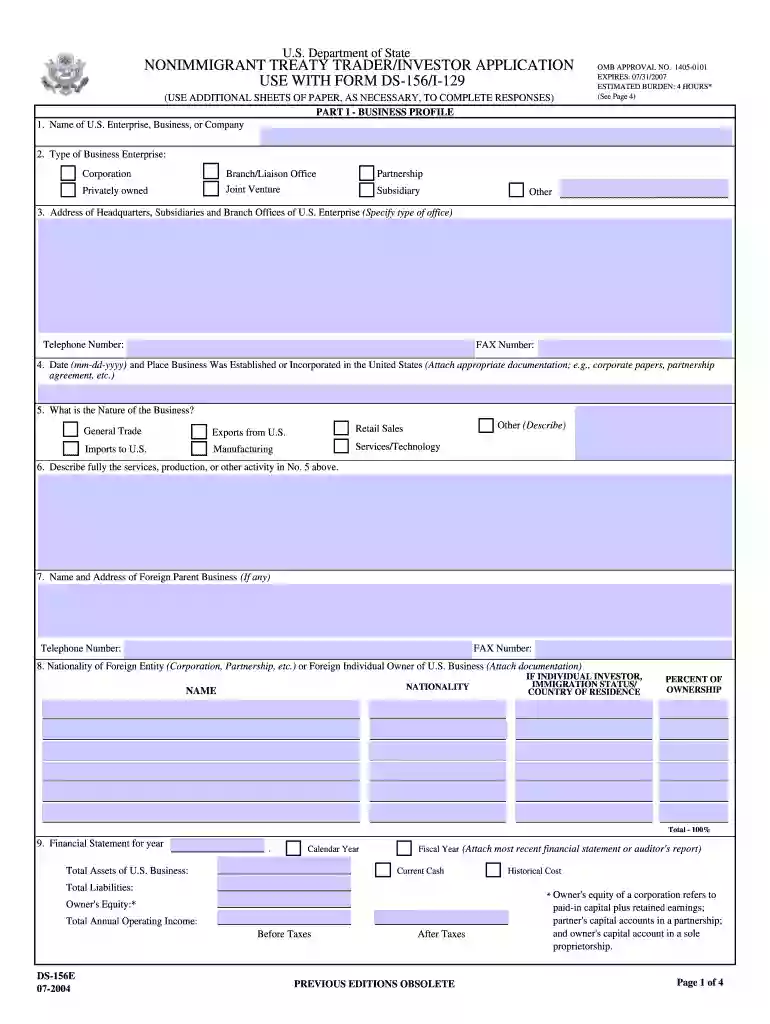
online form 156i 2004 Preview on Page 1

Online form 156i 2004-2026

Here's how it works

  • 01. Edit your form online

    Type text, add images, blackout confidential details, add comments, highlights and more.

  • 02. Sign it in a few clicks

    Draw your signature, type it, upload its image, or use your mobile device as a signature pad.

  • 03. Share your form with others

    Send it via email, link, or fax. You can also download it, export it or print it out.

How to use or fill out online form 156i 2004 with our platform

Form edit decoration
9.5
Ease of Setup
DocHub User Ratings on G2
9.0
Ease of Use
DocHub User Ratings on G2
  1. Click ‘Get Form’ to open the online form 156i 2004 in the editor.
  2. Begin with Part I - Business Profile. Fill in the name of your U.S. enterprise and select the type of business from the provided options, such as Corporation or Partnership.
  3. Provide the address of your headquarters and any subsidiaries, along with contact numbers. Ensure accuracy for effective communication.
  4. Indicate the date and place your business was established in the U.S., attaching any necessary documentation like corporate papers.
  5. In section 5, describe the nature of your business by selecting from options like General Trade or Manufacturing, and provide a detailed description in section 6.
  6. Complete sections regarding financial statements and international trade details, ensuring all figures are accurate and well-documented.
  7. Finally, review all entries for completeness before signing off on the application in Part III, confirming that all information is true to your knowledge.

Start filling out your online form 156i 2004 for free today using our platform!

See more online form 156i 2004 versions

We've got more versions of the online form 156i 2004 form. Select the right online form 156i 2004 version from the list and start editing it straight away!

VersionsForm popularityFillable & printable
20184.8 Satisfied (85 Votes)
20134.3 Satisfied (98 Votes)
20114 Satisfied (58 Votes)
20074.1 Satisfied (55 Votes)
20044.3 Satisfied (54 Votes)

be ready to get more

Complete this form in 5 minutes or less

Got questions?

We have answers to the most popular questions from our customers. If you can't find an answer to your question, please contact us.

Log in to your DocHub account and add your online form 156i 2004 to our editor using one of its upload methods - from your device, cloud storage, secure URL, or your DocHub folders if you have already processed your document before. Open our editor, click the Sign button in the upper toolbar, and decide on your signing method. You can use an image of your handwritten signature, draw it, enter your name, or use a QR code instead.

In case your go-to email service is Gmail, you can easily incorporate your DocHub editor into your work. Modify your online form 156i 2004 with DocHub instruments and connect it to your drafts in Gmail. See how straightforward it is to exchange documents and work together with a swift PDF editing solution at hand.

Security and compliance

At DocHub, your data security is our priority. We follow HIPAA, SOC2, GDPR, and other standards, so you can work on your documents with confidence.

Related links

OUR MORE-THAN-TWENTY-YEAR PATENT TERM

by MA Lemley 2024 Cited by 12 As a practical matter, the patent term usually ends 21 years from the earliest relevant filing, because most applications begin with a U.S.Read more

Learn more
Form Finder

Nonimmigrant Treaty Trader / Investor Application Use with form DS-156/I-129, DS. DS-0157, Petition for Special Immigrant Classification For Afghan SIVRead more

Learn more
If you believe that this page should be taken down, please follow our DMCA take down process here