




Here's how it works



How to use or fill out rrb form payee with our platform

- Click ‘Get Form’ to open the rrb form payee in the editor.
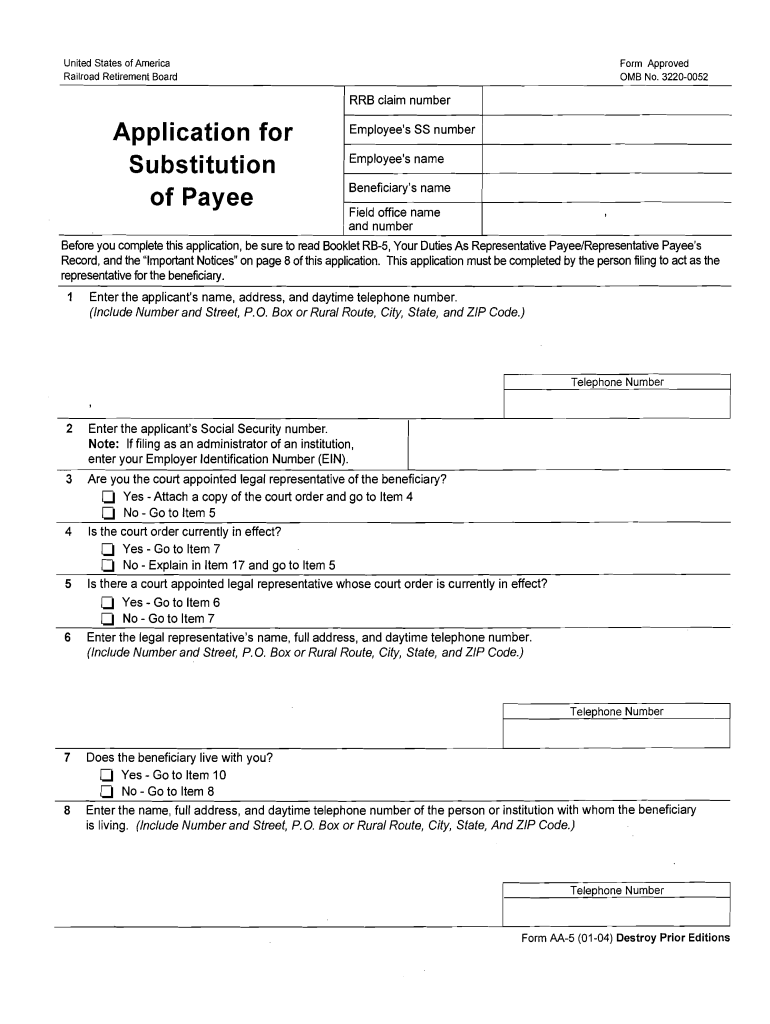
- Begin by entering the applicant's name, address, and daytime telephone number in the designated fields. Ensure all information is accurate for processing.
- Input the applicant's Social Security number. If you are filing as an administrator of an institution, enter your Employer Identification Number (EIN) instead.
- Indicate whether you are the court-appointed legal representative of the beneficiary. Attach a copy of the court order if applicable and proceed accordingly based on your answer.
- Complete sections regarding your relationship to the beneficiary and any living relatives who may be more closely related. This helps establish eligibility.
- Fill out employment details and previous representative payee experiences if applicable. This information is crucial for assessing your qualifications.
- Finally, review all entries for accuracy before signing the certification section at the end of the form. Ensure you understand your responsibilities as a representative payee.
Start using our platform today to simplify your document editing and form completion process for free!
It's free
See more rrb form payee versions
| Versions | Form popularity | Fillable & printable |
|---|---|---|
| 2004 | 4.8 Satisfied (195 Votes) |
Got questions?
What is the best way to electronically sign my hoa estoppel letter template?
Many software applications are available on the market for document editing and signing. DocHub is one of the most popular online solutions that comply with all data protection and compliance standards and guarantees your eSigned documentation is legally enforceable. All you need to try it out is to create an account, upload your hoa estoppel letter template, fill out the requested details, and click Sign. Generate your electronic signature by typing, drawing it, uploading its picture to your template, or scanning a unique QR code.
Do I need to set up software to modify my txb 25 booklet?
When you edit your txb 25 booklet with DocHub, you only require a stable internet connection and virtually any browser installed on your device. No need to install any third-party applications or research tutorials. Just open a tab with DocHub, drag and drop your file, and modify it immediately.
Security and compliance
At DocHub, your data security is our priority. We follow HIPAA, SOC2, GDPR, and other standards, so you can work on your documents with confidence.
Learn more




