Saiia editable 2025

Get Form
saiia 01 editable Preview on Page 1

Here's how it works

01. Edit your saiia 01 editable online
Type text, add images, blackout confidential details, add comments, highlights and more.
02. Sign it in a few clicks
Draw your signature, type it, upload its image, or use your mobile device as a signature pad.
03. Share your form with others
Send saiia editable via email, link, or fax. You can also download it, export it or print it out.

How to use or fill out saiia editable with our platform

Form edit decoration
9.5
Ease of Setup
DocHub User Ratings on G2
9.0
Ease of Use
DocHub User Ratings on G2
  1. Click ‘Get Form’ to open the saiia editable in the editor.
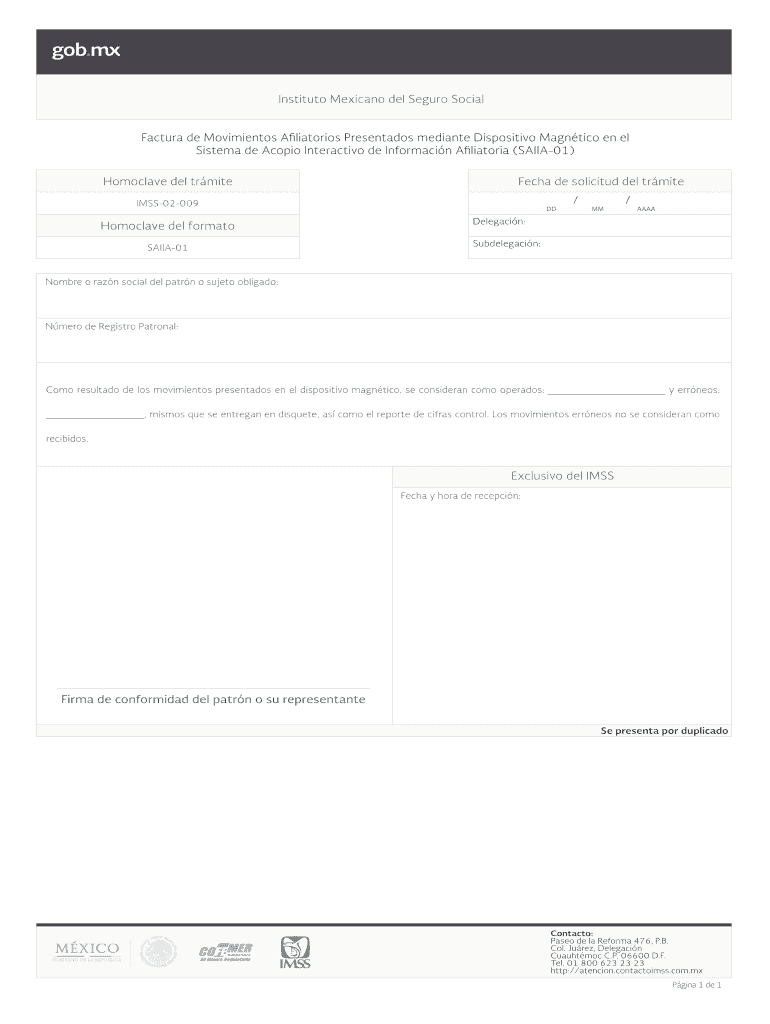
  2. Begin by entering the 'Fecha de solicitud' in the designated field, using the format DD/MM/AAAA.
  3. Fill in the 'Folio del trámite' and ensure it matches your records for accuracy.
  4. Complete the 'Delegación' and 'Subdelegación' sections with the appropriate information.
  5. Input the 'Nombre o razón social del patrón o sujeto obligado' accurately to reflect your business name.
  6. Enter your 'Número de Registro Patronal' in the specified field to identify your registration.
  7. In the section regarding movements, specify any operated movements and erroneous ones as required.
  8. Finally, add your signature in the designated area to confirm compliance before submission.

Start editing your saiia editable today for free and streamline your document processes!

See more saiia editable versions

We've got more versions of the saiia editable form. Select the right saiia editable version from the list and start editing it straight away!
Versions Form popularity Fillable & printable
2015 4 Satisfied (25 Votes)
be ready to get more

Complete this form in 5 minutes or less

Get form

Got questions?

We have answers to the most popular questions from our customers. If you can't find an answer to your question, please contact us.
Contact us
Text documents are the most editable file type because changes can be made directly to the files native format, and the task does not require additional steps or technology. Examples of text document files are OpenOffice (ODT) and Microsoft Word (DOCX).
How to make a PDF editable Open your PDF file in Acrobat Pro. Click the Edit PDF tool on the right-hand panel. Use editing tools to add new text, edit text, or update fonts using selections from the Format drop-down list. Move, add, replace, or resize images using the tools in the Objects list.
To create a shared document online, first create the document in a tool that supports collaboration. Then, navigate to the sharing settings for the document and select the option to allow anyone with the link to edit. This option can typically be found in the Sharing or Access settings for the document.