Petitioner lapse connecticut 2026

Get Form
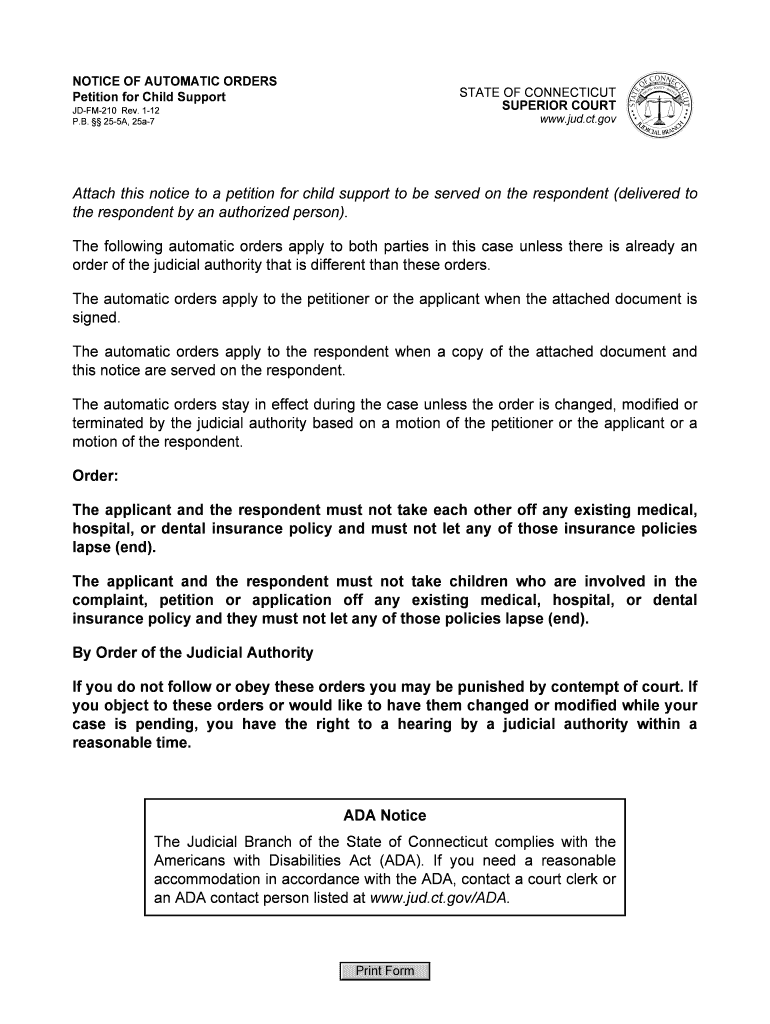
ct automatic orders Preview on Page 1

Here's how it works

01. Edit your ct automatic orders online
Type text, add images, blackout confidential details, add comments, highlights and more.
02. Sign it in a few clicks
Draw your signature, type it, upload its image, or use your mobile device as a signature pad.
03. Share your form with others
Send it via email, link, or fax. You can also download it, export it or print it out.

How to use or fill out petitioner lapse connecticut with our platform

Form edit decoration
9.5
Ease of Setup
DocHub User Ratings on G2
9.0
Ease of Use
DocHub User Ratings on G2
  1. Click ‘Get Form’ to open the petitioner lapse connecticut document in the editor.
  2. Begin by reviewing the automatic orders section. Ensure you understand that these orders apply to both parties involved in the case.
  3. Fill in your details as the petitioner, including your name and contact information, ensuring accuracy for effective communication.
  4. Next, confirm that you will not remove any existing medical, hospital, or dental insurance policies for yourself or the children involved. This is crucial for compliance with court orders.
  5. Once all fields are completed, review your entries for correctness. Utilize our platform’s editing tools to make any necessary adjustments before finalizing.
  6. Finally, save your document and prepare it for distribution. You can easily share it directly from our editor or download it for printing.

Start using our platform today to streamline your form completion process for free!

See more petitioner lapse connecticut versions

We've got more versions of the petitioner lapse connecticut form. Select the right petitioner lapse connecticut version from the list and start editing it straight away!
Versions Form popularity Fillable & printable
2012 4.8 Satisfied (185 Votes)
be ready to get more

Complete this form in 5 minutes or less

Get form

Got questions?

We have answers to the most popular questions from our customers. If you can't find an answer to your question, please contact us.
Contact us
Pursuant to Section 19a-88(e)(4)f, Connecticut General Statutes, all licenses issued by the PLIS have a grace period of 90 days following expiration during which time the licensee may continue to practice and renew the license. On the 91st day, the license becomes void and the licensee must apply for reinstatement.
Most Connecticut drivers licenses are valid for six years or eight years. If you are 65 or older, you can choose a two-year license renewal. You can renew your drivers license from six months before the license expiration date to the day your license expires.
Can I Stop Working as a Nurse and Keep My License Forever? You can stop working as a nurse without losing your license, but youll still need to maintain your license if you want to keep it over the long term. That means youll have to renew it when it comes up for renewal, which is typically every two years.
Once all items have been received by the BON except license verification from a non-Nursys participating state, you may be issued a provisional license within 15 days. A temporary RN or LPN license is valid for 120 days and is non-renewable.
The consequences of not meeting nurse CE requirements can be dire. Nurses may face disciplinary actions like censures or fines, and in severe cases, suspension or revocation of their license. These penalties are not just administrative but can docHubly impact a nurses career and reputation.

Security and compliance

At DocHub, your data security is our priority. We follow HIPAA, SOC2, GDPR, and other standards, so you can work on your documents with confidence.

Learn more
ccpa2
pci-dss
gdpr-compliance
hipaa
soc-compliance
be ready to get more

Complete this form in 5 minutes or less

Get form

People also ask

Connecticut nurses can renew their license through the states eLicense website. The renewal application fee for RNs is $110 and $70 for LPNs. The renewal application fee for APRNs is $130.

Related links