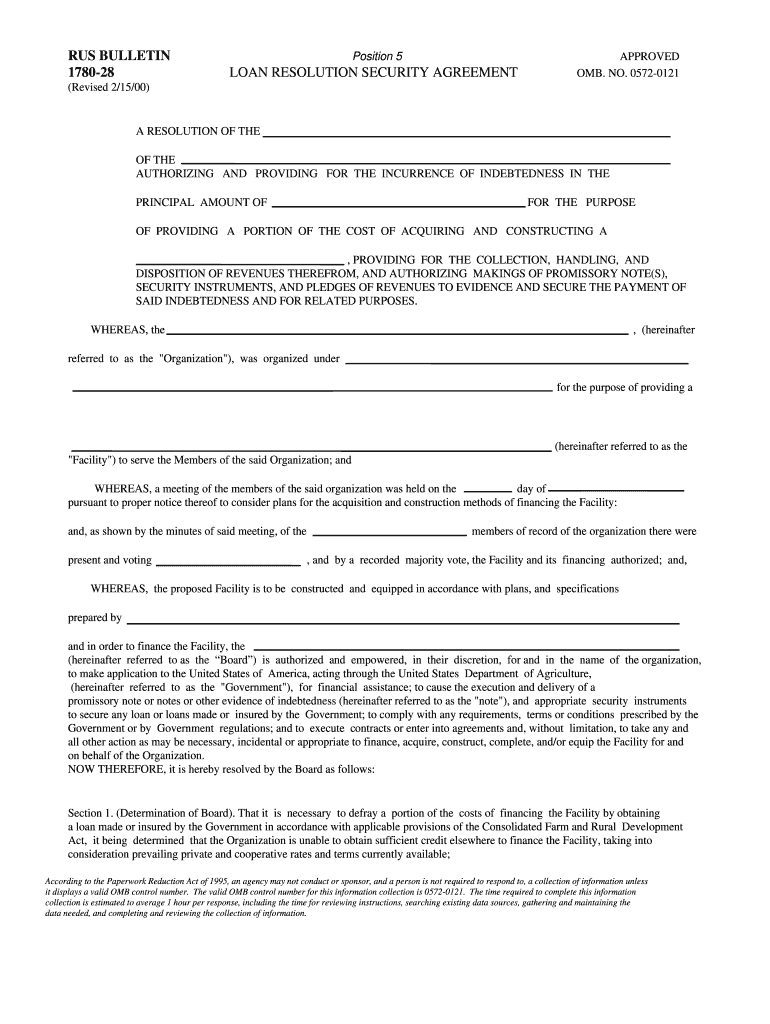
Rus resolution download 2026

Get Form
178028 Preview on Page 1

Here's how it works

01. Edit your 178028 online
Type text, add images, blackout confidential details, add comments, highlights and more.
02. Sign it in a few clicks
Draw your signature, type it, upload its image, or use your mobile device as a signature pad.
03. Share your form with others
Send it via email, link, or fax. You can also download it, export it or print it out.

How to use or fill out rus resolution download with our platform

Form edit decoration
9.5
Ease of Setup
DocHub User Ratings on G2
9.0
Ease of Use
DocHub User Ratings on G2
  1. Click ‘Get Form’ to open the rus resolution download in the editor.
  2. Begin by filling in the 'Principal Amount' section, specifying the total amount of indebtedness you are authorizing.
  3. In the 'Purpose' field, clearly state the intended use of the funds, such as acquiring and constructing a facility.
  4. Complete Section 1 by detailing the Board's determination regarding financing needs and any relevant meeting minutes.
  5. Proceed to Section 2 to outline loan terms, including interest rates and payment schedules. Ensure all signatures are included as required.
  6. Fill out Sections 3 and 4 regarding revenue assignment and fund management, ensuring compliance with governmental requirements.
  7. Review all sections for accuracy before saving your changes. Utilize our platform’s features to sign and distribute your completed document easily.

Start using our platform today for free to streamline your document editing and signing process!

See more rus resolution download versions

We've got more versions of the rus resolution download form. Select the right rus resolution download version from the list and start editing it straight away!
Versions Form popularity Fillable & printable
2000 4.9 Satisfied (341 Votes)
be ready to get more

Complete this form in 5 minutes or less

Get form

Got questions?

We have answers to the most popular questions from our customers. If you can't find an answer to your question, please contact us.
Contact us
Some of these are regular programs and some are special programs related to disaster relief or unusual circumstances such as COVID relief. USDA Program Payments are taxable income unless Congress specifies that the payments are not subject to tax.
If you havent received your USDA 1099 or 1098 forms, there are several helpful resources: For NRCS 1099 forms, contact the 1099 Help Desk for reprints at 1-800-421-0323 (Option 1, then Option 4). You may also send an email to 1099helpdesk@usda.gov. For FSA/CCC 1099 and 1098 forms, contact your local service center.
Even if you didnt receive a 1098-E from your servicer, you can download your 1098-E from your loan servicers website. If you are unsure who your loan servicer is, log in to StudentAid.gov or call the Federal Student Aid Information Center at 1-800-4-FED-AID (1-800-433-3243; TTY 1-800-730-8913).
For FSA-related 1098 forms, call 866-729-9705. Visit your local USDA service center.
Required Documentation: Contract/agreement from employer to state terms and duration of payments. Benefit/Award verification letter, IRS 1099, evidence of current receipt, bank statements, etc. Federal income tax returns or IRS transcripts with all schedules.

Security and compliance

At DocHub, your data security is our priority. We follow HIPAA, SOC2, GDPR, and other standards, so you can work on your documents with confidence.

Learn more
ccpa2
pci-dss
gdpr-compliance
hipaa
soc-compliance

People also ask

The Rural Utilities Service (RUS) provides funding for the development of rural utilities infrastructure such as water, waste management, power and telecommunications.

Related links