Type text, add images, blackout confidential details, add comments, highlights and more.

02. Sign it in a few clicks
Draw your signature, type it, upload its image, or use your mobile device as a signature pad.

03. Share your form with others
Send 8669591537 via email, link, or fax. You can also download it, export it or print it out.

How to use or fill out 866 959 1537 with our platform
Ease of Setup
DocHub User Ratings on G2
Ease of Use
DocHub User Ratings on G2
Click ‘Get Form’ to open the document in the editor.
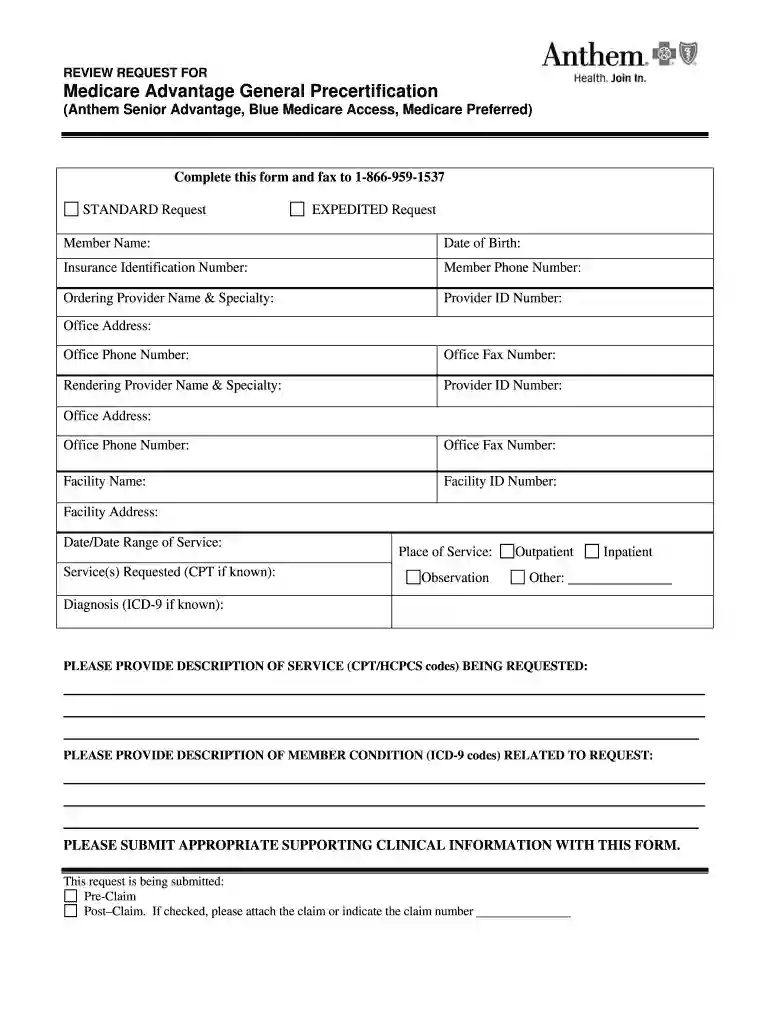
Begin by entering the Member Name and Date of Birth in the designated fields. Ensure accuracy as this information is crucial for processing.
Fill in the Insurance Identification Number and Member Phone Number. This helps in identifying the member's insurance details.
Provide details for the Ordering Provider, including Name, Specialty, Provider ID Number, Office Address, Phone Number, and Fax Number.
Repeat the process for the Rendering Provider’s information. Make sure all fields are completed accurately.
Enter Facility Name, ID Number, and Address. Specify the Date/Date Range of Service and Service(s) Requested (CPT if known).
Indicate Place of Service (Observation, Outpatient, Inpatient, Other) and provide Diagnosis (ICD-9 if known).
Describe the service being requested using CPT/HCPCS codes and detail the member's condition related to this request.
Complete the attestation section by providing your name and title. Ensure that all required clinical information is submitted at least three business days before the procedure.
Start filling out your form today for free on our platform!
Cookie consent notice
This site uses cookies to enhance site navigation and personalize your experience.
By using this site you agree to our use of cookies as described in our Privacy Notice.
You can modify your selections by visiting our Cookie and Advertising Notice.