Type text, add images, blackout confidential details, add comments, highlights and more.

02. Sign it in a few clicks
Draw your signature, type it, upload its image, or use your mobile device as a signature pad.

03. Share your form with others
Send it via email, link, or fax. You can also download it, export it or print it out.

How to use or fill out 2017 Instructions for Schedule R (Form 1040A or 1040) - IRS.gov with our platform
Ease of Setup
DocHub User Ratings on G2
Ease of Use
DocHub User Ratings on G2
Click ‘Get Form’ to open the document in the editor.
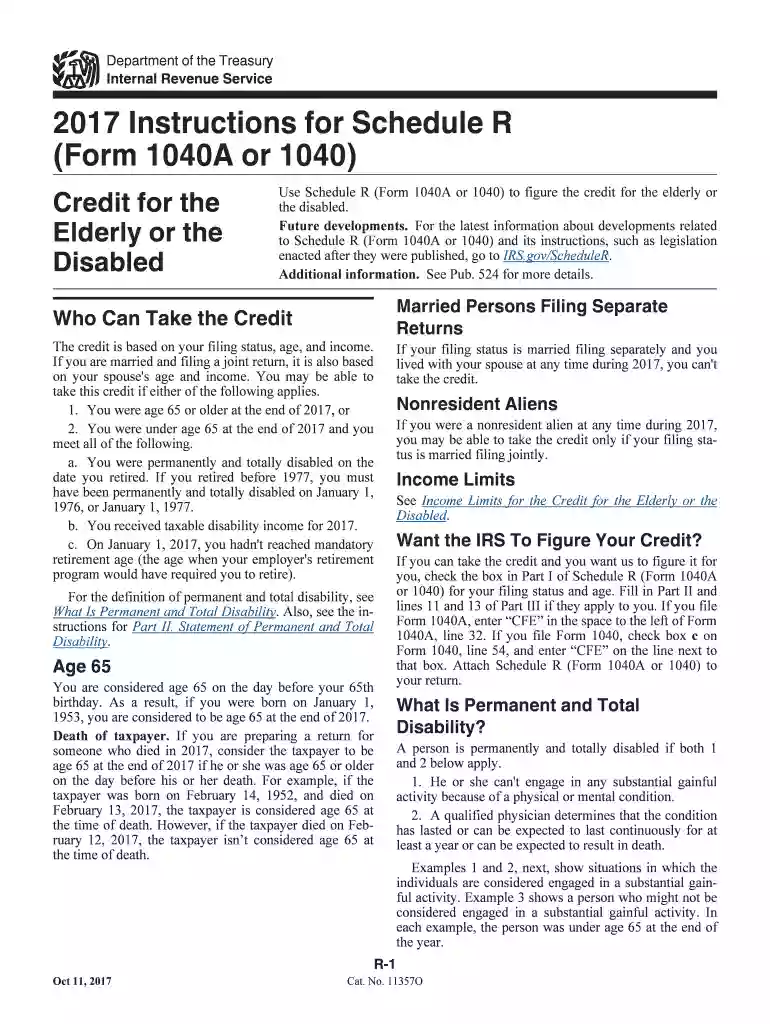
Begin by reviewing the eligibility criteria for the credit, ensuring you meet the age and income requirements outlined in the instructions.
Fill out Part I by checking the appropriate box based on your filing status and age. This is crucial for determining your eligibility.
If applicable, complete Part II by obtaining a physician's statement certifying your permanent and total disability. Ensure this is kept for your records.
Proceed to Part III to calculate your credit. Enter any relevant disability income and follow the provided examples to ensure accuracy.
Finally, review all entries for completeness before saving or exporting your filled form directly from our platform.
Start using our platform today to simplify filling out your tax forms for free!
Fill out 2017 Instructions for Schedule R (Form 1040A or 1040) - IRS.gov online It's free
See more 2017 Instructions for Schedule R (Form 1040A or 1040) - IRS.gov versions
We've got more versions of the 2017 Instructions for Schedule R (Form 1040A or 1040) - IRS.gov form. Select the right 2017 Instructions for Schedule R (Form 1040A or 1040) - IRS.gov version from the list and start editing it straight away!
Get the current filing years forms, instructions, and publications for free from the IRS. You can also find printed versions of many forms, instructions, and publications in your community for free at: Libraries. IRS Taxpayer Assistance Centers.
Where can I pick up the IRS Form 1040?
Local IRS Taxpayer Assistance Center (TAC) The most common tax forms and instructions are available at local TACs in IRS offices throughout the country.
What is the difference between 1040 and 1040SR?
Form 1040-SR is an alternative version of the 1040 form that features a larger print and an easy-to-read standard deduction table. Form 1040-SR can be used by seniors 65 and older filing a paper return. Other than these accommodations, it functions the same as the standard 1040 form.
Where can I get IRS tax forms and instructions?
Get the current filing years forms, instructions, and publications for free from the IRS. Download them from IRS.gov. Order online and have them delivered by U.S. mail. Order by phone at 1-800-TAX-FORM (1-800-829-3676)
Where do I get Form 1040 instructions?
See IRS.gov and IRS.gov/Forms, and for the latest information about developments related to Forms 1040 and 1040-SR and their instructions, such as legislation enacted after they were published, go to IRS.gov/Form1040. Free File is the fast, safe, and free way to prepare and e-file your taxes.
Security and compliance
At DocHub, your data security is our priority. We follow HIPAA, SOC2, GDPR, and other standards, so you can work on your documents with confidence.
Are tax forms available at my local Post Office? No, Post Offices do not have tax forms available for customers. However, you can view, download, and print specific tax forms and publications at the Forms, Instructions Publications page of the IRS website. You may also acquire tax forms through the mail.
What form do I use to file 2017 taxes?
Download individual federal tax forms Form (click to download)Title 1040 Individual Income Tax Return 1040-X Amended U.S. Individual Income Tax Return 1040V Payment Voucher Schedule 8812 Additional Child Tax Credit63 more rows
Related links
2017 Publication 554
Jan 23, 2018 524 or the Instructions for Schedule R (Form 1040A or 1040). If you want the IRS to figure your tax, see chapter 30 of. Pub. 17, Your Federal
Cookie consent notice
This site uses cookies to enhance site navigation and personalize your experience.
By using this site you agree to our use of cookies as described in our Privacy Notice.
You can modify your selections by visiting our Cookie and Advertising Notice.