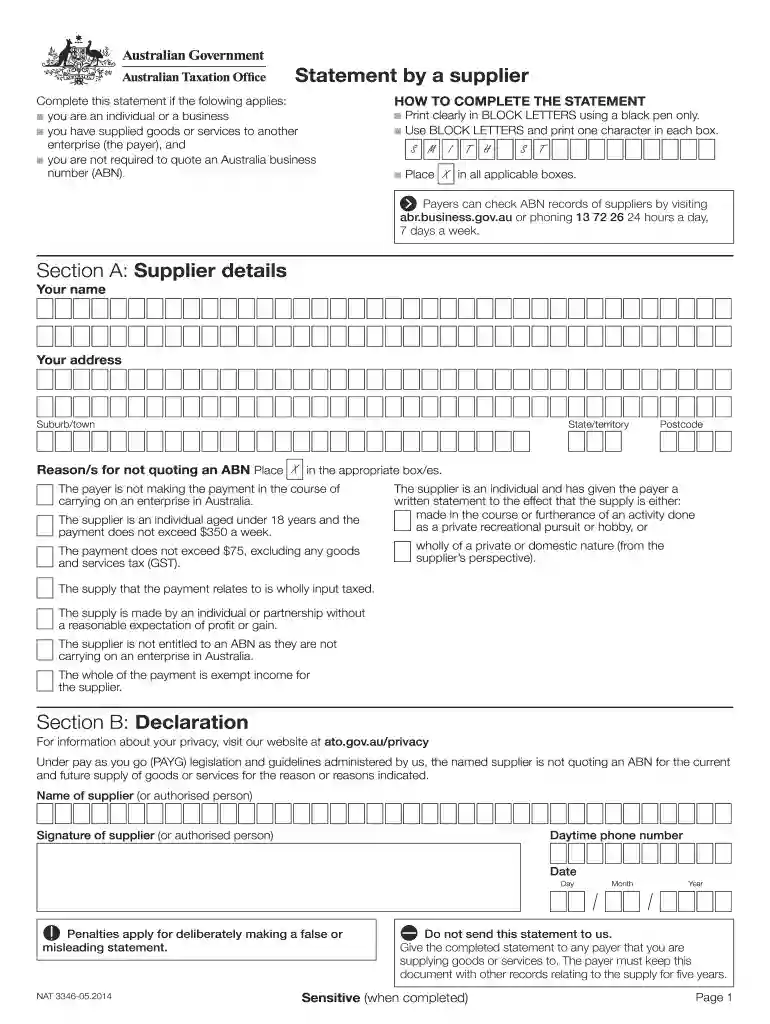
how to fill out statement by a supplier form Preview on Page 1

Statement by a supplier form 2026

Here's how it works

  • 01. Edit your how to fill out statement by a supplier form online

    Type text, add images, blackout confidential details, add comments, highlights and more.

  • 02. Sign it in a few clicks

    Draw your signature, type it, upload its image, or use your mobile device as a signature pad.

  • 03. Share your form with others

    Send statement by supplier form pdf via email, link, or fax. You can also download it, export it or print it out.

How to use or fill out statement by a supplier form with our platform

Form edit decoration
9.5
Ease of Setup
DocHub User Ratings on G2
9.0
Ease of Use
DocHub User Ratings on G2
  1. Click ‘Get Form’ to open the statement by a supplier form in the editor.
  2. Begin with Section A: Supplier details. Fill in your name, address, suburb/town, state/territory, and postcode clearly in BLOCK LETTERS using a black pen. Ensure each character is printed in its own box.
  3. Next, indicate your reason for not quoting an ABN by placing an X in the applicable boxes provided. Review the options carefully to select the correct reasons that apply to your situation.
  4. Proceed to Section B: Declaration. Enter the name of the supplier or authorized person and provide their signature. Include a daytime phone number and date of completion.
  5. Once all sections are completed accurately, save your document. Remember, do not send this statement to any authority; instead, provide it directly to the payer you are supplying goods or services to.

Start using our platform today for free to streamline your document editing and signing process!

See more how to fill out statement by a supplier form versions

We've got more versions of the how to fill out statement by a supplier form form. Select the right how to fill out statement by a supplier form version from the list and start editing it straight away!

VersionsForm popularityFillable & printable
20154.8 Satisfied (106 Votes)
20144 Satisfied (37 Votes)
20124.3 Satisfied (334 Votes)

be ready to get more

Complete this form in 5 minutes or less

Security and compliance

At DocHub, your data security is our priority. We follow HIPAA, SOC2, GDPR, and other standards, so you can work on your documents with confidence.

statement by supplier

PSC Procedural Statement: Advance Payment to Suppliers

This PSC Procedural Statement sets forth university requirements regarding the issuing of advance payments to suppliers and regarding the use of the AdvanceRead more

Learn more
RDGS Maine Revenue Services

An authorized representative for each supplier is required to sign the refund application verifying the number of gallons purchased and amount of tax paid isRead more

Learn more
If you believe that this page should be taken down, please follow our DMCA take down process here