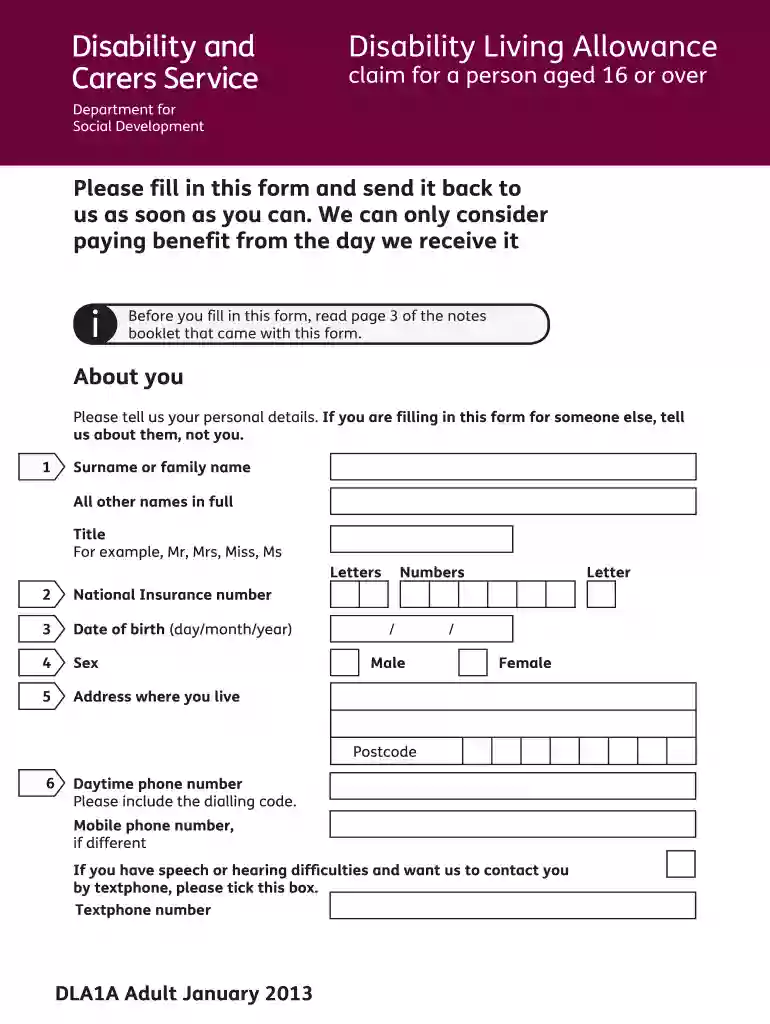
Dla claim form 2013-2026

Get Form
dla forms Preview on Page 1

Here's how it works

01. Edit your dla forms online
Type text, add images, blackout confidential details, add comments, highlights and more.

02. Sign it in a few clicks
Draw your signature, type it, upload its image, or use your mobile device as a signature pad.

03. Share your form with others
Send dla form 1901 via email, link, or fax. You can also download it, export it or print it out.

How to use or fill out dla claim form 2013 with our platform

Form edit decoration
9.5
Ease of Setup
DocHub User Ratings on G2
9.0
Ease of Use
DocHub User Ratings on G2
  1. Click ‘Get Form’ to open the DLA Claim Form 2013 in the editor.
  2. Begin by filling out your personal details in the 'About You' section. Include your surname, other names, National Insurance number, date of birth, sex, and address. Ensure accuracy as this information is crucial for processing your claim.
  3. Proceed to answer questions regarding your nationality and residency status. If applicable, provide details about any time spent abroad in the last year.
  4. In the 'About Your Illnesses or Disabilities' section, list all relevant conditions and treatments. Be specific about medications and their dosages to give a clear picture of your health needs.
  5. Complete the sections on care needs during the day and night. Describe any assistance you require for daily activities such as bathing, dressing, or eating.
  6. Finally, review all entries for completeness and accuracy before signing the declaration at question 63. Use our platform's features to save and submit your form easily.

Start filling out your DLA Claim Form 2013 today using our platform for free!

See more dla claim form 2013 versions

We've got more versions of the dla claim form 2013 form. Select the right dla claim form 2013 version from the list and start editing it straight away!
Versions Form popularity Fillable & printable
2014 4.9 Satisfied (342 Votes)
2013 4.2 Satisfied (67 Votes)
2013 4 Satisfied (56 Votes)
2011 4 Satisfied (26 Votes)
be ready to get more

Complete this form in 5 minutes or less

Get form

Got questions?

We have answers to the most popular questions from our customers. If you can't find an answer to your question, please contact us.
Contact us

A lot of software solutions are available on the market for document modifying and signing. DocHub is one of the most in-demand online solutions that comply with all data protection and compliance requirements and ensures your electronically signed paperwork is legally enforceable. All you need to give it a try is to register an account, add your dla application form, fill out the requested information, and click Sign. Generate your eSignature by typing, drawing it, uploading its picture to your form, or scanning a unique QR code.

It is a no-brainer on a computer or via a mobile phone to complete a examples of successful dla claims autism with DocHub. All you need to do is open any installed browser on your smartphone and proceed to the DocHub website. Once authenticated, add your document and open it in editing mode. Use our toolbar to make your edits and save modifications. Optionally, keep your file in your files or send it to a recipient on the spot.

This can be medical reports, speech and language assessments, psychological reports, and a statement of special educational needs anything that supports what youve said in the form. But dont delay making a claim if you havent got these reports yet, as DLA cant be backdated and you could lose out.
How to claim Disability Living Allowance To ask for Disability Living Allowance. You can get a DLA application form from: by contacting the Disability Living Allowance Helpline by phoning: 0800 121 4600. This page tells you what you need to do to apply for DLA
DLA can be paid from the start of your claim. It cannot be backdated.

Security and compliance

At DocHub, your data security is our priority. We follow HIPAA, SOC2, GDPR, and other standards, so you can work on your documents with confidence.

Learn more

People also ask

You cannot complete the form using a mobile phone or tablet. You have to either: use a desktop or laptop computer. print the form and complete it by hand.
You cannot apply for DLA . You can apply for: Personal Independence Payment ( PIP ) if you live in England or Wales and have not docHubed State Pension age. Adult Disability Payment if you live in Scotland and have not docHubed State Pension age.
Youll normally get a decision letter within 3 months. If your claim is successful, the decision letter will tell you how much youll get and for how long. If your claim isnt successful, the decision letter will outline the reasons.
Include supporting evidence with the form if you have it. This can be medical reports, speech and language assessments, psychological reports, and a statement of special educational needs anything that supports what youve said in the form.

dla form