



01. Edit your form online
Type text, add images, blackout confidential details, add comments, highlights and more.

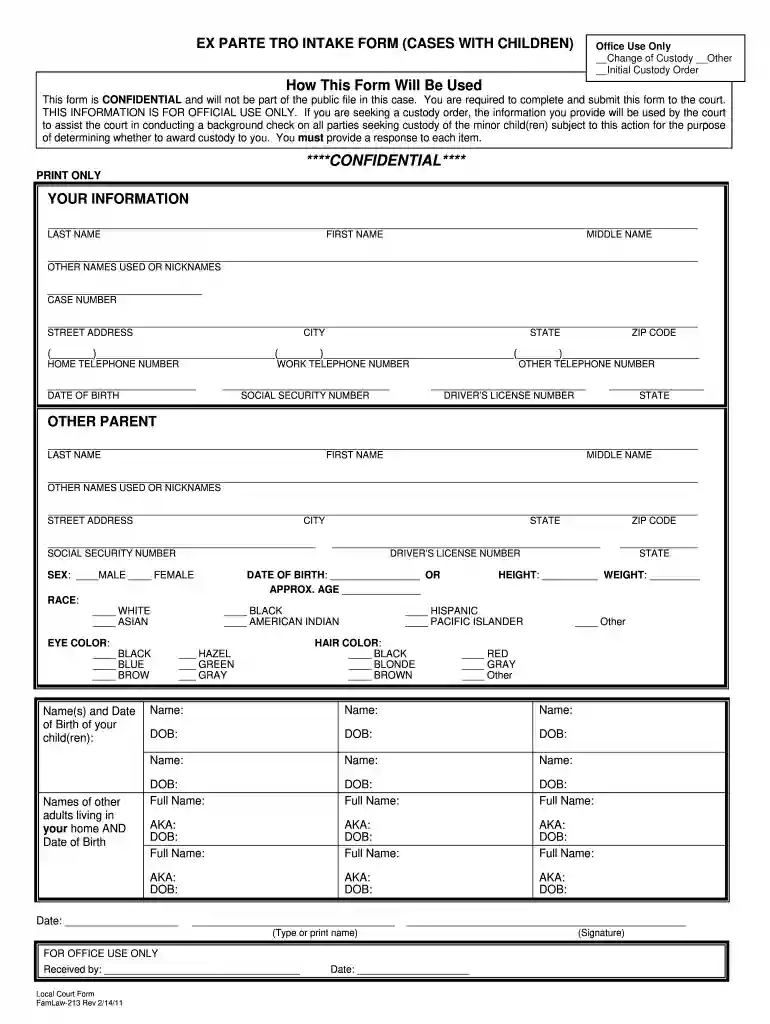
Type text, add images, blackout confidential details, add comments, highlights and more.

Draw your signature, type it, upload its image, or use your mobile device as a signature pad.

Send it via email, link, or fax. You can also download it, export it or print it out.

Start using our platform today to fill out your EXPARTE TRO INTAKE FORM effortlessly!
We've got more versions of the EXPARTE TRO INTAKE FORM (CASES WITH CHILDREN) - LegalFill form. Select the right EXPARTE TRO INTAKE FORM (CASES WITH CHILDREN) - LegalFill version from the list and start editing it straight away!
| Versions | Form popularity | Fillable & printable |
|---|---|---|
| 2011 | 4.8 Satisfied (306 Votes) |
Yes, you can use DocHub for signing any business and personal paperwork, including your EXPARTE TRO INTAKE FORM (CASES WITH CHILDREN) - LegalFill. All electronic signatures you create with our tool are legally binding and court-admissible, as DocHub complies with standards required by ESIGN and UETA. Save your completed document with a detailed Audit Trail if necessary.
If you store your paperwork in Google Drive, there is no need to download your EXPARTE TRO INTAKE FORM (CASES WITH CHILDREN) - LegalFill on the computer and upload it back to our editor. A much easier way is to set up a browser extension created by DocHub to simplify this flow. The extension allows editing PDFs right in your web browser. Alternatively, you can integrate your DocHub and Gmail accounts for more efficient editing.
At DocHub, your data security is our priority. We follow HIPAA, SOC2, GDPR, and other standards, so you can work on your documents with confidence.
Feb 15, 2019 Ex parte custody orders simply are temporary custody orders entered as the result of an ex parte procedure.Read more
Warranty service isavailable by returning the Craftsman power mower to the nearest Sears. Parts Repair Center inthe United States.Read more
May 4, 2026 This page contains forms for temporary ex parte and final protective orders and a magistrate order for emergency protection. Forms toRead more


