Form r0940c 2014-2026

Get Form
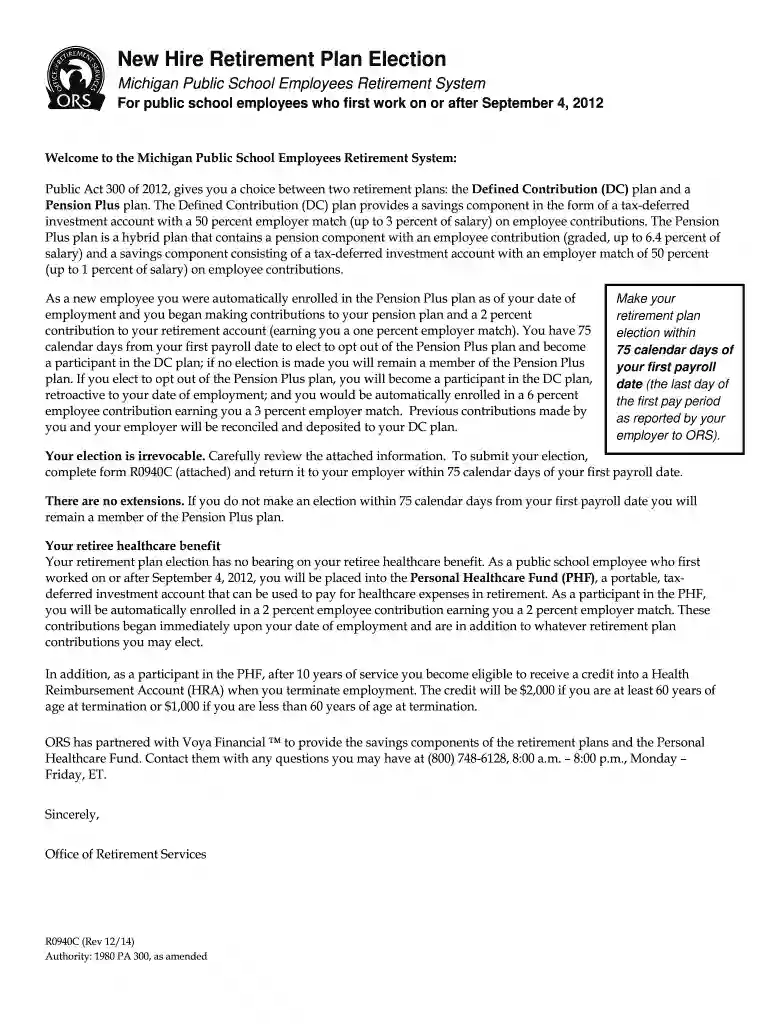
form r0940c 2014 Preview on Page 1

Here's how it works

01. Edit your form online
Type text, add images, blackout confidential details, add comments, highlights and more.

02. Sign it in a few clicks
Draw your signature, type it, upload its image, or use your mobile device as a signature pad.

03. Share your form with others
Send it via email, link, or fax. You can also download it, export it or print it out.

How to use or fill out form r0940c 2014 with our platform

Form edit decoration
9.5
Ease of Setup
DocHub User Ratings on G2
9.0
Ease of Use
DocHub User Ratings on G2
  1. Click ‘Get Form’ to open it in the editor.
  2. In Section I, enter your personal information. Fill in your name, last four digits of your SSN, mailing address, and contact details accurately.
  3. Proceed to Section II for Retirement Plan Selection. Carefully read the options for Defined Contribution and Pension Plus plans before making your choice.
  4. Select either 'Defined Contribution' or 'Pension Plus' by checking the appropriate box. Ensure you understand the implications of your choice as it is irrevocable.
  5. In Section III, sign and date the form to confirm your election based on your understanding of the plans.
  6. Finally, submit the completed form to your employer within 75 calendar days from your first payroll date to ensure compliance with deadlines.

Start using our platform today for free to complete your retirement plan election effortlessly!

See more form r0940c 2014 versions

We've got more versions of the form r0940c 2014 form. Select the right form r0940c 2014 version from the list and start editing it straight away!
Versions Form popularity Fillable & printable
2015 4.9 Satisfied (241 Votes)
2014 4.2 Satisfied (36 Votes)
be ready to get more

Complete this form in 5 minutes or less

Get form

Got questions?

We have answers to the most popular questions from our customers. If you can't find an answer to your question, please contact us.
Contact us

Yes, you’ll find numerous apps for this on the web. Nonetheless, if you need to eSign your form r0940c 2014 without installing additional software, DocHub is the best choice you can make. This powerful editor works on mobile devices just like on desktops. Open our editor in your preferred internet browser, register or sign in to your account, and start processing your paperwork.

When you edit your form r0940c 2014 with DocHub, you only need a stable web connection and virtually any browser installed on your device. No need to install any third-party software or study tutorials. Just open a tab with DocHub, drag and drop your file, and modify it on the spot.

Security and compliance

At DocHub, your data security is our priority. We follow HIPAA, SOC2, GDPR, and other standards, so you can work on your documents with confidence.

Learn more
ccpa2
pci-dss
gdpr-compliance
hipaa
soc-compliance