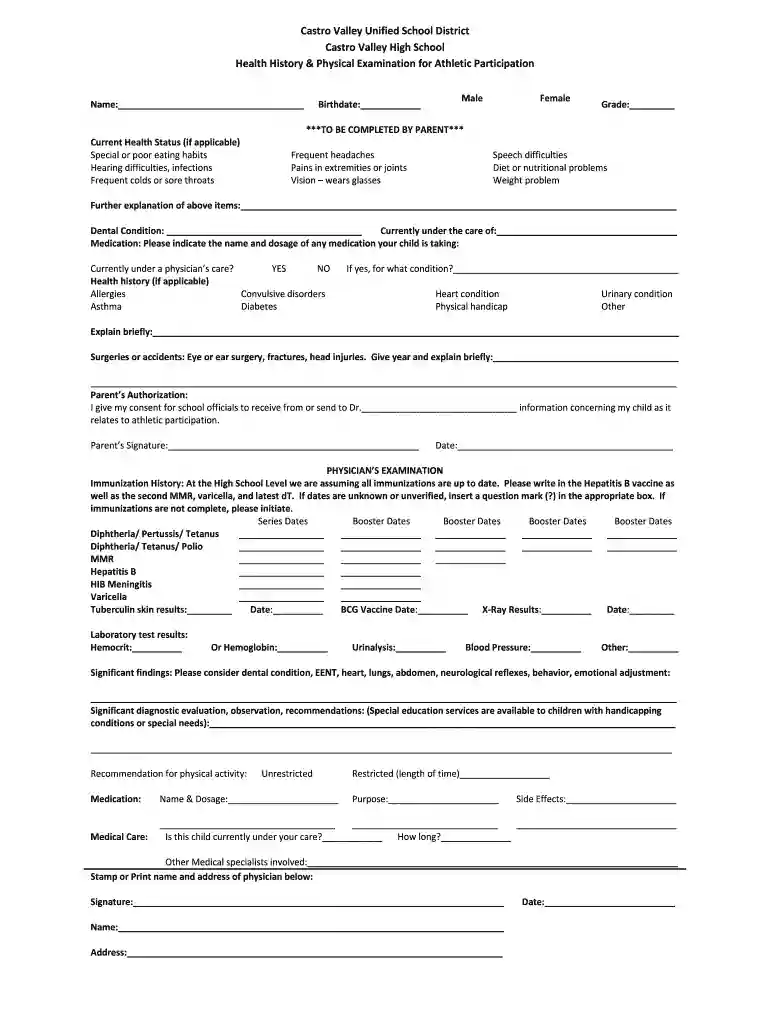
castro valley weather Preview on Page 1

Physical Exam form.pdf - Castro Valley High School - castrovalleyhigh 2026

Here's how it works

  • 01. Edit your castro valley weather online

    Type text, add images, blackout confidential details, add comments, highlights and more.

  • 02. Sign it in a few clicks

    Draw your signature, type it, upload its image, or use your mobile device as a signature pad.

  • 03. Share your form with others

    Send castro valley high school athletic clearance via email, link, or fax. You can also download it, export it or print it out.

How to use or fill out Physical Exam form.pdf - Castro Valley High School with Our Platform

Form edit decoration
9.5
Ease of Setup
DocHub User Ratings on G2
9.0
Ease of Use
DocHub User Ratings on G2
  1. Click ‘Get Form’ to open it in the editor.
  2. Begin by entering your child's name and birthdate at the top of the form. Select their gender and grade from the provided options.
  3. In the 'Current Health Status' section, check any applicable health issues and provide further explanations if necessary in the designated area.
  4. Fill out the 'Dental Condition' and 'Medication' sections, indicating any medications your child is currently taking along with their dosages.
  5. Complete the 'Health History' section by checking any relevant conditions and providing brief explanations where required.
  6. For the 'Physician’s Examination' part, ensure to fill in immunization history accurately, including dates for each vaccine.
  7. Finally, sign and date the form in the 'Parent’s Authorization' section before submitting it.

Start using our platform today to easily complete your Physical Exam form for free!

See more castro valley weather versions

We've got more versions of the castro valley weather form. Select the right castro valley weather version from the list and start editing it straight away!

VersionsForm popularityFillable & printable
20084 Satisfied (27 Votes)

be ready to get more

Complete this form in 5 minutes or less

Got questions?

We have answers to the most popular questions from our customers. If you can't find an answer to your question, please contact us.

Sure, electronically drawing your signature is appropriate, but only if you use a tool that complies with industry laws and regulations. Consider DocHub, which ensures eSignature validity under ESIGN and UETA requirements. All you need to eSign your parent portal castro valley is an account with DocHub and an internet connection. Once you open your file in our editor, click Sign and select the Draw tool.

If you want to edit your physical exam form pdf on the internet quickly, it does not matter what browser you use. DocHub’s straightforward editing tools are accessible using any internet browser. Just open the appropriate tab in the editor, add your document, and fill it out without stress.

Security and compliance

At DocHub, your data security is our priority. We follow HIPAA, SOC2, GDPR, and other standards, so you can work on your documents with confidence.

Related links

Curriculum Committee Meeting Roll Call

Feb 10, 2023 Generally, an acceptable AP score for Cal-GETC equates to either 3 semester or 4 quarter units for certification purposes. o An exception isRead more

Learn more
If you believe that this page should be taken down, please follow our DMCA take down process here