




Here's how it works



How to use or fill out fingerprint submission form with our platform

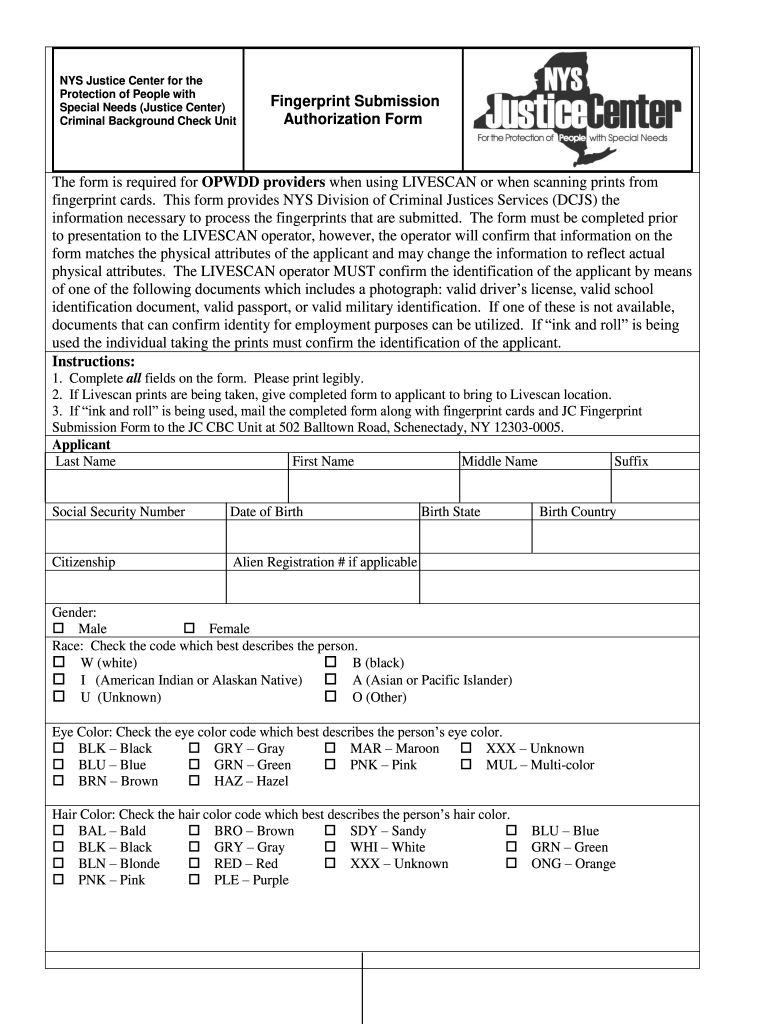
- Click ‘Get Form’ to open the fingerprint submission form in the editor.
- Begin by filling in your personal details: Last Name, First Name, Middle Name, and Suffix. Ensure all entries are legible.
- Provide your Social Security Number, Date of Birth, Citizenship status, and Alien Registration Number if applicable.
- Complete the fields for Birth State, Birth Country, Gender, Race, Eye Color, Hair Color, Skin Tone, Weight, Ethnic Origin, Driver’s License State and Number.
- Enter your Height and Street Address along with City, County, State, Zip Code, and Country.
- Select your Applicant Type and provide any Aliases. Choose your Position from the provided options.
- Detail your Job Duties indicating how you will have direct contact with persons receiving services. Finally, enter the User Department Division name.
Start using our platform today to complete your fingerprint submission form easily and for free!
It's free
See more fingerprint submission form versions
| Versions | Form popularity | Fillable & printable |
|---|---|---|
| 2013 | 4.8 Satisfied (62 Votes) |
Got questions?
What is the optimum way to electronically sign my how to fill out fingerprint card?
Many software applications are available out there for document editing and signing. DocHub is one of the most widely used online solutions that comply with all data protection and compliance standards and ensures your electronically signed documentation is legally enforceable. All you need to give it a try is to register an account, add your how to fill out fingerprint card, fill out the required information, and click Sign. Generate your electronic signature by typing, drawing it, uploading its picture to your form, or scanning a unique QR code.
What browser do I need to edit fingerprint submission form online?
If you need to edit your fingerprint submission form online quickly, it does not matter what web browser you employ. DocHub’s simple editing instruments are accessible using any internet browser. Just open the appropriate tab within our editor, add your document, and fill it out without stress.
Security and compliance
At DocHub, your data security is our priority. We follow HIPAA, SOC2, GDPR, and other standards, so you can work on your documents with confidence.
Learn more




