




Here's how it works



How to use or fill out EEO Monthly Employment Utilization Report - Division of Housing ... - nyshcr with DocHub

- Click ‘Get Form’ to open it in the editor.
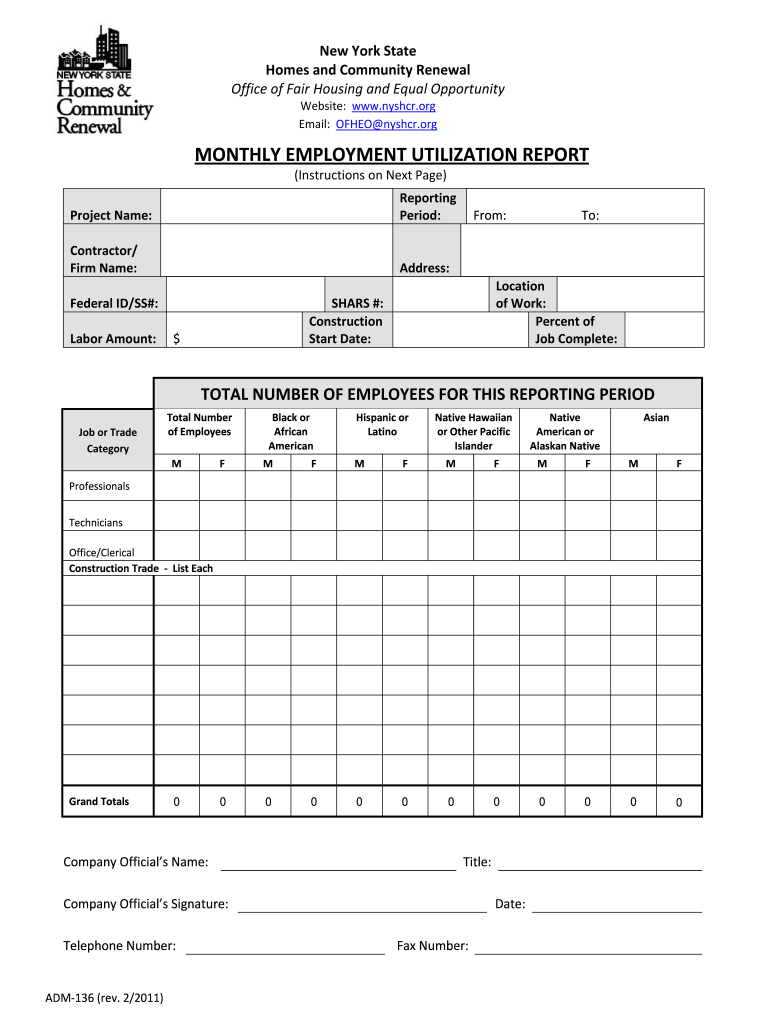
- Begin by entering the reporting period at the top of the form, specifying the start and end dates.
- Fill in the project name and contractor or firm name, along with their Federal ID or Social Security number if applicable.
- Indicate the location of work by specifying the county and enter the SHARS number assigned by HCR.
- Provide details on labor amount allocated for this project and indicate the contract start date.
- In the job or trade category section, list total employees under each category, including supervisory roles.
- Complete the total number of employees for all genders and ethnicities as required in each section.
- Finally, ensure that a company official’s name, title, and contact information are printed at the bottom before submission.
Start using our platform today to easily complete your EEO Monthly Employment Utilization Report for free!
It's free
See more EEO Monthly Employment Utilization Report - Division of Housing ... - nyshcr versions
| Versions | Form popularity | Fillable & printable |
|---|---|---|
| 2011 | 4.8 Satisfied (261 Votes) |
Got questions?
Can I type my eSignature on my EEO Monthly Employment Utilization Report - Division of Housing ... - nyshcr?
Yes, a typed name is accepted as a valid electronic signature when you add it to your paperwork utilizing a compliant solution like DocHub. Simply import your EEO Monthly Employment Utilization Report - Division of Housing ... - nyshcr to our editor, click Sign in the top tool pane → Create your signature → Type your name in the appropriate tab, and decide how it will look on your document.
What browser do I need to edit EEO Monthly Employment Utilization Report - Division of Housing ... - nyshcr online?
If you need to edit your EEO Monthly Employment Utilization Report - Division of Housing ... - nyshcr online easily, it does not matter what browser you employ. DocHub’s straightforward editing instruments are accessible using any internet browser. Simply open the appropriate tab in the editor, add your file, and fill it out without stress.
Security and compliance
At DocHub, your data security is our priority. We follow HIPAA, SOC2, GDPR, and other standards, so you can work on your documents with confidence.
Learn more




