Sdsu lost official 2026

Get Form
sendbing Preview on Page 1

Here's how it works

01. Edit your sendbing online
Type text, add images, blackout confidential details, add comments, highlights and more.

02. Sign it in a few clicks
Draw your signature, type it, upload its image, or use your mobile device as a signature pad.

03. Share your form with others
Send it via email, link, or fax. You can also download it, export it or print it out.

How to use or fill out sdsu lost official with our platform

Form edit decoration
9.5
Ease of Setup
DocHub User Ratings on G2
9.0
Ease of Use
DocHub User Ratings on G2
  1. Click ‘Get Form’ to open the sdsu lost official in the editor.
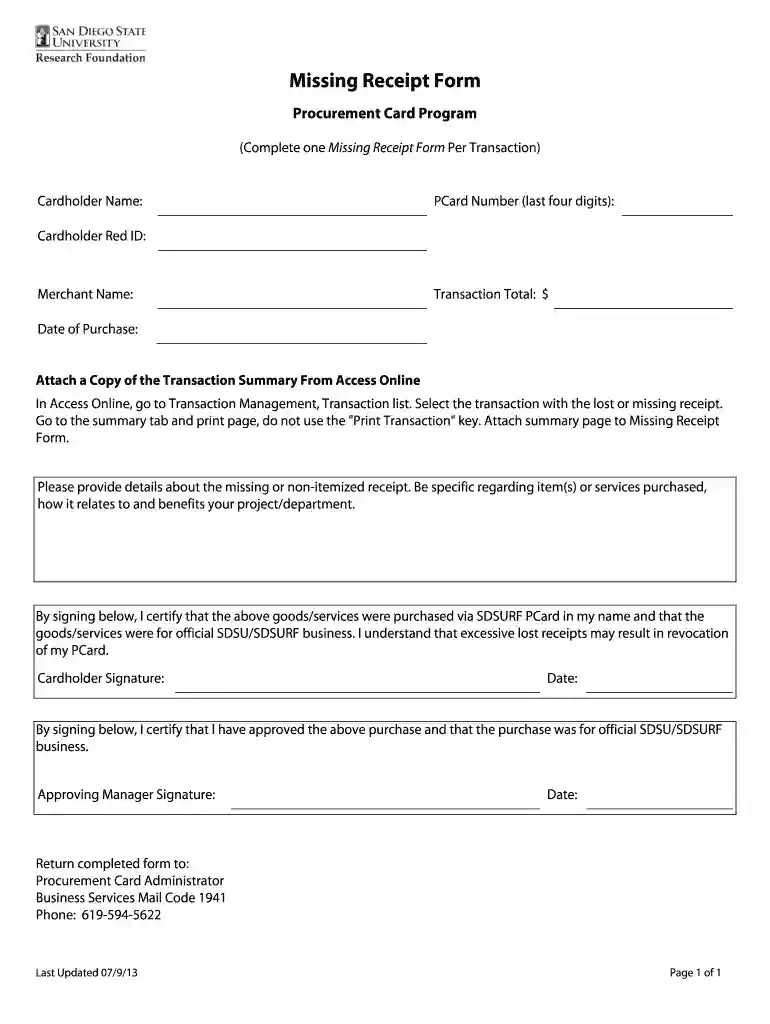
  2. Begin by entering your Cardholder Name in the designated field. This identifies you as the individual responsible for the transaction.
  3. Input the last four digits of your PCard Number. This is crucial for tracking and verification purposes.
  4. Fill in your Cardholder Red ID, which helps link your identity to the transaction within SDSU's system.
  5. Enter the Merchant Name where the purchase was made, followed by the Transaction Total in dollars.
  6. Specify the Date of Purchase to provide a timeline for when the transaction occurred.
  7. Attach a copy of the Transaction Summary from Access Online by following instructions provided on how to access and print it.
  8. In the details section, describe what was purchased and how it benefits your project or department, ensuring clarity and specificity.
  9. Sign and date at both signature fields to certify that all information is accurate and that purchases were for official business.

Start using our platform today to easily fill out your sdsu lost official form for free!

See more sdsu lost official versions

We've got more versions of the sdsu lost official form. Select the right sdsu lost official version from the list and start editing it straight away!
Versions Form popularity Fillable & printable
2013 4.8 Satisfied (260 Votes)
be ready to get more

Complete this form in 5 minutes or less

Get form

Got questions?

We have answers to the most popular questions from our customers. If you can't find an answer to your question, please contact us.
Contact us
Meet at least a 2.5 GPA or greater for California residents and graduates of a California high school; OR. Meet at least a 3.0 or greater for non-California residents and graduates of a non-California high school.
Access the GET application, Click on SDSU Card Replacement Request (Under SDSU Quick Links) to request replacement card. A charge will be placed on your account for each replacement. Visit the SDSUcard Office to obtain a replacement. A charge will be placed on your account for each replacement.
Evolve Student Housing is a transformative, multi-phase construction project that will provide enhanced and financially competitive on-campus housing options for students at San Diego State University. Phase 1A and 1Bcurrently underwaywill add approximately 1,370 student beds.
If you accidentally leave something behind at SAN, please be aware that the Lost Found Office is closed to the public and will only accept inquires via the Lost and Found form, by phone: (619) 400-2140, or by email: lostandfound@san.org.

Security and compliance

At DocHub, your data security is our priority. We follow HIPAA, SOC2, GDPR, and other standards, so you can work on your documents with confidence.

Learn more
ccpa2
pci-dss
gdpr-compliance
hipaa
soc-compliance