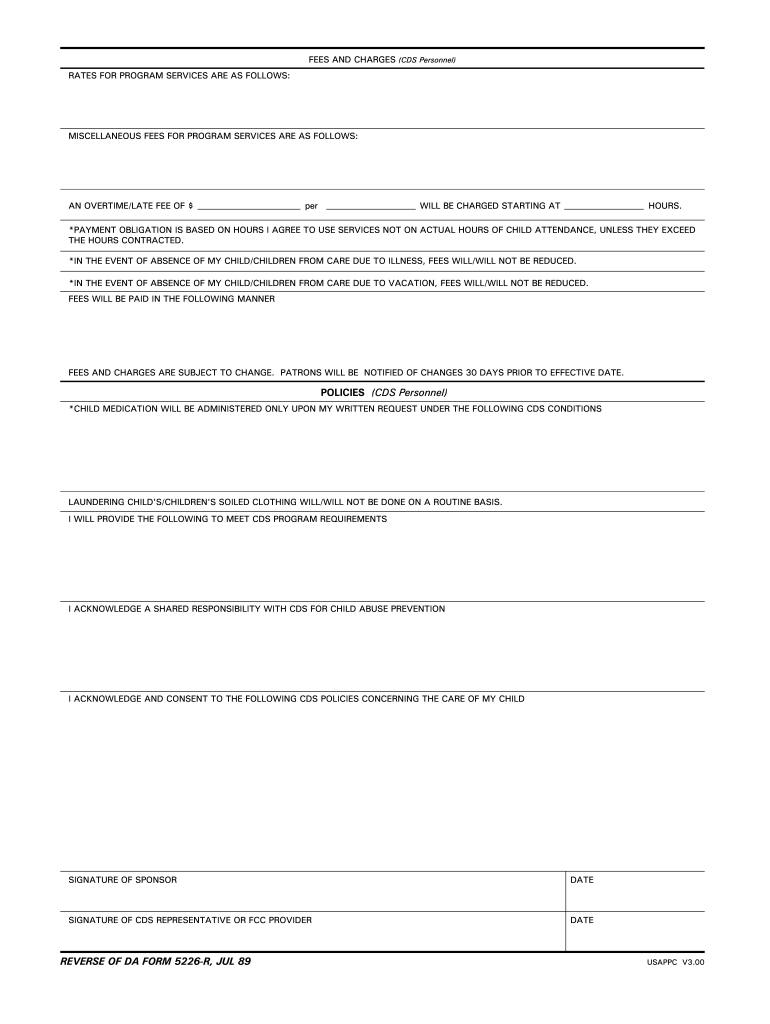
Da 5226 form-2026

Get Form
5226 r Preview on Page 1

Here's how it works

01. Edit your 5226 r online
Type text, add images, blackout confidential details, add comments, highlights and more.
02. Sign it in a few clicks
Draw your signature, type it, upload its image, or use your mobile device as a signature pad.
03. Share your form with others
Send disclosure file via email, link, or fax. You can also download it, export it or print it out.

How to use or fill out DA 5226 form with our platform

Form edit decoration
9.5
Ease of Setup
DocHub User Ratings on G2
9.0
Ease of Use
DocHub User Ratings on G2
  1. Click ‘Get Form’ to open the DA 5226 form in the editor.
  2. Begin by entering your name as the sponsor in the designated field, ensuring you include your last name, first name, and middle initial.
  3. Specify the program you are enrolling your child in by selecting from the available options.
  4. Fill in the 'Valid From' dates, indicating the start and end of your enrollment period.
  5. Select the appropriate service type by checking one of the boxes for full day, part day school age, part day preschool, FCC home, or hourly services.
  6. Indicate your child's age group category by checking the relevant box: infant, toddler, preschool age, or school age.
  7. List the program operating hours and specify any additional service hours required for your child.
  8. Complete any unique considerations or special needs accommodations for your child in the provided section.
  9. Review all entered information for accuracy before signing and dating at the bottom of the form.

Start filling out your DA 5226 form online for free today using our platform!

See more da 5226 form versions

We've got more versions of the da 5226 form form. Select the right da 5226 form version from the list and start editing it straight away!
Versions Form popularity Fillable & printable
1989 4.9 Satisfied (217 Votes)
be ready to get more

Complete this form in 5 minutes or less

Get form

Got questions?

We have answers to the most popular questions from our customers. If you can't find an answer to your question, please contact us.
Contact us
DA Form 5692 is an official military document used primarily by the U.S. Army for tracking and documenting supplies, equipment, or personnel-related information. It serves as a record for specific transactions, requests, or reports that require formal acknowledgment within military operations.
As mentioned on the previous slide, DA Form 2166-9-1A, the NCOER Support Form, will align with Army leadership doctrine. In addition, the rated NCOs current Military Education Level (MEL) and Structured Self Development (SSD) codes will be included on the form.
0:22 2:17 In box 8 you must identify your marital. And dependency status including all current and previousMoreIn box 8 you must identify your marital. And dependency status including all current and previous marriages. And dependent.
DA Form 5692 is used to document. lost or damaged ammunition. remaining residue from expended ammunition. special ammunition consumed by unit personnel.
The DA Form 6125, Road Test Score Sheet, is used to evaluate a drivers performance during a road test. It assesses various driving behaviors and scenarios, such as traffic checks, lane changes, merging, and general driving behavior.

Security and compliance

At DocHub, your data security is our priority. We follow HIPAA, SOC2, GDPR, and other standards, so you can work on your documents with confidence.

Learn more
ccpa2
pci-dss
gdpr-compliance
hipaa
soc-compliance
be ready to get more

Complete this form in 5 minutes or less

Get form

People also ask

What is the DA form 5692 used for? The DA Form 5692 R is a document used to provide information on Army vehicle inspections. This form is used to report any deficiencies or damage that has been found on a military vehicle during an inspection.
When using specially controlled training ammunition items, a DA Form 5692 must be used. Who is required to sign this form? The range ammunition NCO asks you to transfer two cases of unopened ammunition to him.

disclosure information