




01. Edit your form online
Type text, add images, blackout confidential details, add comments, highlights and more.

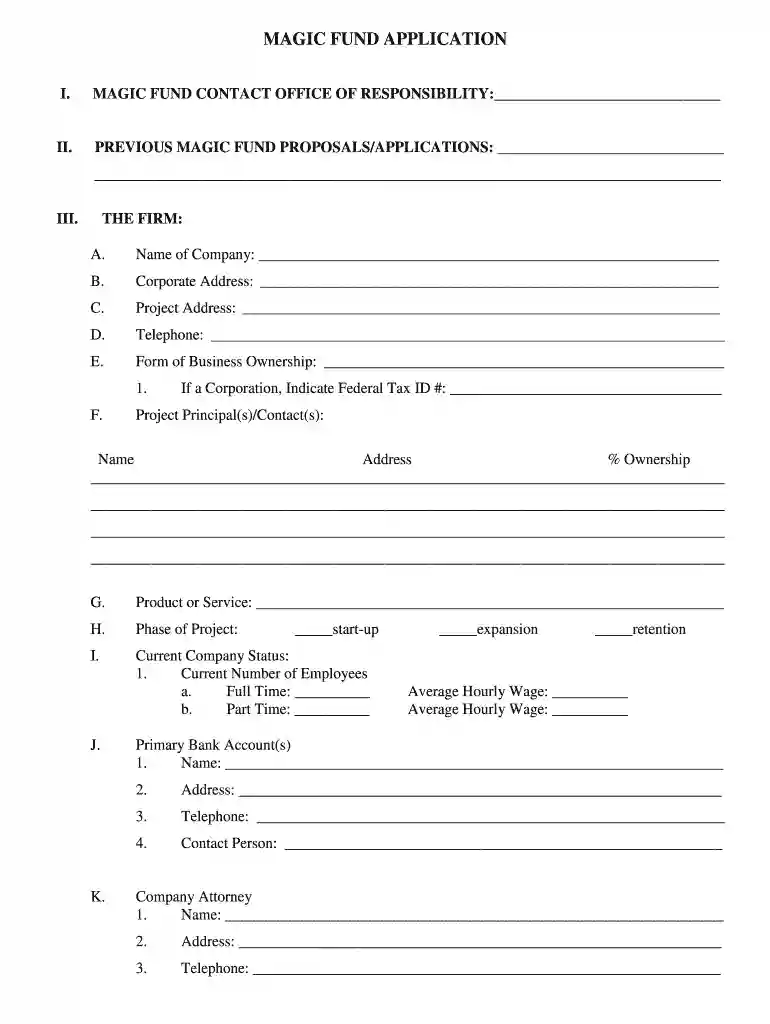
Type text, add images, blackout confidential details, add comments, highlights and more.

Draw your signature, type it, upload its image, or use your mobile device as a signature pad.

Send it via email, link, or fax. You can also download it, export it or print it out.

Start using our platform today to fill out your MAGIC Fund Application Form easily and for free!
We've got more versions of the MAGIC Fund Application Form - City of Minot, ND - minotnd form. Select the right MAGIC Fund Application Form - City of Minot, ND - minotnd version from the list and start editing it straight away!
| Versions | Form popularity | Fillable & printable |
|---|---|---|
| 2011 | 4.6 Satisfied (22 Votes) |
A lot of software applications are available on the market for document modifying and signing. DocHub is one of the most widely used online solutions that comply with all data protection and compliance standards and ensures your electronically signed documentation is legally enforceable. All you need to give it a try is to register an account, add your MAGIC Fund Application Form - City of Minot, ND - minotnd, provide the necessary details, and click Sign. Generate your electronic signature by typing, drawing it, uploading its image to your template, or scanning a unique QR code.
Document editing with DocHub is equally convenient on desktop and mobile devices. You only need an internet browser to revise your MAGIC Fund Application Form - City of Minot, ND - minotnd on Android. Open our site and sign in to access the instruments you require. Add your document and introduce your intended changes. After that, you can keep your form in your document storage or send it out instantly.
At DocHub, your data security is our priority. We follow HIPAA, SOC2, GDPR, and other standards, so you can work on your documents with confidence.
In applications requiring more than 1 Form C contact, a multicontact relay may be used instead of 2, 3 or 4 of the standard type HG Mercury-Wetted ContactRead more
A completed MAGIC Fund Application form. A. Enclose information concerning any pending or threatening litigation or administrative proceeding or anyRead more
City has spent the least ($2,200 per job). The number of jobs supported varied from nearly 1,600 for the Minot MAGIC Fund to 231 for the Williston STAR Fund.


