Manage Lease Contract Forms effortlessly online

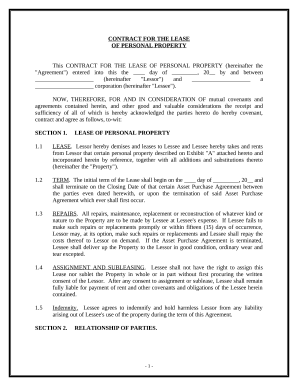
Document administration can overpower you when you can’t find all the forms you require. Luckily, with DocHub's considerable form library, you can find all you need and quickly deal with it without switching between apps. Get our Lease Contract Forms and start working with them.

Using our Lease Contract Forms using these simple steps:

  1. Browse Lease Contract Forms and choose the form you require.
  2. Review the template and click Get Form.
  3. Wait for it to open in our online editor.
  4. Edit your form: include new information and pictures, and fillable fields or blackout some parts if necessary.
  5. Fill out your form, conserve modifications, and prepare it for delivering.
  6. When all set, download your form or share it with other contributors.

Try out DocHub and browse our Lease Contract Forms category easily. Get your free profile right now!

Video Guide on Lease Contract Forms management

video background

Commonly Asked Questions about Lease Contract Forms

Whether for Commercial Spaces for Small Businesses and Restaurants or Leasing Out Apartments, Vehicles, or Heavy Equipment, We Offer A Complete Line of Editable Lease Agreement Samples You Can Download in Google Docs for Free.
Yes, Microsoft Word has a free lease agreement template that you can customize to create your own contract and minimize any potential problems between tenant and landlord.
Use a Google template On your computer, go to Google Docs, Sheets, Slides, or Forms. At the top right , click Template Gallery. Click the template you want to use.
Step 1: Write a Cover Letter. Firstly, open a new file in any Word document and create a title page. Step 2: Provide a Summary of the Proposal. Step 3: Specify the Operations of the Tenant. Step 4: Present the Cost Summary. Step 5: List the Terms of the Contract. Step 6: Mention the Benefits.
Open the Google Docs template Contract Template and enter your company details and an image with your signature in the provided space, as well as the actual contract. Familiarize yourself with working with variables if you want to add more placeholders, conditions, or loops to your contract.
Google Forms are not legally binding by default. However, the content or agreements entered into through a Google Form can be legally binding, depending on the context and adherence to legal requirements. If the form is used to create a contract or agreement, the standard legal principles of contract law apply.
Heres a list of common fields that should be covered in your lease agreement: Basic information about all tenants. Include the full name and contact information of each tenant. Description of rental property. Security deposit. Monthly rent amount. Utilities. Lease term. Policies. Late fees.
Get a Well-Defined Rental Agreement That Lays Out the Terms and Rights of Both Lessor and Lessee with Template.